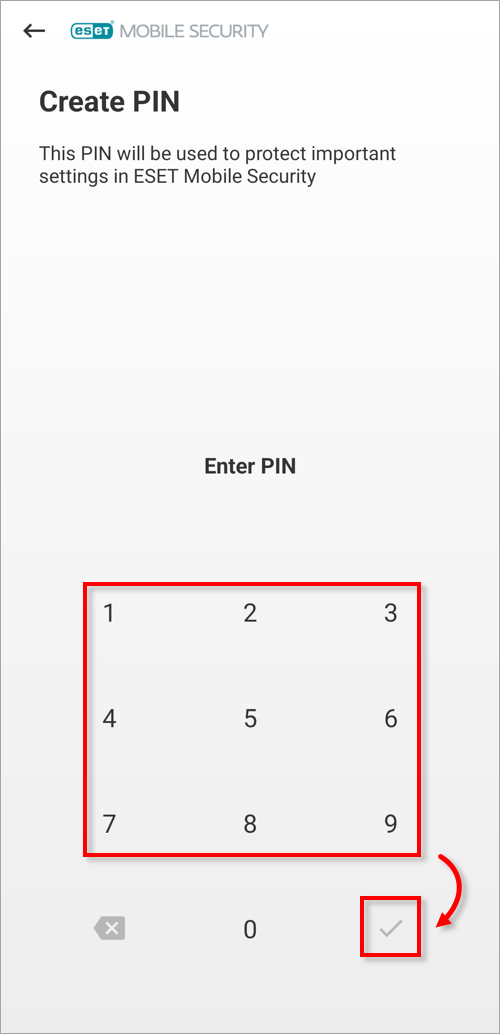
Issue
- You want to access program settings in ESET Mobile Security for Android, but you do not know the security PIN
- You forgot your Personal Identification Number (PIN) or your user-defined security pattern
Solution
-
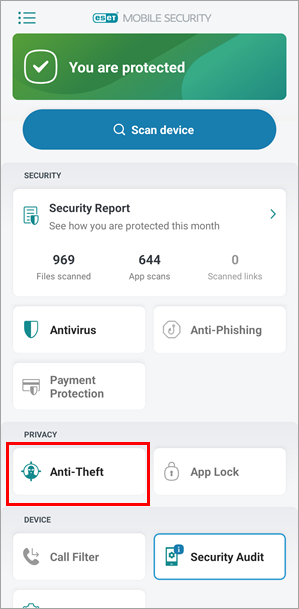
Open ESET Mobile Security for Android and tap Anti-Theft.
-
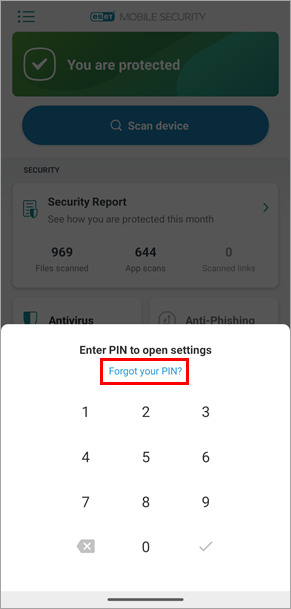
Tap Forgot your PIN?.
-
Type your ESET HOME password and tap Enter. Continue to step 4.
If you forgot your ESET HOME password, expand the section below to reset your ESET HOME password.
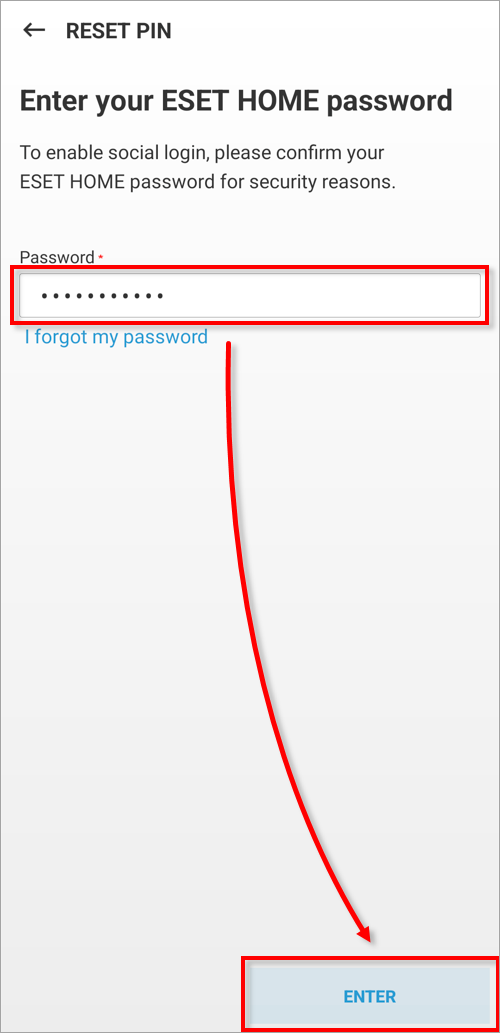
Reset your ESET HOME password
-
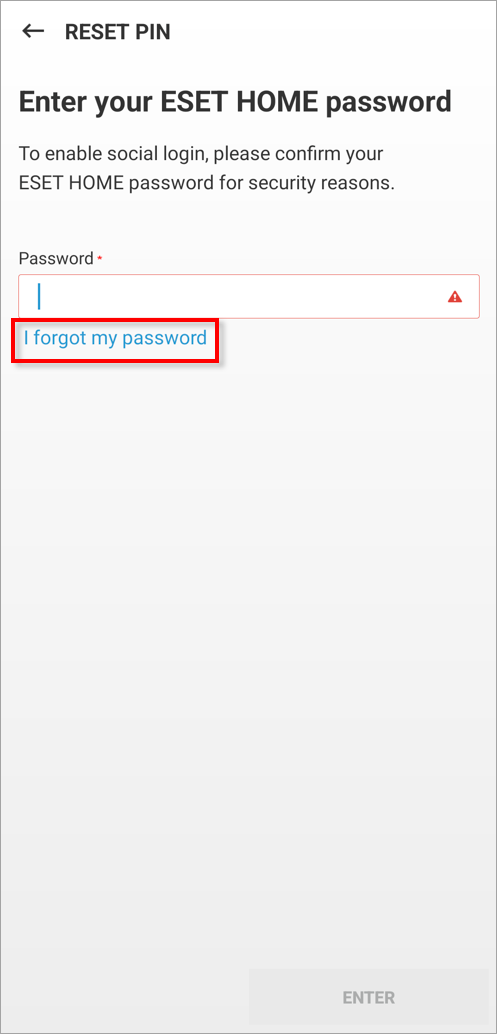
Tap I forgot my password.
-
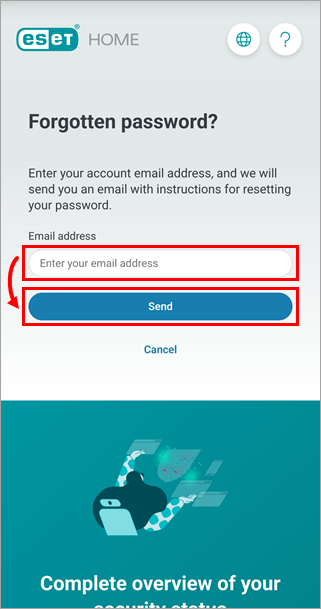
Type the email address you used to register with ESET HOME and tap Send.
-
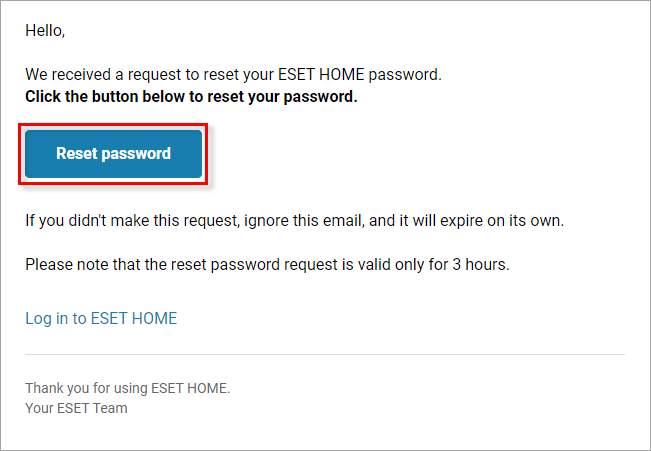
Go to your email inbox, open the Account password change request email and click Reset password.
-
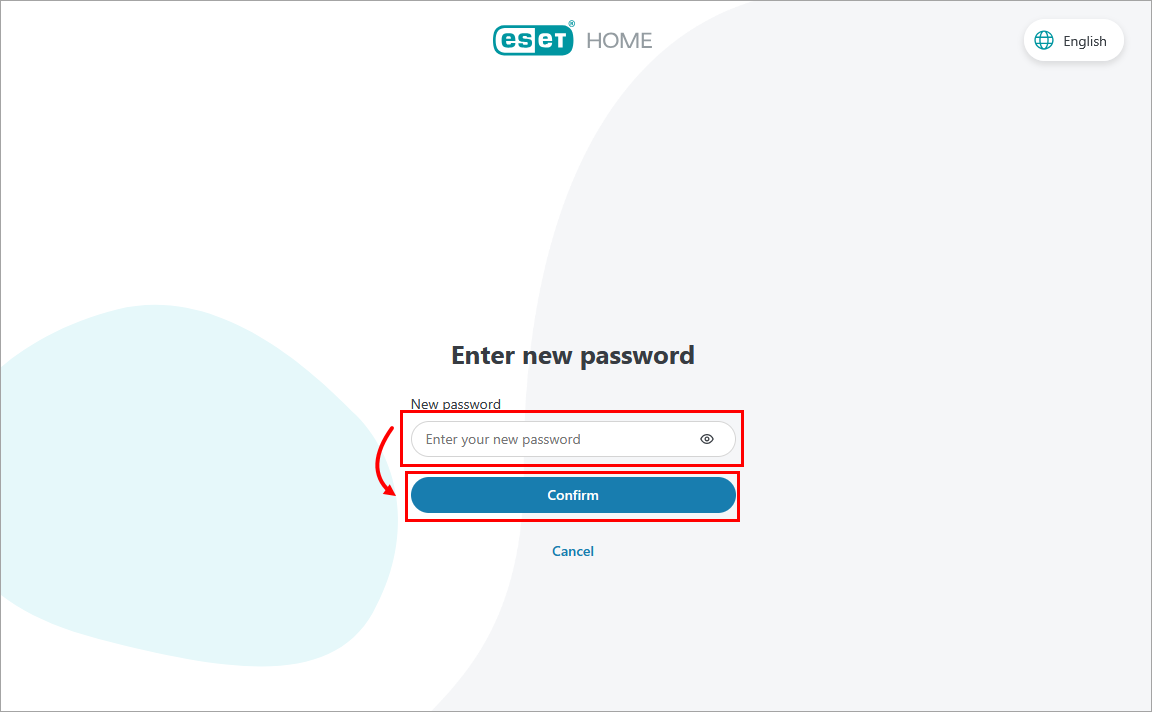
Type in a new password and click Confirm.
- Using your mobile device, type in the new password and tap Enter.