Issue
- You receive the error message "error downloading update file" when attempting to update the detection engine and the modules
- Module updates hang at 0%
- The "Check for updates" button is unresponsive
- You receive "Error DB10161"
Solution
Related solution: ESET PROTECT On-Prem users
I. Clear the update cache
-
Verify that your internet connection is active by visiting the ESET website.
-
Open the main program window of your ESET endpoint Windows application.
-
Press the F5 key to open the Advanced Setup window.
-
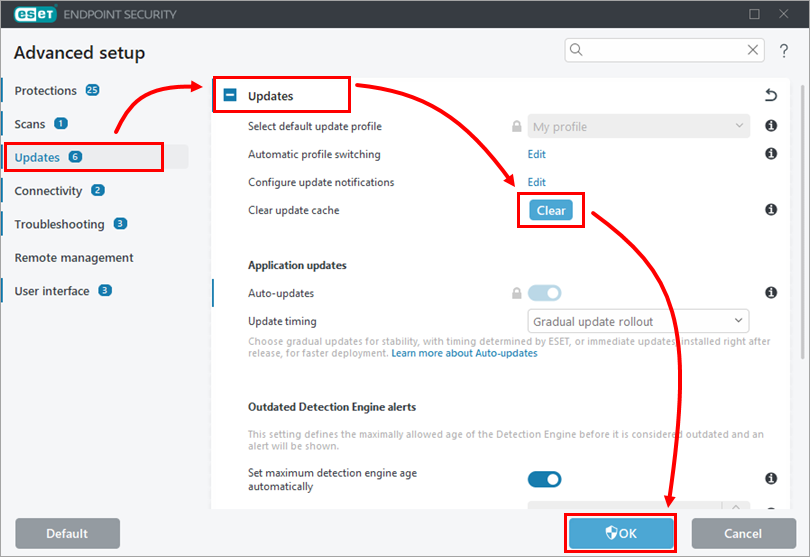
Click Updates and expand the Updates section. Next to Clear update cache, click Clear → OK.
-
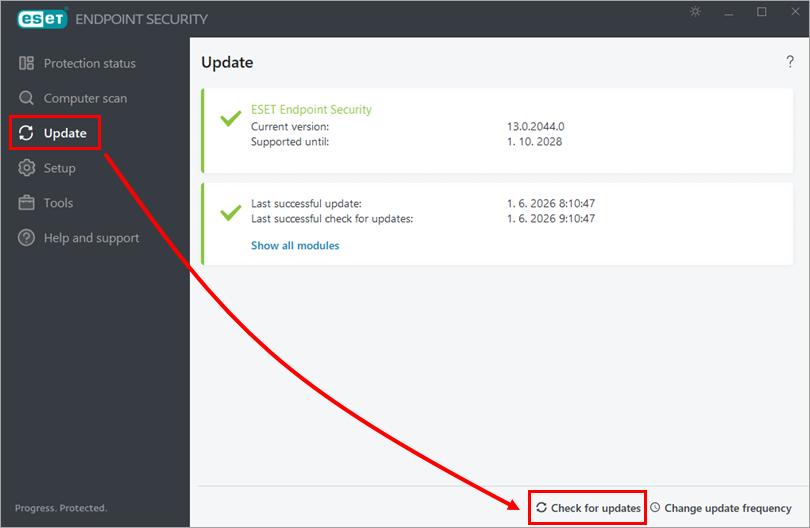
In the main application window, click Update → Check for updates.
- If the issue is still not resolved, continue to part II below.
II. Delete the update files
-
Open the main program window of your ESET endpoint Windows application.
-
Press the F5 key to open Advanced setup.
-
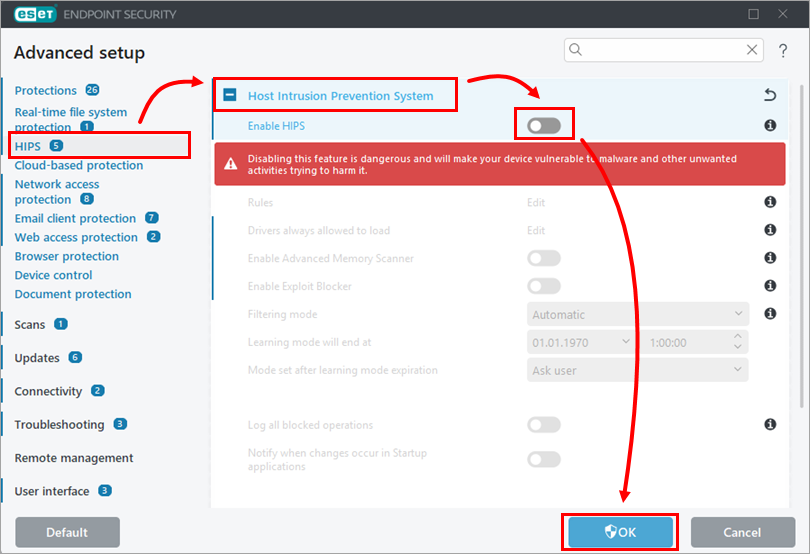
Click Protections → HIPS, and in the Host Intrusion Prevention System section, turn off the toggle next to Enable HIPS. Click OK.
-
Bookmark this web page for reference after restarting your computer. Restart your computer.
-
Click Start → Settings → System → For developers, and under File Explorer, turn on Show hidden and system files.
-
Delete the contents of the Updfiles, Charon and em0** folders:
-
Navigate to
C:/ProgramData/ESET/ESET Security/UpdfilesorC:/ProgramData/ESET/ESET Endpoint Antivirus/Updfilesand delete the contents. -
Navigate to
C:/ProgramData/ESET/ESET Security/CharonorC:/ProgramData/ESET/ESET Endpoint Antivirus/Charonand delete the contents. -
Navigate to
C:/Program Files/ESET/ESET Security/ModulesorC:/ProgramFiles/ESET/ESET Endpoint Antivirus/Modulesand delete the em0** folders (some folders may not be deleted).
-
-
Restart your computer.
-
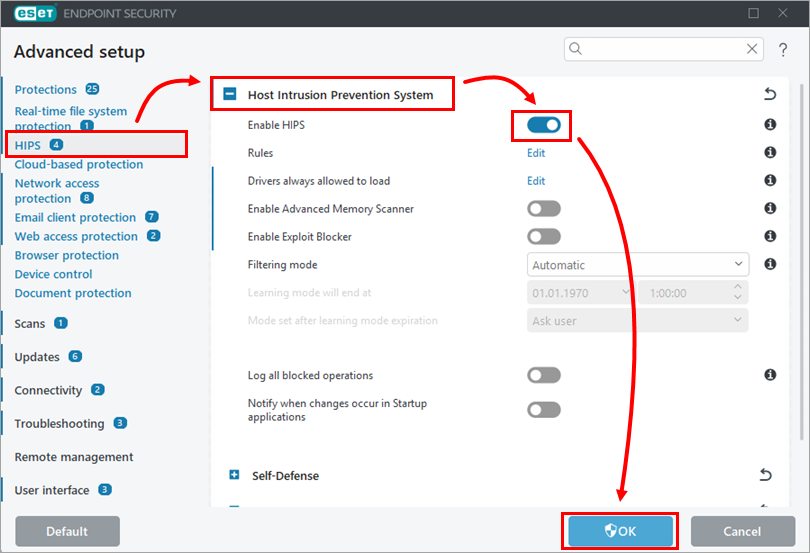
Click Protections → HIPS, and in the Host Intrusion Prevention System section, turn on the toggle next to Enable HIPS. Click OK.
-
Restart your computer.
-
Open the main program window of your ESET endpoint Windows application.
-
In the main application window, click Update → Check for updates.
-
If you still receive the "error downloading update file" message, uninstall and reinstall your ESET application or contact ESET Technical Support for further assistance.


