Issue
- Locate the services that are linked to your account
- Create a Services Hub case
- View or open a Services Hub case
Solution

Locate the services that are linked to your account
-
Log in to your Services Hub dashboard.
-
Click Services and Cases → My services. All of the services that are linked to your account will display under My services.

Figure 1-1
Create a Services Hub case
-
To create a Services Hub case, select a service that is linked to your account and click the request button.

Figure 2-1 -
In each of the mandatory fields, select the applicable options from the drop-down menu. In the Priority field, select the correct priority for your service agreement and click Create. Only select Critical if the issue impacts your business.
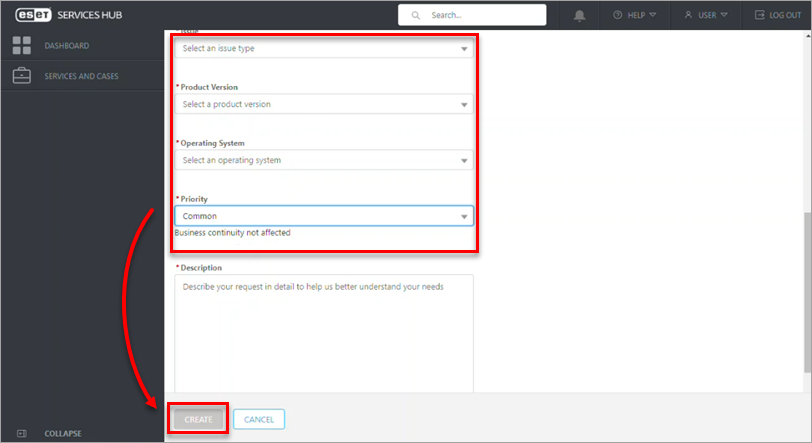
Figure 2-2
View a Services Hub case
To view or open a Services Hub case, click Services and Cases → All open cases. Your service requests will display under the All open cases tab.

For more information, see our ESET Service Hub Online Help guide.


