Issue
- Reset your ESET HOME password via the ESET HOME web portal
- Reset your ESET HOME password via the ESET HOME mobile app
- I have not received an email with instructions for resetting my password
Solution
Reset your ESET HOME password via the ESET HOME web portal
-
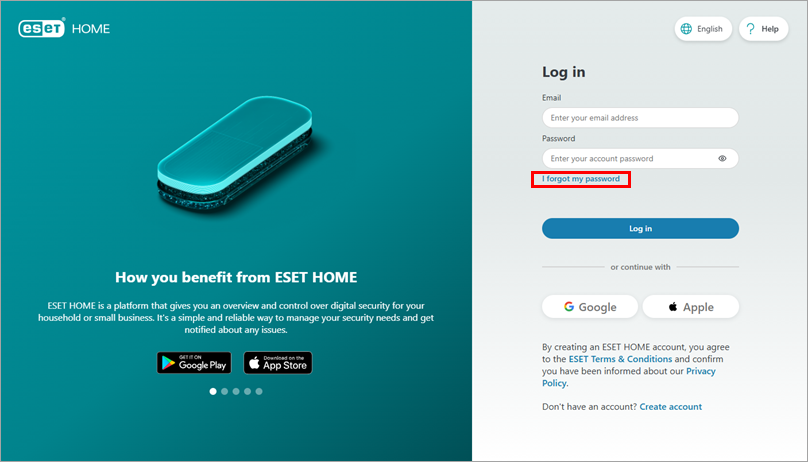
Open the ESET HOME web portal and click I forgot my password.
-
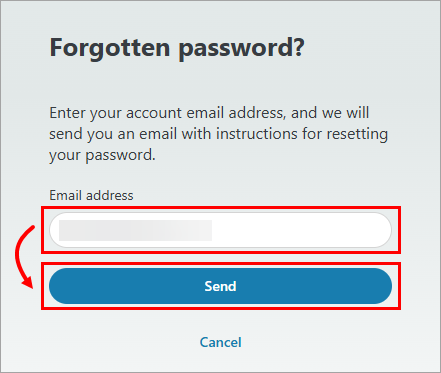
In the Email address field, type the email address you used to register with ESET HOME and click Send.
-
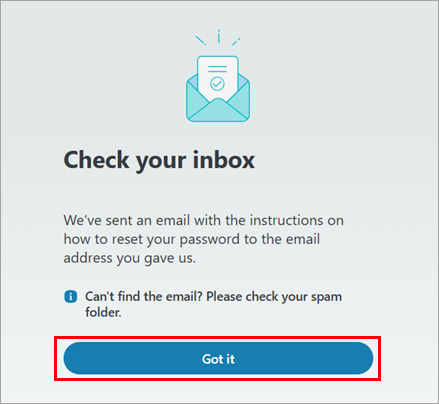
Click Got it.
-
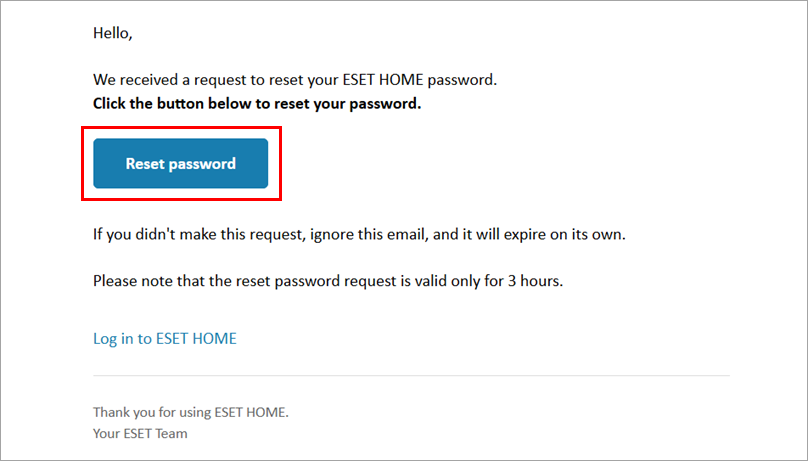
Open the email you received from ESET HOME and click Reset password. You will be redirected to the ESET HOME web portal.
-
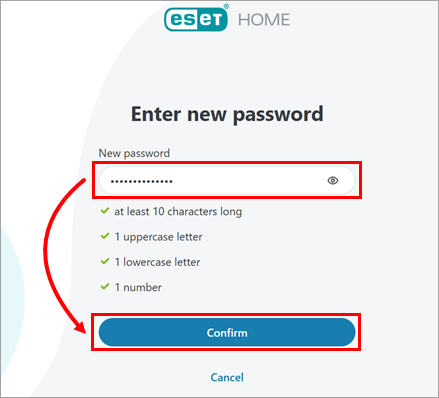
In the New password field, type a new password and click Confirm.
-
An email confirming the password change will be sent to your ESET HOME email, and you can log in to your ESET HOME account using your new password.
Reset your ESET HOME password via the ESET HOME mobile app
-
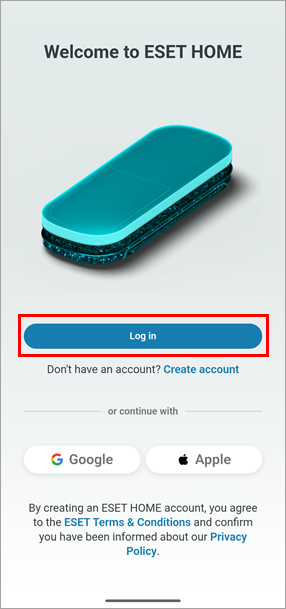
Open the ESET HOME mobile app and tap Log in.
-
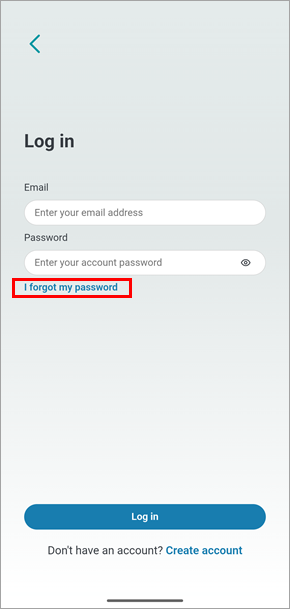
Tap I forgot my password.
-
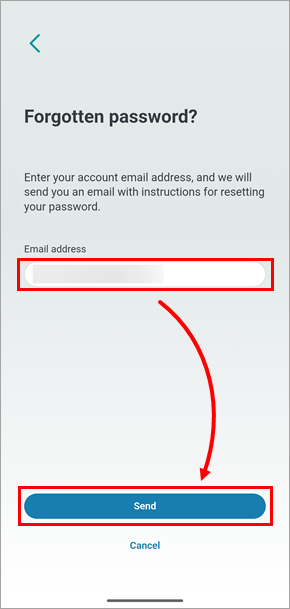
In the Email address field, type the email address you used to register with ESET HOME and tap Send.
-
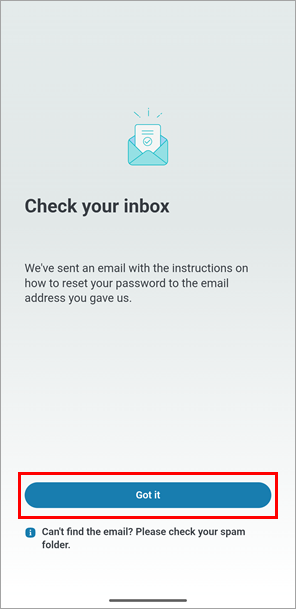
Tap Got it.
-
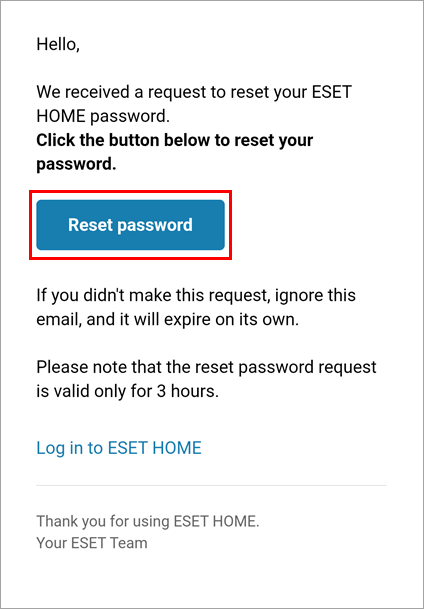
Open the email you received from ESET HOME and tap Reset password. You will be redirected to the ESET HOME mobile app.
-
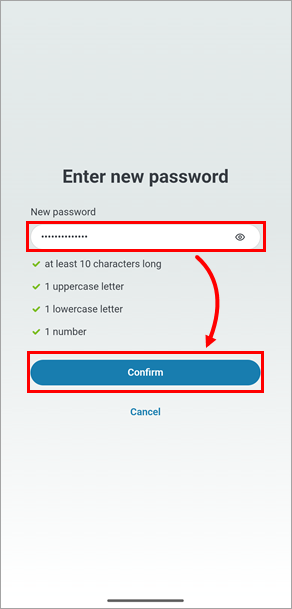
In the New password field, type a new password and tap Confirm.
-
An email confirming the password change will be sent to your ESET HOME email, and you can log in to your ESET HOME account using your new password.
I have not received an email with instructions for resetting my password
Perform the following procedures until you receive the instructions:
- Check the Spam or Junk folder in your email account—or any other secondary inbox folders. If you use Gmail, check your Promotions folder.
- Whitelist or mark info@product.eset.com as a safe address in your email client.
- Ensure that you are using the correct email address—the email address you used during the ESET HOME registration or the activation of the ESET Anti-Theft feature—and request the password reset again. Due to security reasons, ESET HOME does not tell you whether the email address you used is correct.
- If you cannot resolve the issue, contact ESET Technical Support.


