Issue
- Create a task to remove potentially unwanted applications (PUAs) from quarantine on a client device and exclude them from future detection
- Convert the configuration of an ESET application to a policy
Details
Click to expand
Potentially unwanted applications (PUAs) are a broad category of software whose intent is not as clearly malicious as that of other types of malware, such as viruses or trojans. However, they may install additional unwanted software, change the behavior of a device, or perform activities not approved or expected by the user.
Solution
-
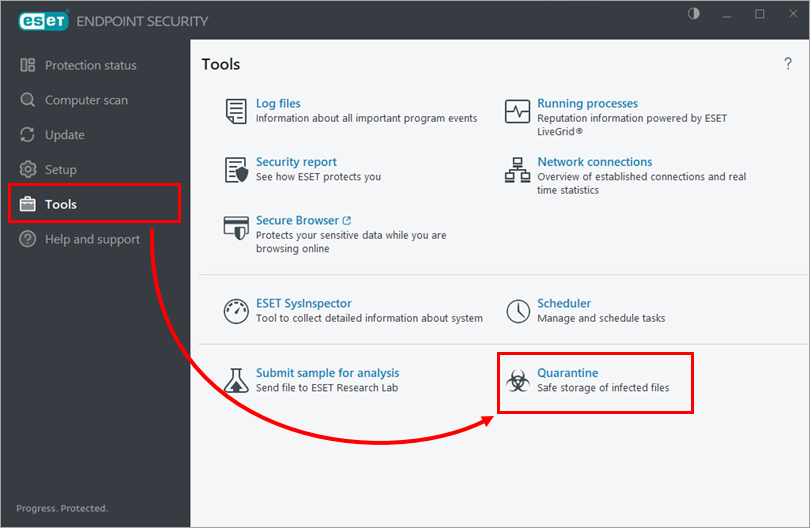
Verify that the potentially unwanted application (PUA) is quarantined on the client device. To view quarantined items, open the main program window of your ESET endpoint application and click Tools → Quarantine.
-
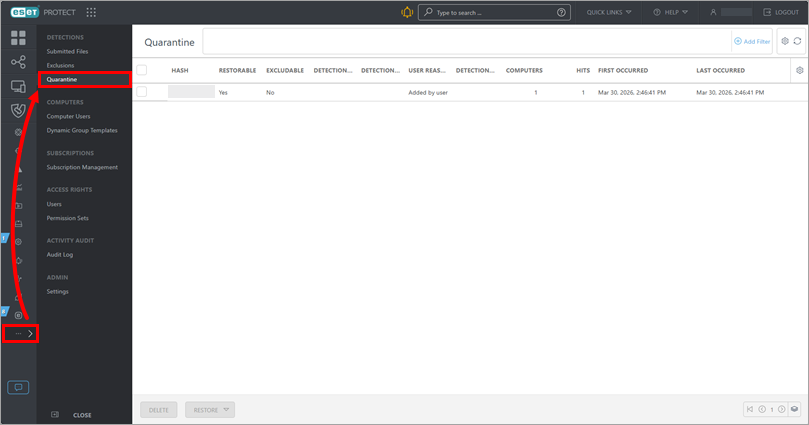
Verify that the potentially unwanted application (PUA) quarantined on the client device appears in the ESET PROTECT quarantine list. To view the list, click More → Quarantine.
-
Start creating a task to remove the potentially unwanted application (PUA) from quarantine and exclude it from future detection.
ESET PROTECT
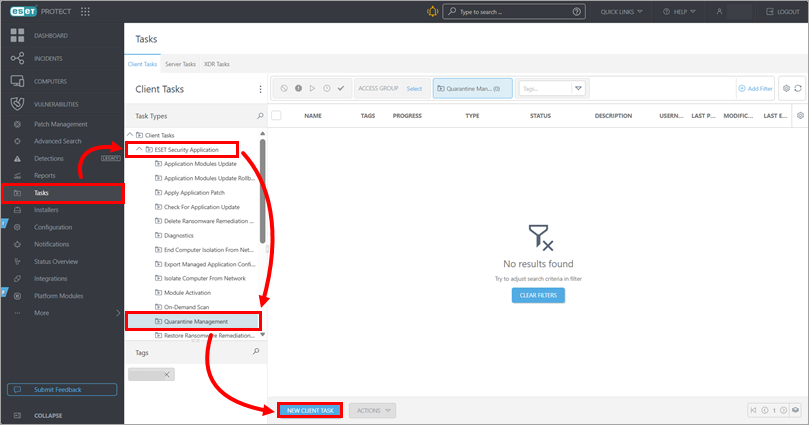
Click Tasks → ESET Security Application → Quarantine Management → New client task.
ESET PROTECT On-Prem
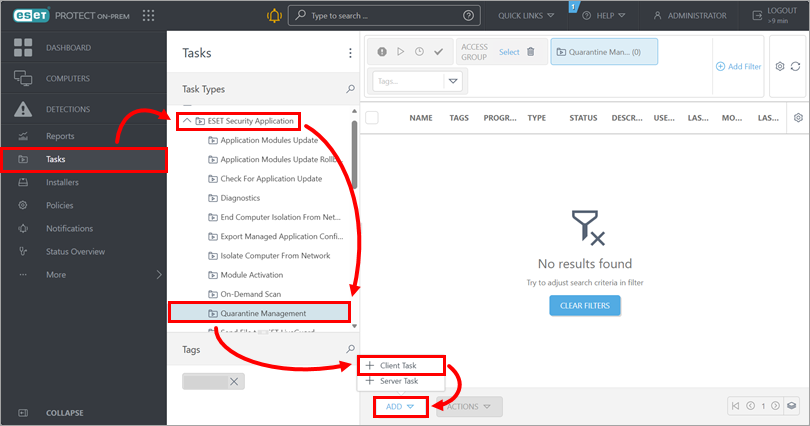
Click Tasks → ESET Security Application → Quarantine Management → Add → Client task.
-
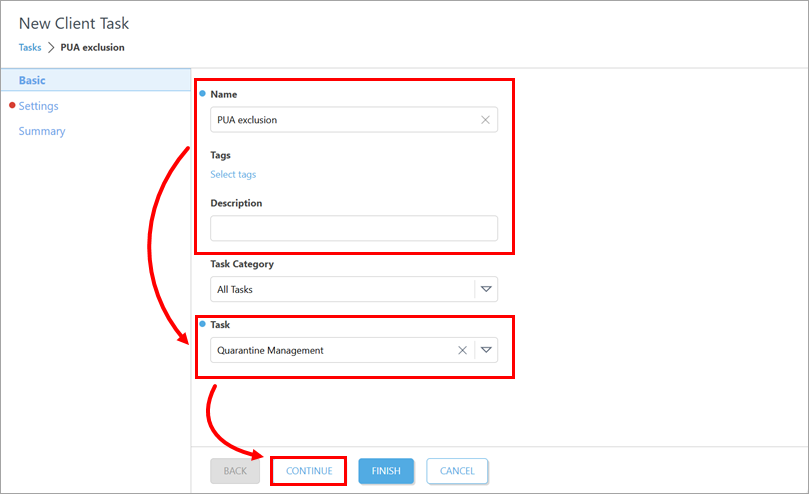
Under Basic, update the task name and type the description if needed. Verify that Quarantine Management is selected in the Task drop-down menu. Click Continue.
-
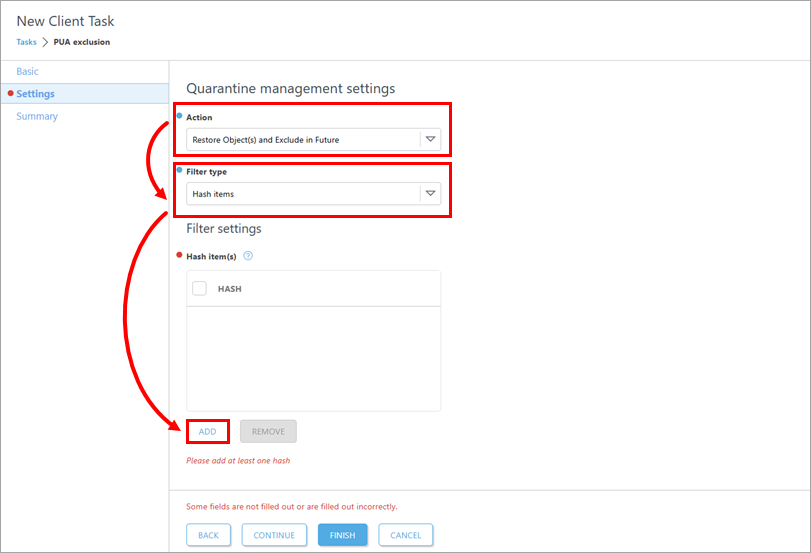
Under Settings, from the Action drop-down menu, select Restore Object(s) and Exclude in Future. Verify that Hash items is selected in the Filter type drop-down menu. Below Hash item(s), click Add.
-
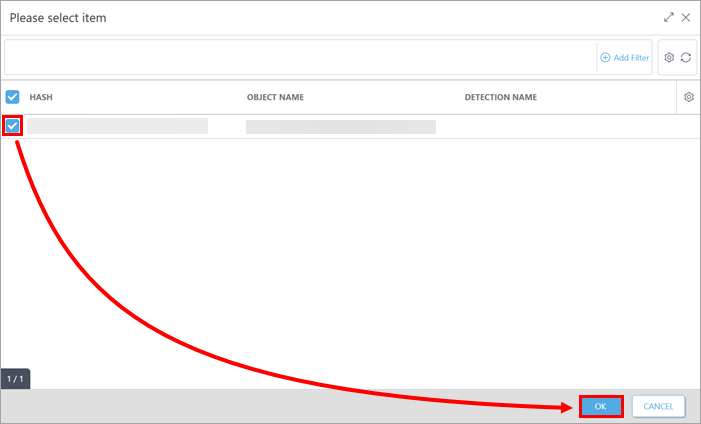
Select the check box next to the potentially unwanted application (PUA) for which you want to create the detection exclusion and click OK. You can select multiple items if needed.
-
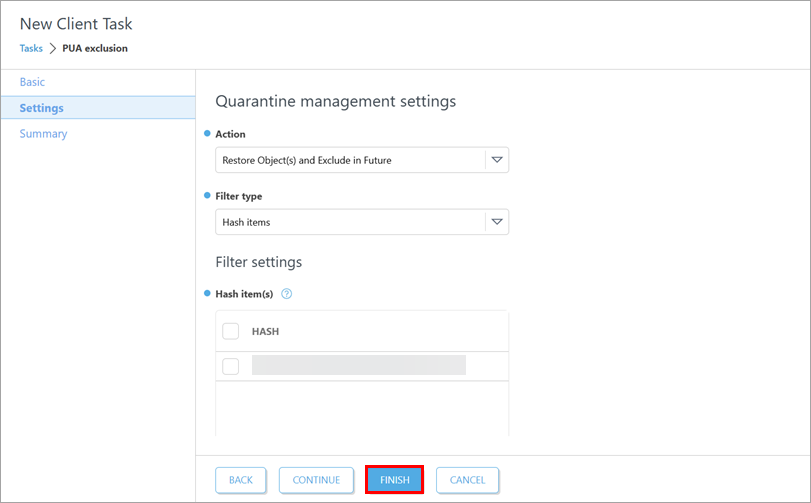
Click Finish.
-
Create a trigger to execute the task and select the target devices—include the client device where the potentially unwanted application (PUA) is quarantined.
-
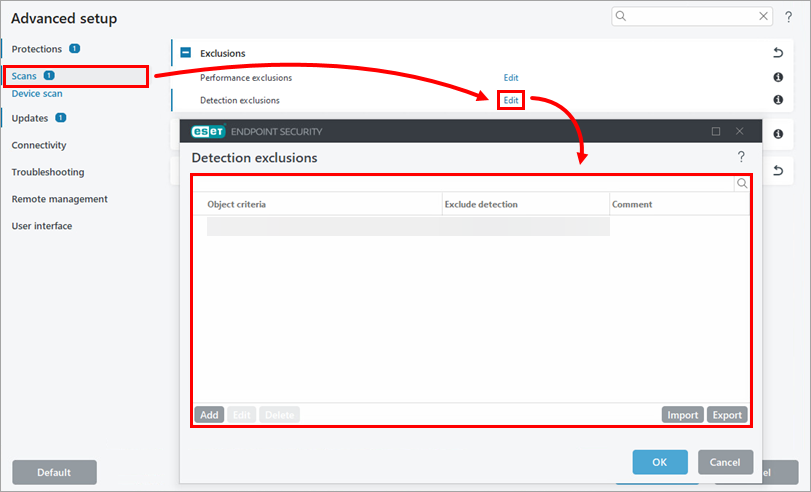
Verify that the detection exclusion for the potentially unwanted application (PUA) has been created on the client device: open the main program window of your ESET endpoint application and press F5 to open Advanced setup. Click Scans, click Edit next to Detection exclusions and check the Detection exclusions list.
-
If you want to apply the same detection exclusion to multiple client devices, convert the configuration of the ESET application on the client device where you created the detection exclusion into a policy and assign it to the devices where you want to apply it.


