Issue
- Prompted for a password when trying to access program settings or advanced setup
- Forgot user-defined password or need to unlock password for program settings
Which ESET product do I have and is it the latest version? (Business Users)
Details
ESET Endpoint products provide the option to establish a user-defined password to access program settings. If your system is part of a company network, contact your network administrator for assistance.
Solution
Unlock Your Password via Email | Generate a Code for Technical Support
Unlock Your Password via Email
- When prompted to type your password, click Restore Password.
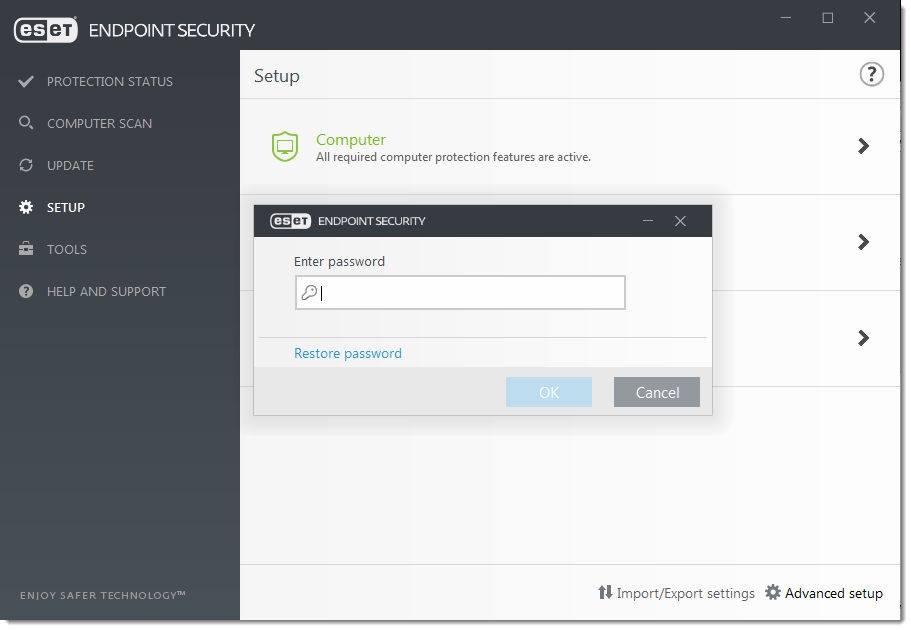
Figure 1-1
- Type the email address you used for license registration in the blank field and click Send Code. If you do not know your email address, submit a support request to Technical Support.
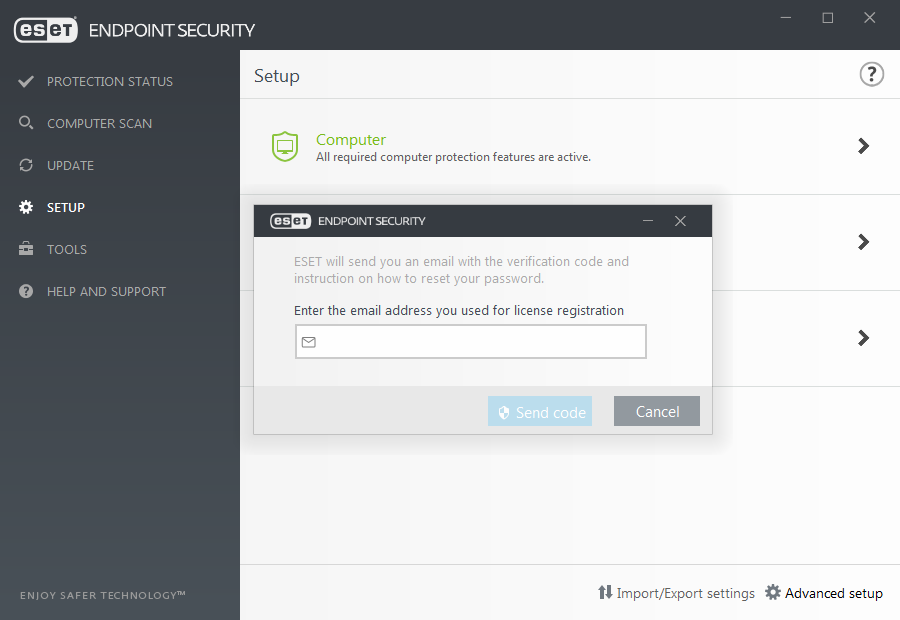
Figure 1-2
- ESET Technical Support will email you a verification code that is only valid for 7 days. Copy the verification code.
- Click the copy/paste icon to paste the verification code in the blank field. If you do not want to set a new password at this time, leave the password fields blank and click Verify. To set a new password, type your new security password in the New password and Confirm new password fields and click Verify.
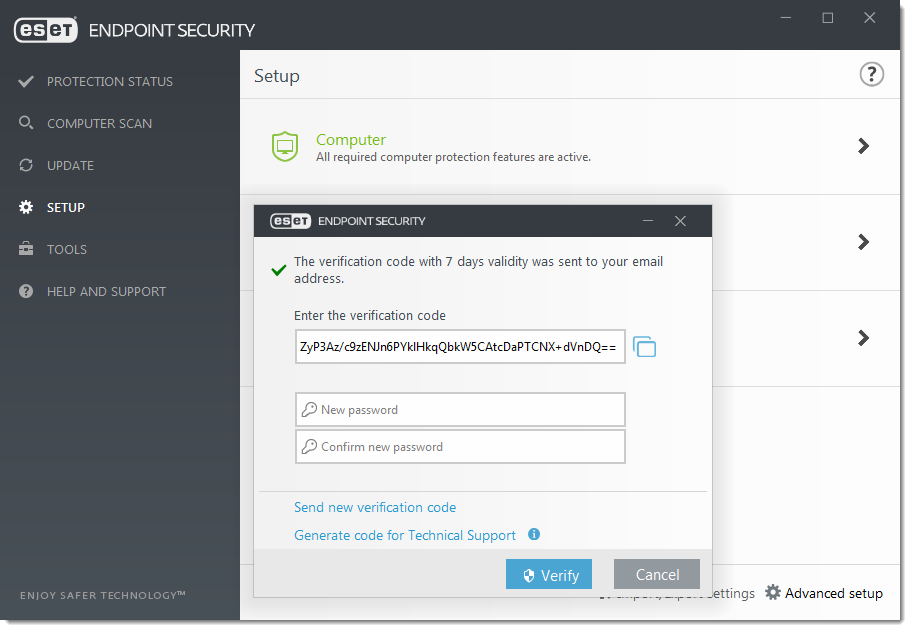
Figure 1-3
- Click OK. Your password has been unlocked successfully.
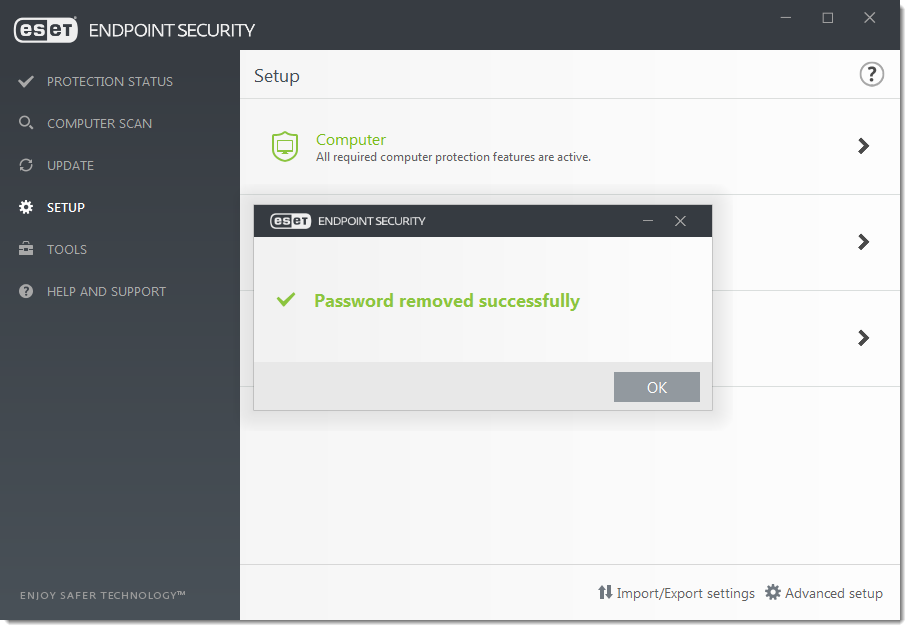
Figure 1-4
Generate a Code for Technical Support
- When prompted to type your password, click Restore Password.
- Click Generate code for Customer Care.
- Click the copy/paste button to copy the code.
- Submit this code to ESET Technical Support using the support method you used to contact them. If you have not yet contacted ESET Technical Support, submit a support request and include the code that you generated in step 3.
- ESET will automatically send you an email with the verification code. Copy the verification code and click I have a verification code in your ESET product.
- Click the copy/paste icon to paste the verification code in the blank field. If you do not want to set a new password now, leave the password fields blank and click Verify. To set a new password, type your new security password in the New password and Confirm new password fields and click Verify.
- Click OK. Your password has been removed successfully.


