Issue
- Your ESET Windows home product notifies you that activation has failed due to an overused subscription
- You own the subscription and want to remove a device or subscription user
- You do not own the subscription
Details
Click here to expand
To prevent the overuse of ESET subscriptions, ESET Windows home products will notify you if a subscription has been overused and prevent the activation of that product.
Solution
Related solutions: Endpoint users
You own the subscription and want to remove a device or subscription user
-
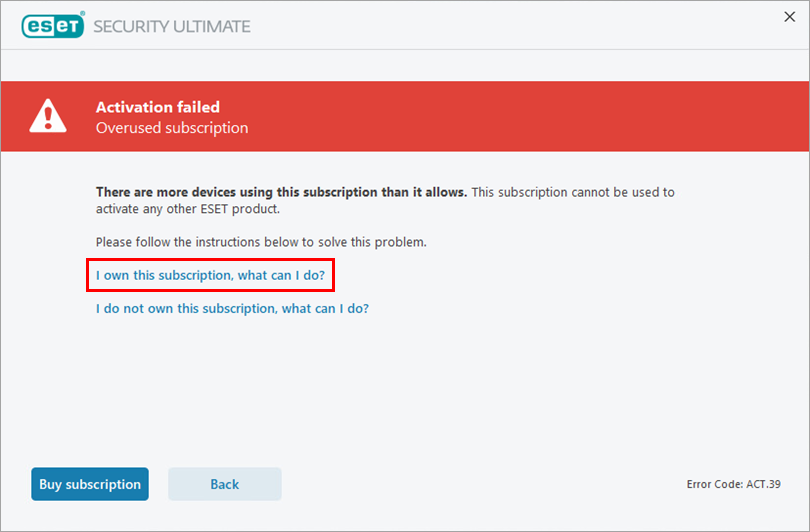
If you receive the "Activation failed—Overused subscription" notification for a subscription you own, click I own this subscription, what can I do?
-
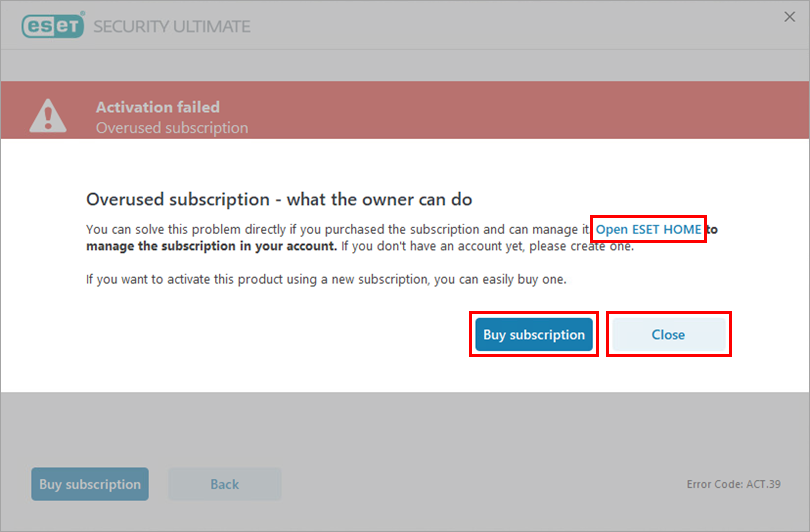
Click Open ESET HOME and log in to ESET HOME portal.
-
To purchase another subscription, click Buy subscription, which redirects you to the official ESET HOME product store. You can purchase your new subscription in the store.
-
If you have another valid subscription and want to use it, click Close to return to activation.
-
-
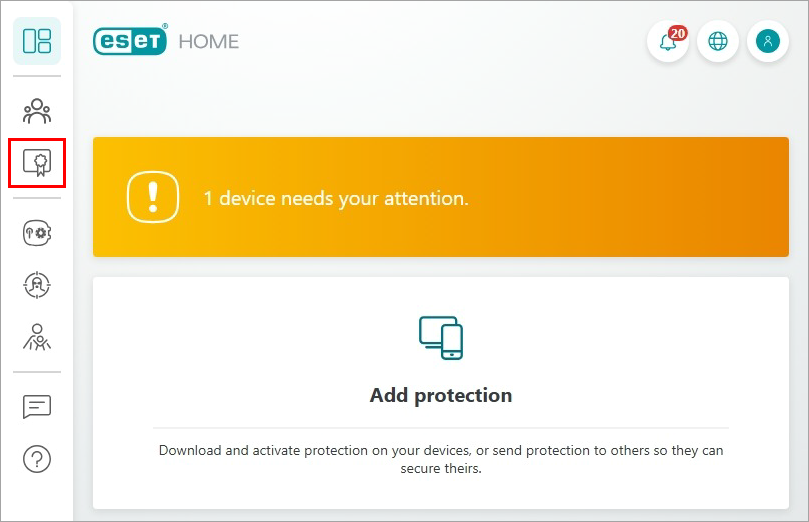
Click the Subscriptions icon.
-
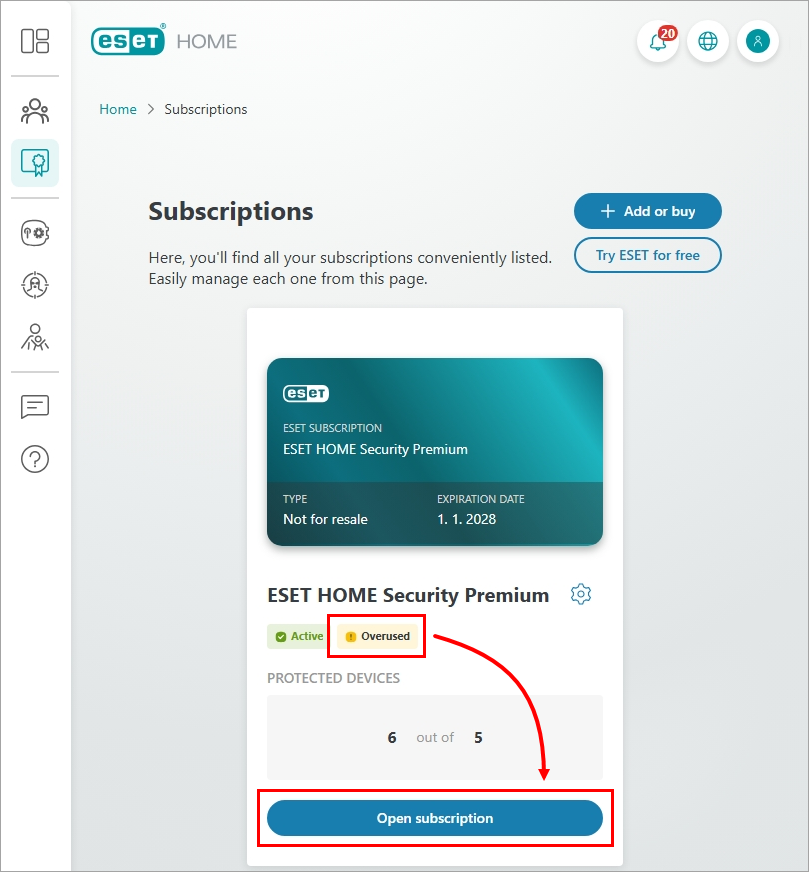
Click Open Subscription under the Overused warning.
-
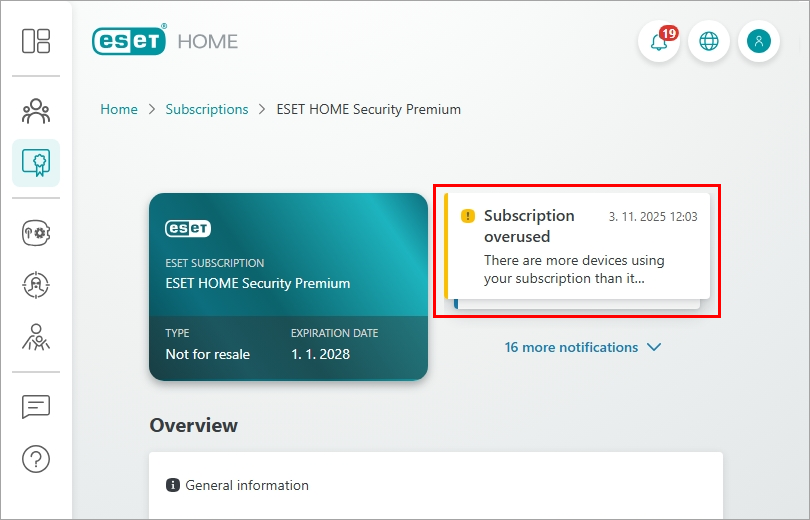
Click the Subscription overused notification.
-
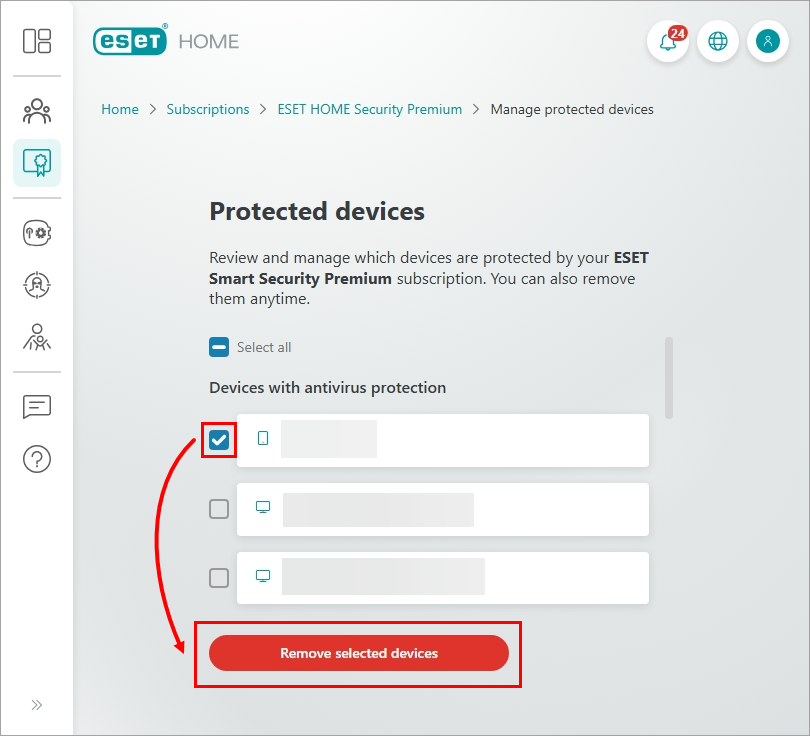
Click the red button Remove devices. Select the devices you want to remove and click Remove selected devices again.
-
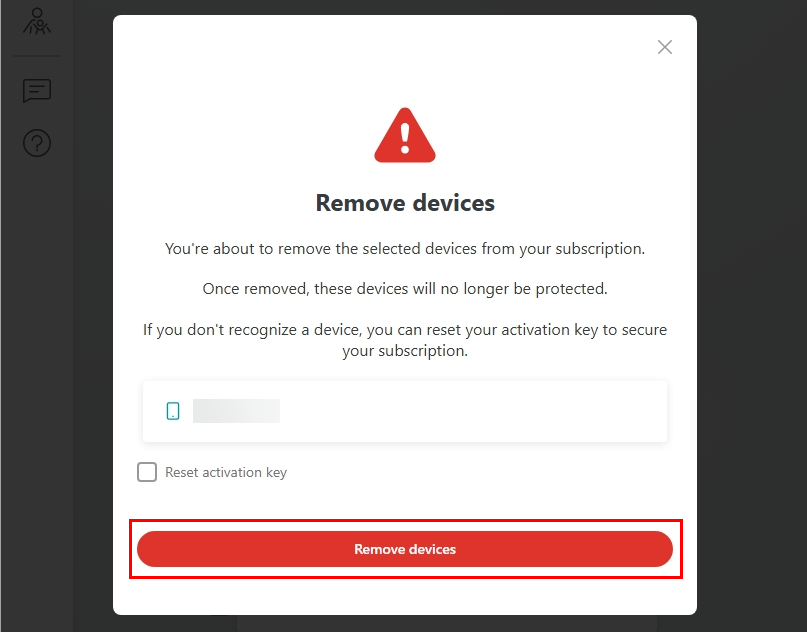
Click Remove devices. Allow several minutes for the changes to take effect.
For more information about ESET subscriptions for Windows home and small office products, see Manage your subscription and devices.
You do not own the subscription
-
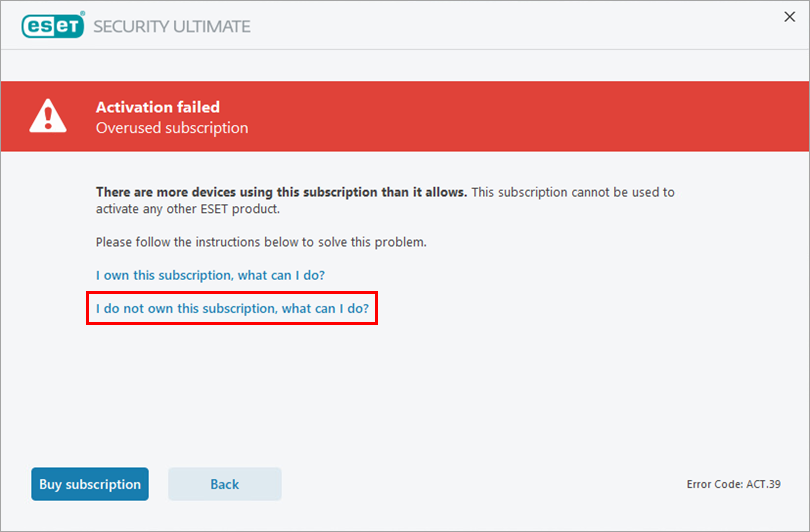
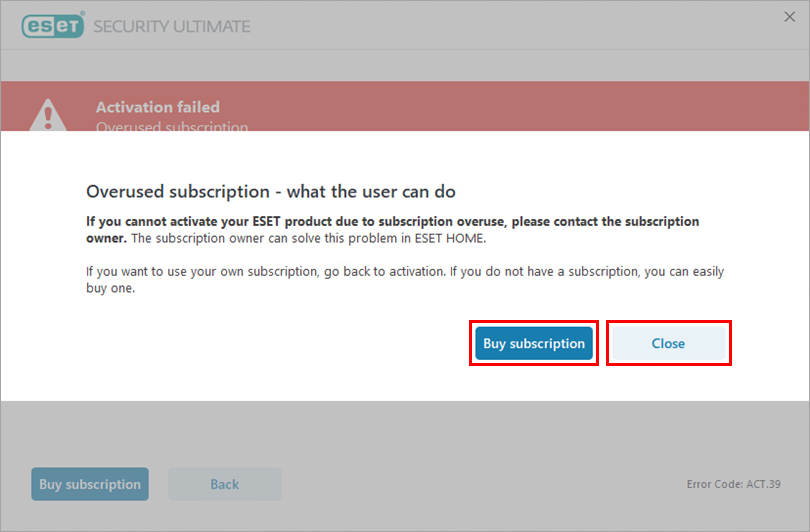
If you receive the "Activation failed—Overused subscription" notification for a subscription you do not own, click I do not own this subscription, what can I do?
-
To resolve the overused subscription issue, contact the owner of the subscription.
-
To purchase another subscription, click Buy subscription, which redirects you to the official ESET HOME product store. You can purchase your new subscription in the store.
-
If you have another valid subscription and want to use it, click Close to return to activation.
-
For more information about ESET subscriptions for Windows home and small office products, see Manage your subscription and devices.


