Issue
- Configure additional antispam settings in ESET Mail Security for Microsoft Exchange Server to protect against ransomware malware (file coder)
- Create a policy in ESET PROTECT or ESET PROTECT On-Prem with additional antispam settings for ESET Mail Security for Microsoft Exchange Server to protect against ransomware malware (file coder)
- Download and import the ESET PROTECT or ESET PROTECT On-Prem policy
- Ransomware dropper filtering example
Details
Click to expand
Using the default Antispam rules, incoming emails are already filtered on the mail server. This ensures that the attachment containing the malicious dropper will not be delivered to the end user's mailbox, and the ransomware cannot execute.
To further help prevent ransomware malware on your Microsoft Exchange server, create the following rules in the latest ESET Mail Security for Microsoft Exchange Server, or create and apply an ESET PROTECT or ESET PROTECT On-Prem policy.
Solution
Configure additional antispam settings in ESET Mail Security for Microsoft Exchange Server to protect against ransomware malware (file coder)
-
Open the main program window of your ESET Windows application.
-
Press the F5 key to access Advanced setup.
-
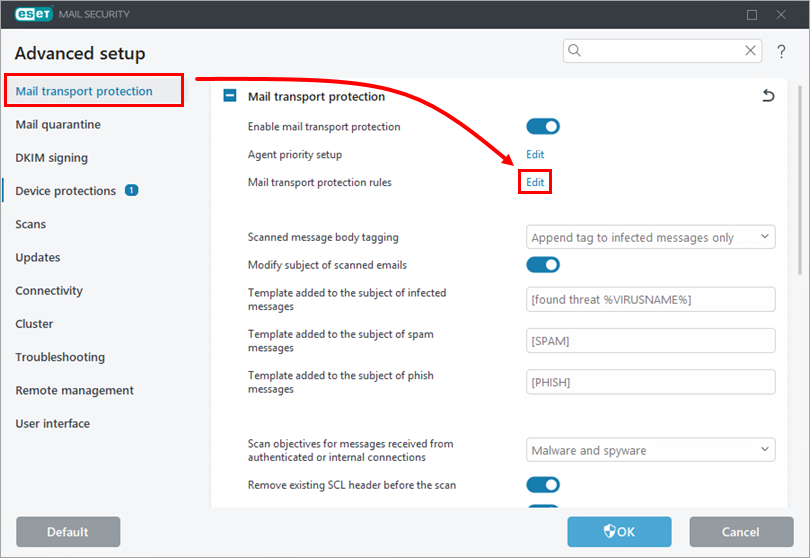
Click Mail Transport Protection and click Edit next to Mail transport protection rules.
-
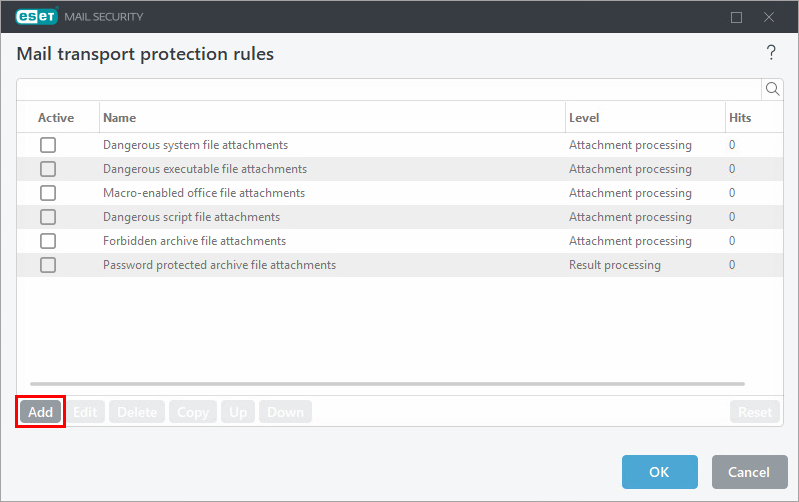
Click Add.
-
Type
Ransomware droppersinto the Name field and click Add condition.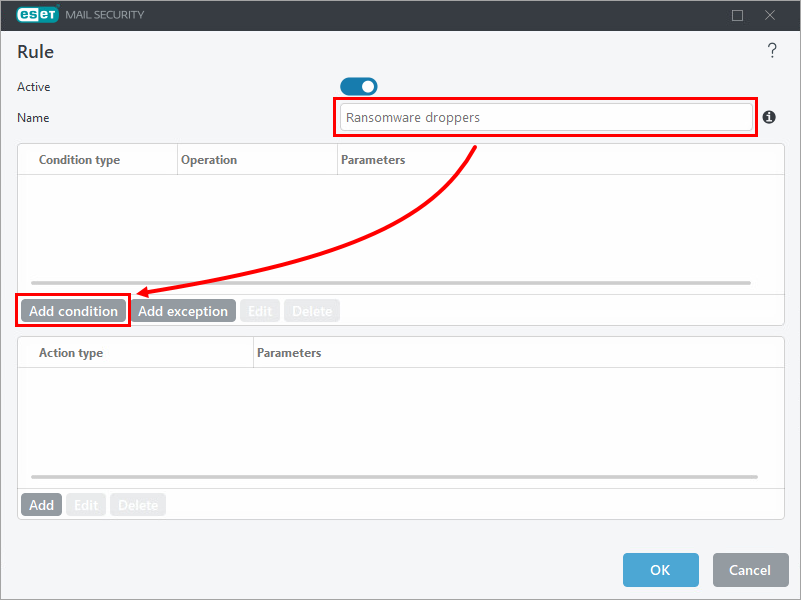
-
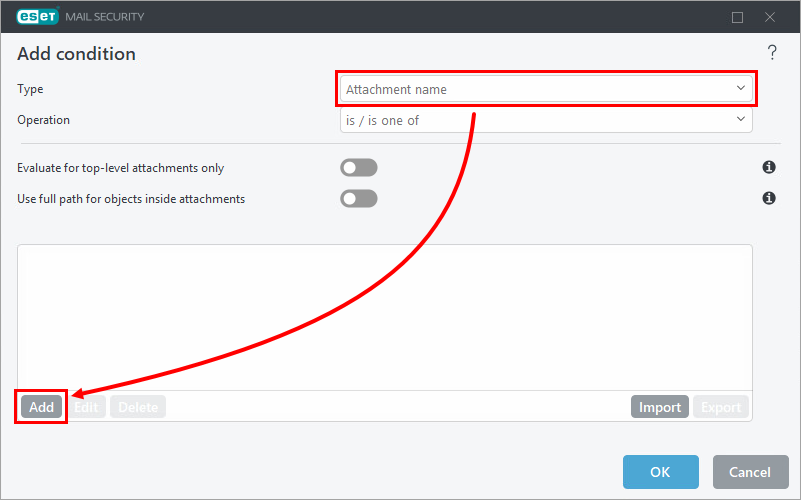
Select Attachment name from the Type drop-down menu and click Add.
-
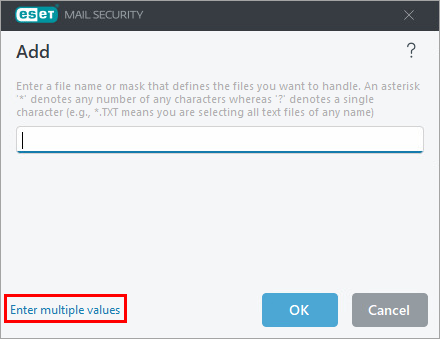
Click Enter multiple values.
-
Copy/paste the following list of extensions into the empty field and click OK → OK.
*.js
*.hta
*.doc
*.docm
*.xls
*.xlsm
*.ppt
*.pptm
*.vbs
*.bat
*.wsf
*.7z
*.zip
*.rar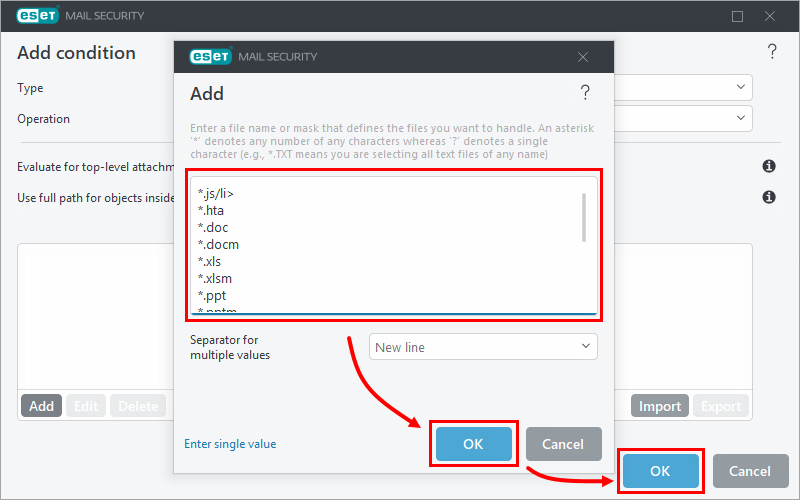
-
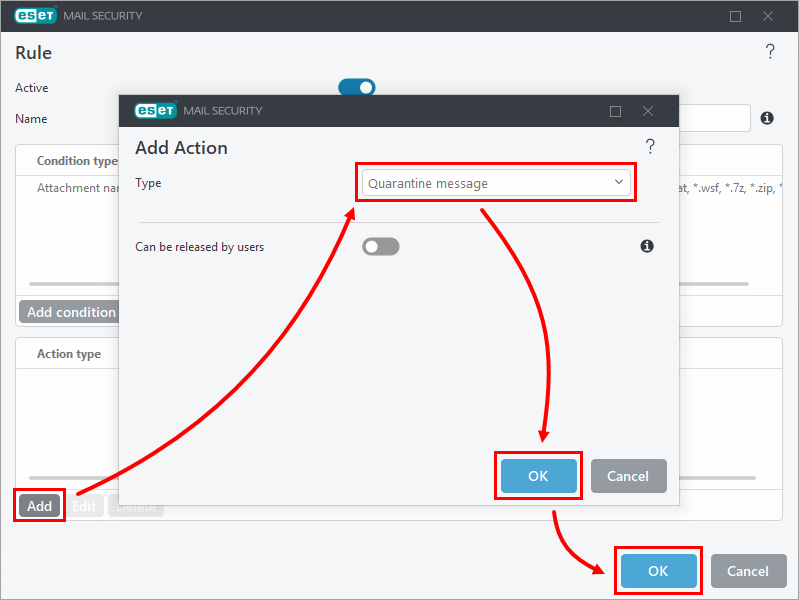
Click Add in the Action type section and select your preferred option from the Type drop-down menu. In this example, Quarantine message is selected. Click OK → OK.
-
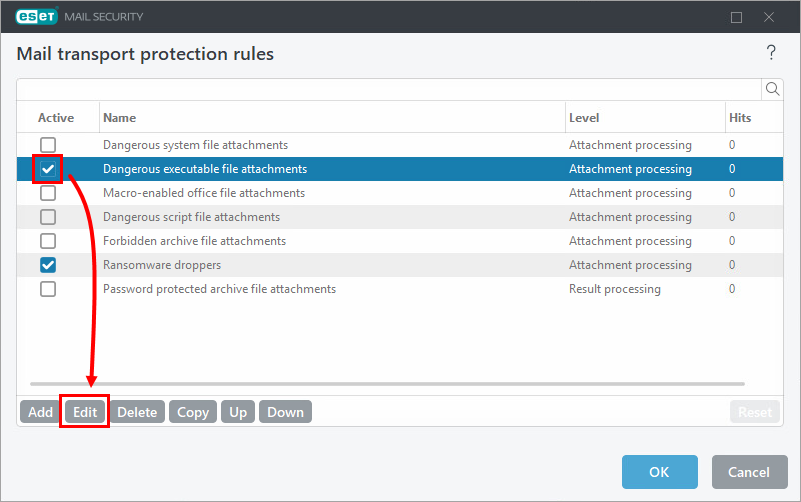
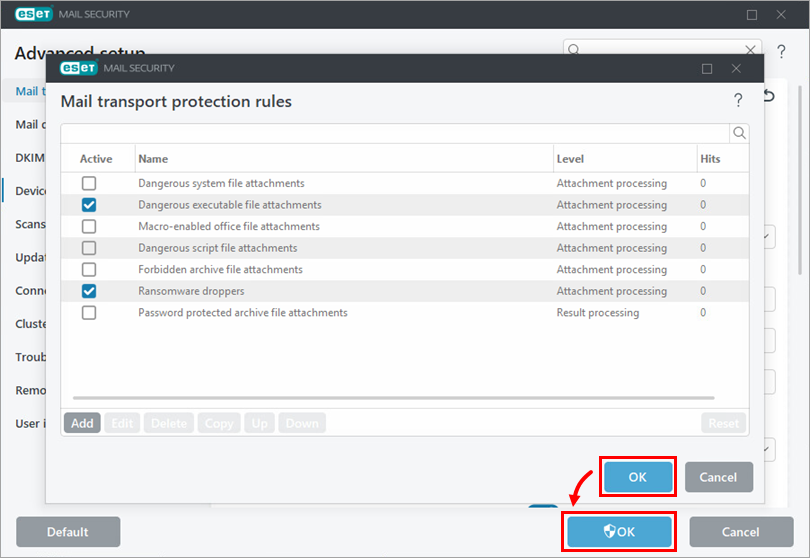
In the Mail transport protection rules window, select the check box next to Dangerous executable file attachments and click Edit.
-
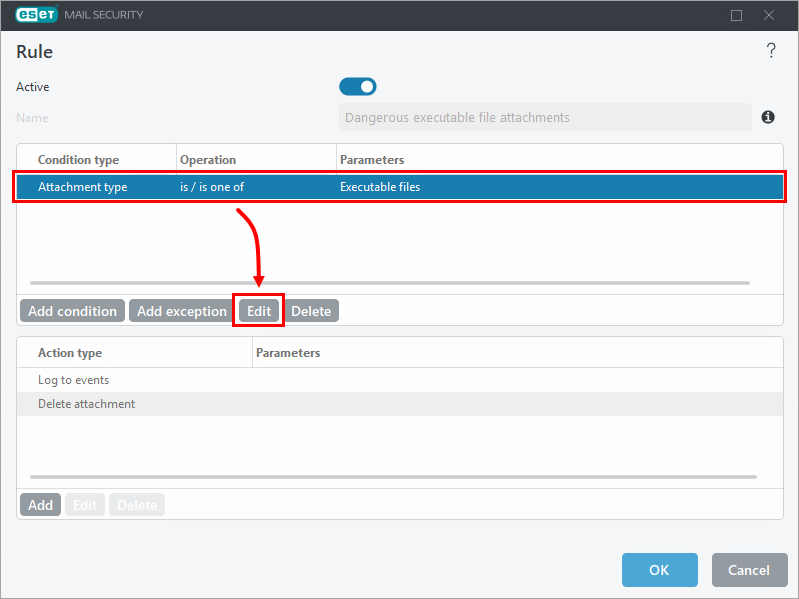
Select the Attachment type entry in the Condition type list and click Edit.
-
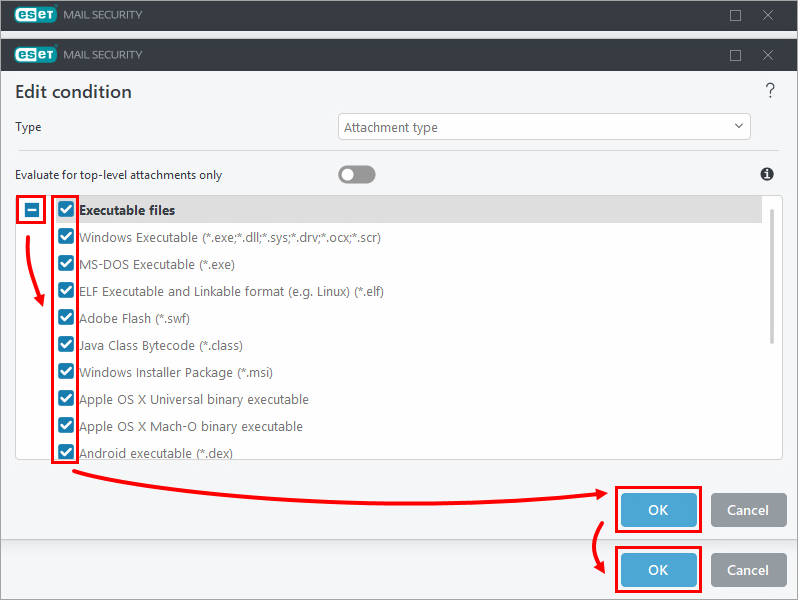
Click the expand icon next to Executable files, select the check box next to each file type you want to delete from messages (the file will be deleted by the Action type pre-configured in the rule), and click OK → OK.
-
Click OK → OK to save the changes and exit Advanced setup.
Create a policy in ESET PROTECT or ESET PROTECT On-Prem with additional antispam settings for ESET Mail Security for Microsoft Exchange Server to protect against ransomware malware (file coder)
-
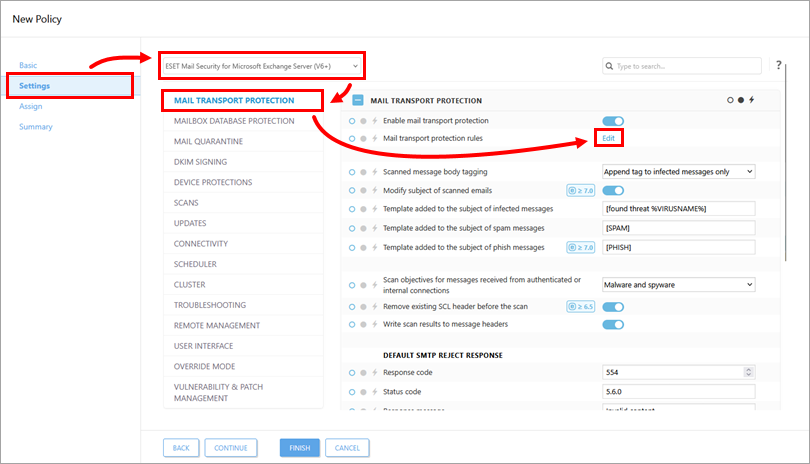
In the Settings section, select ESET Mail Security for Microsoft Exchange Server (V6+) from the drop-down menu, click Mail Transport Protection, and click Edit next to Mail transport protection rules.
-
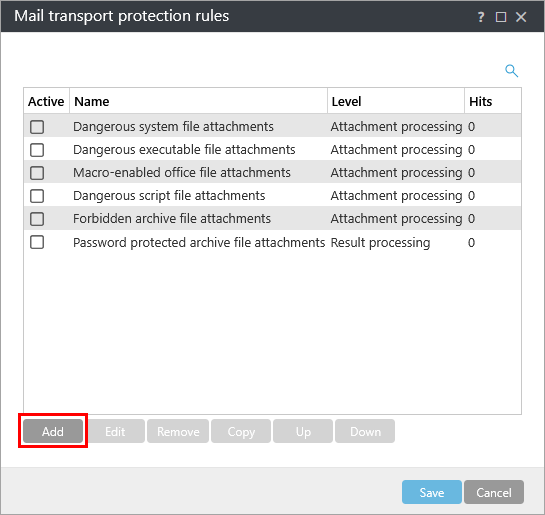
Click Add.
-
Type
Ransomware droppersinto the Name field and click Add condition.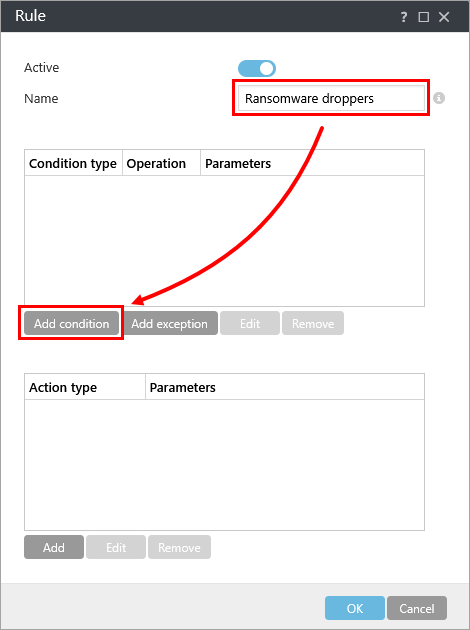
-
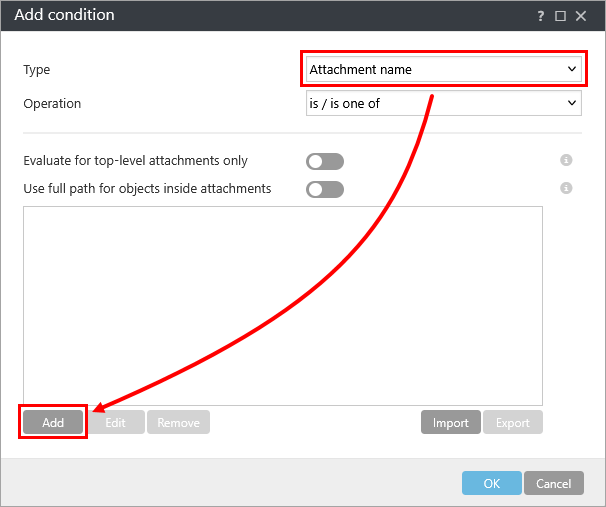
Select Attachment name from the Type drop-down menu and click Add.
-
Click Enter multiple values.

-
Copy/paste the following list of extensions into the empty field and click OK.
*.js
*.hta
*.doc
*.docm
*.xls
*.xlsm
*.ppt
*.pptm
*.vbs
*.bat
*.wsf
*.7z
*.zip
*.rar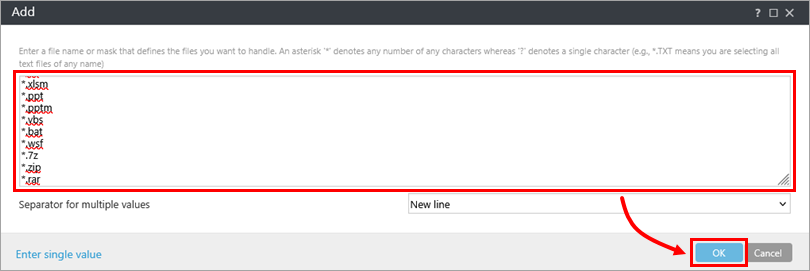
-
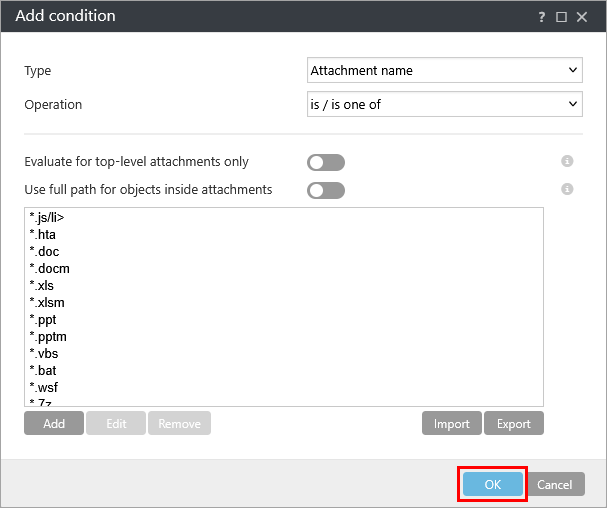
Click OK.
-
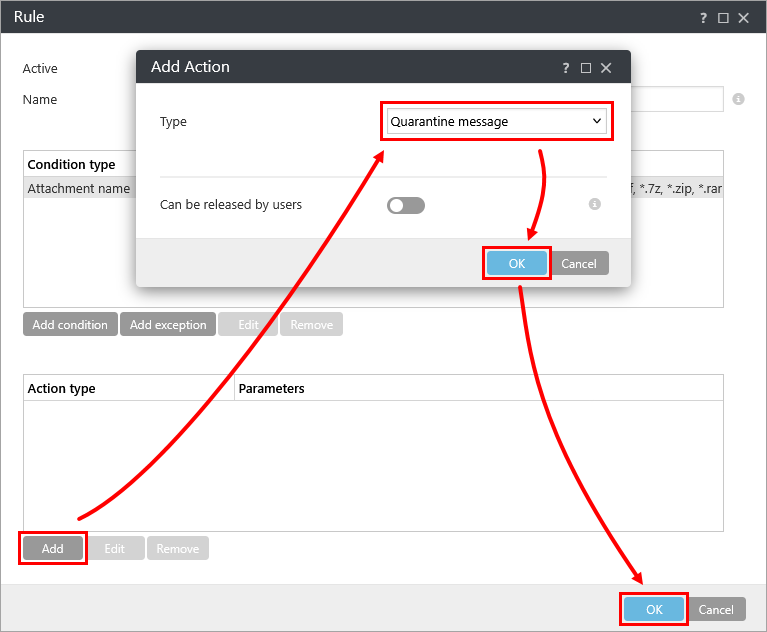
Click Add in the Action type section and select your preferred option from the Type drop-down menu. In this example, Quarantine message is selected. Click OK → OK.
-
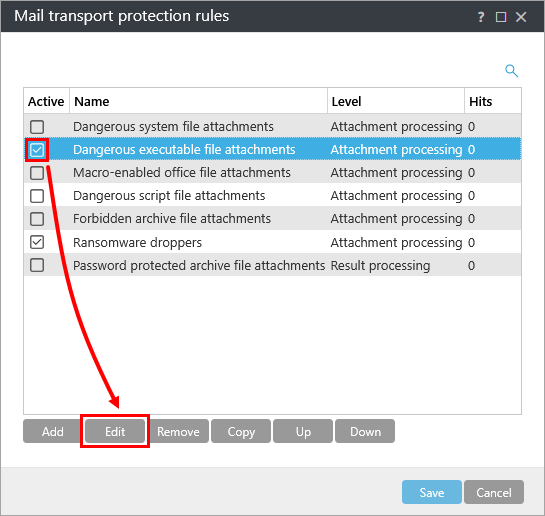
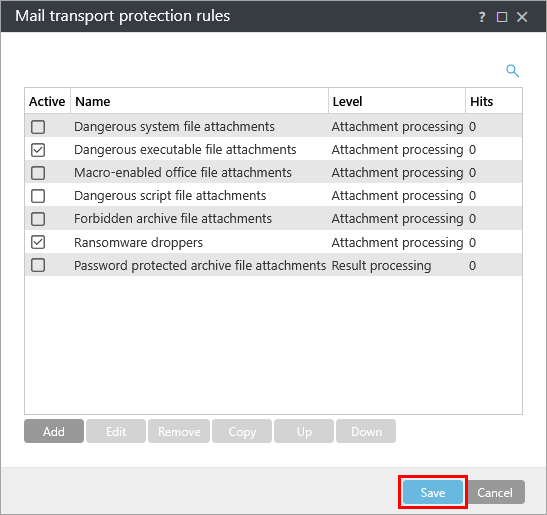
In the Mail transport protection rules window, select the check box next to Dangerous executable file attachments and click Edit.
-
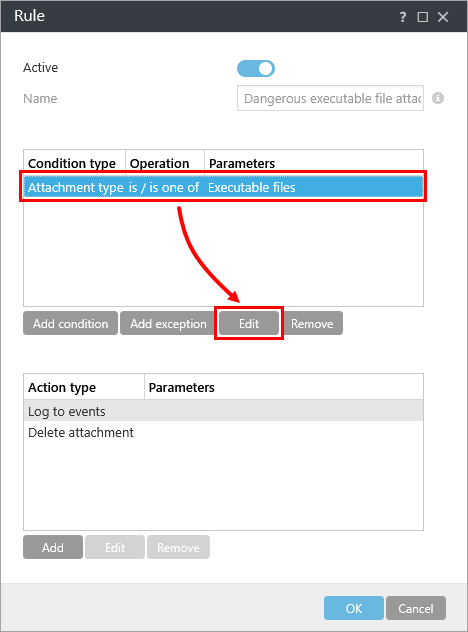
Select the Attachment type entry in the Condition type list and click Edit.
-
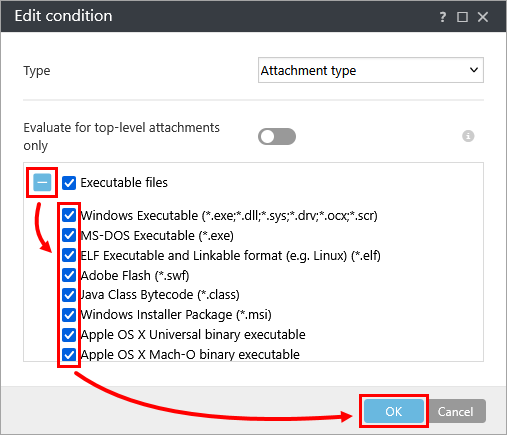
Click the expand icon next to Executable files, select the check box next to each file type you want to delete from messages (the file will be deleted by the Action type pre-configured in the rule), and click OK.
-
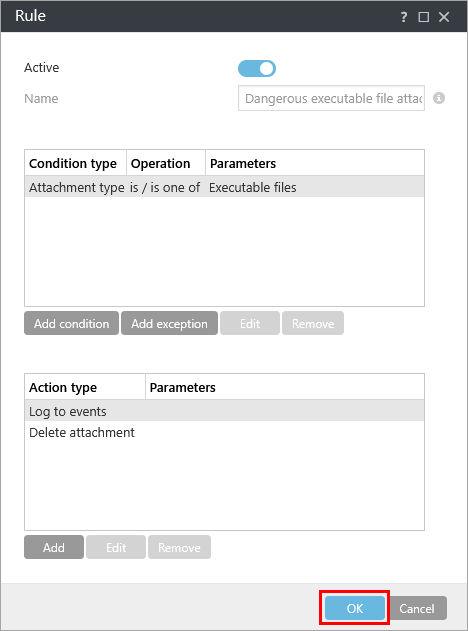
Click OK.
-
Click Save.
-
Assign the policy to a client or assign the policy to a group. The policy will be applied when the assigned devices check in to ESET PROTECT or ESET PROTECT On-Prem.
Download and import the ESET PROTECT or ESET PROTECT On-Prem policy
The ESET PROTECT or ESET PROTECT On-Prem policy for ESET Mail Security for Microsoft Exchange Server, with additional Antispam settings to protect against ransomware malware (file coder), can be downloaded and imported from the link below.
The ESET PROTECT policy is available only for the latest version of ESET applications. Compatibility with earlier versions cannot be guaranteed.
-
Download the Additional Ransomware Protection ESET PROTECT or ESET PROTECT On-Prem policy.
-
Import the policy.
ESET PROTECT
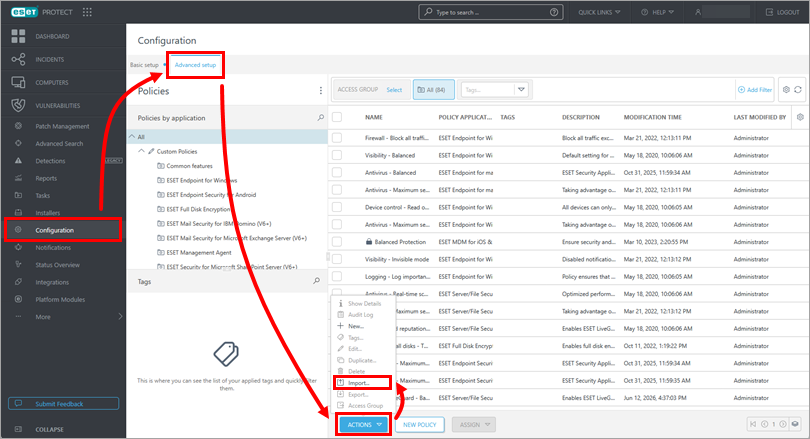
Click Configuration → Advanced setup → Actions → Import.
ESET PROTECT On-Prem
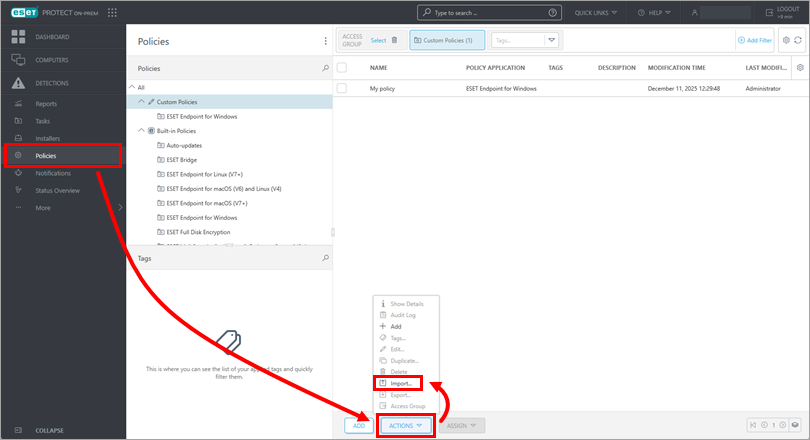
Click Policies → Actions → Import.
-
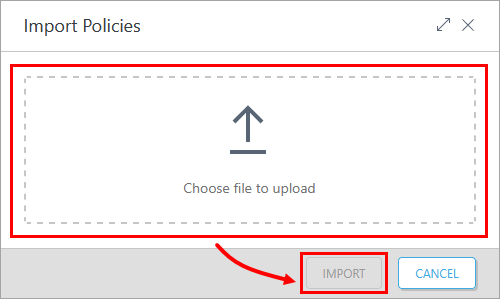
Click Choose file to upload, select the downloaded policy, and click Import.
-
Assign the policy to a client or assign the policy to a group. The policy will be applied when the assigned devices check in to ESET PROTECT or ESET PROTECT On-Prem.
Ransomware dropper filtering example
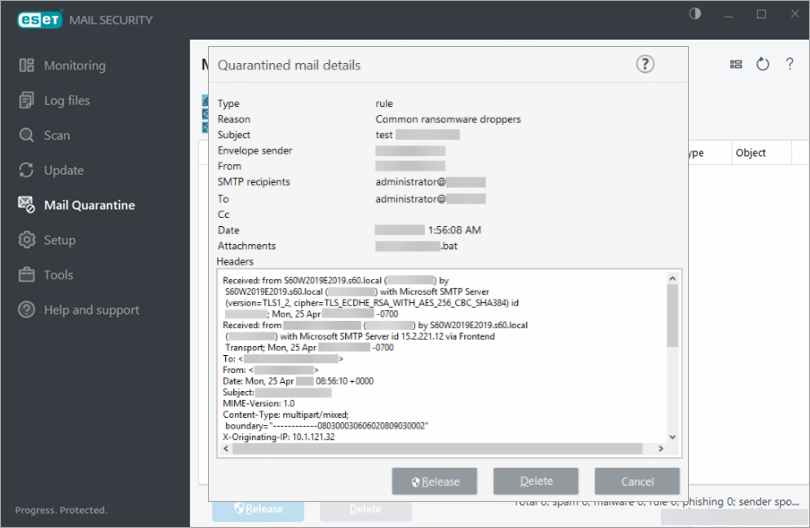
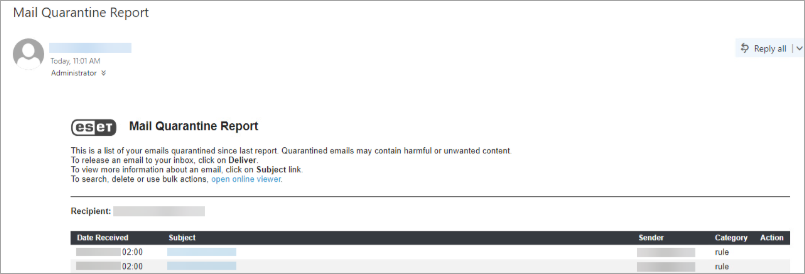
The following is an example of the Ransomware dropper policy filtering a ransomware dropper, along with a corresponding mail quarantine report.