Issue
Solution
Prerequisites
Install ESET Endpoint Security for macOS
-
Open the ESET Live Installer (
.pkg) file and click Allow to start the Installation Wizard.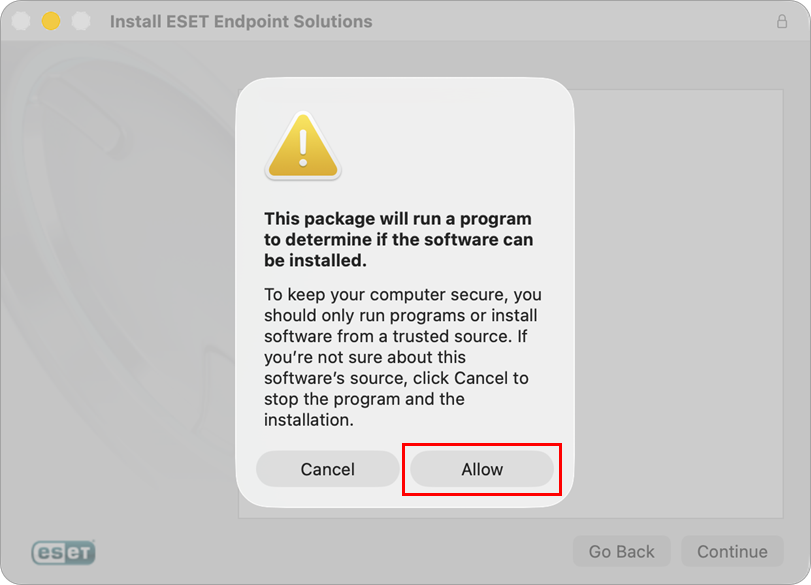
-
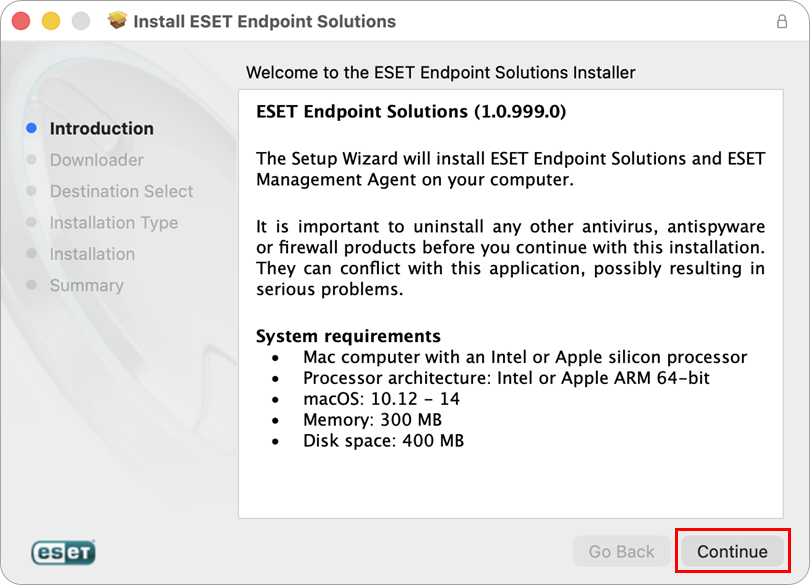
Read the System requirements and ensure your computer meets them. Click Continue.
-
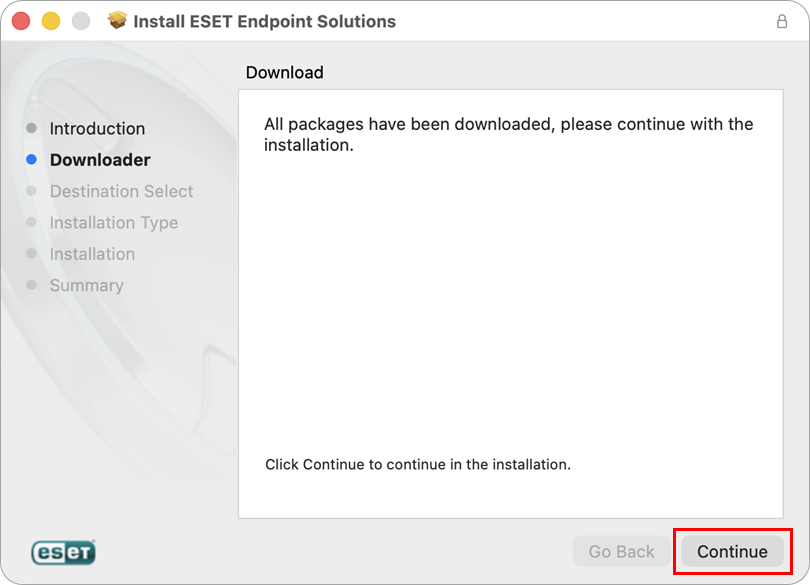
ESET Live Installer will download the installation files for ESET Management Agent and ESET Endpoint Security for macOS. Wait for the download to complete and click Continue.
-
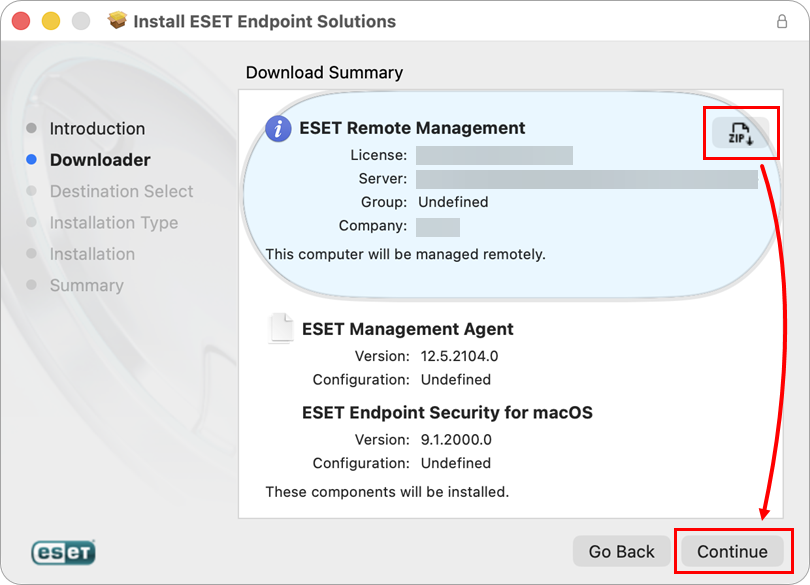
To save the installation files for future use, click the ZIP icon and then click Continue to proceed with the installation.
-
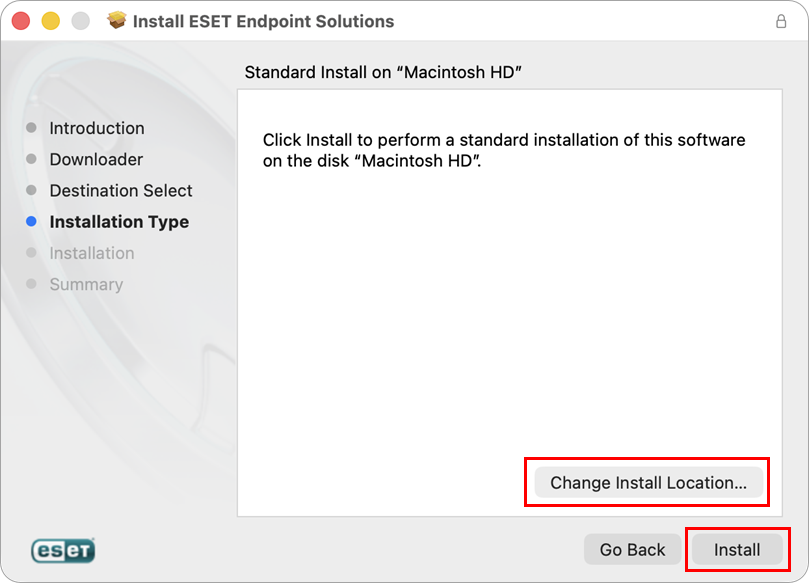
You may have the option to Change Install Location, depending on your hardware configuration. Proceed by clicking Install.
-
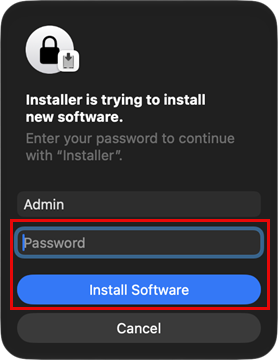
If prompted, type in your administrator credentials and click Install Software.
-
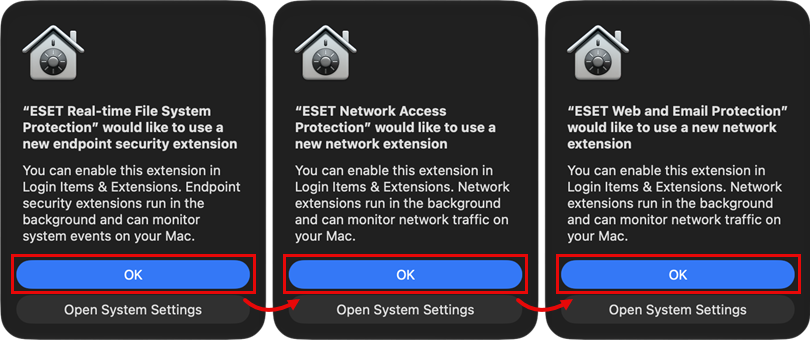
Approve all the displayed alerts to enable endpoint security extensions by clicking OK. Make sure to finalize the extensions setup by following the instructions in step 10.
-
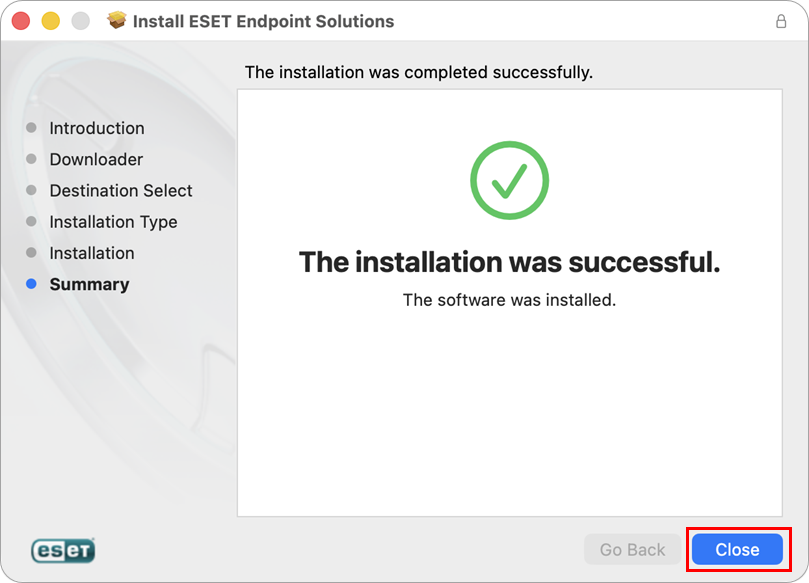
Both applications are now installed on your computer. Click Close.
-
In the last step, click Keep if you want to keep the installer file on your computer for later use, or click Move to Bin.
-
To complete the installation, perform the following two actions:


