Issue
Details
Click to expand
The security modules built into your ESET applications receive regular updates automatically to ensure maximum protection.
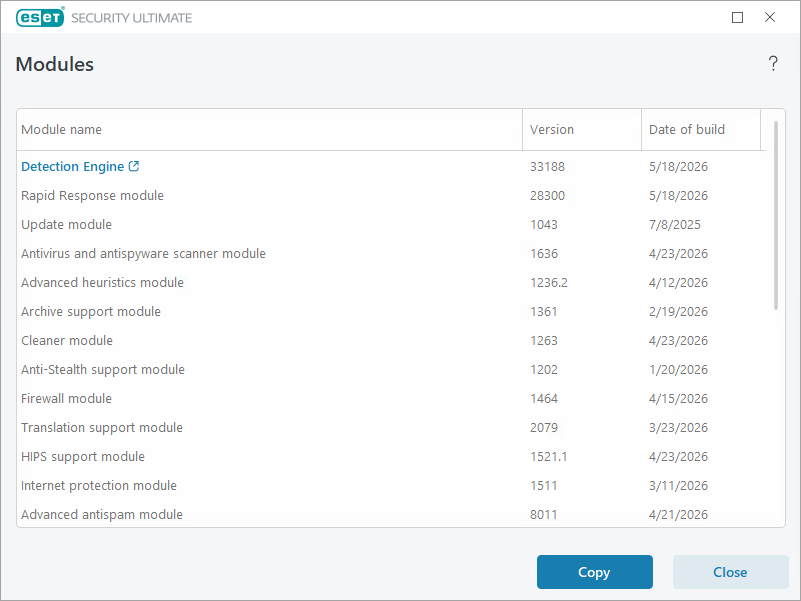
You can verify the version of your ESET application and installed modules (for example, to verify if you need a specific update).
Solution
Verify the version of your ESET application
-
Open the main program window of your ESET Windows application.
-
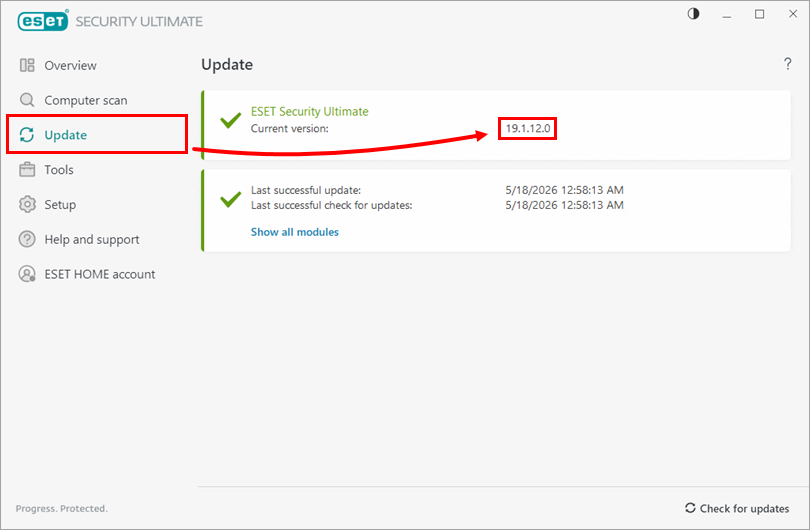
Click Update. The version of your ESET application is displayed next to Current version.
Verify the version of installed modules
-
Open the main program window of your ESET Windows application.
-
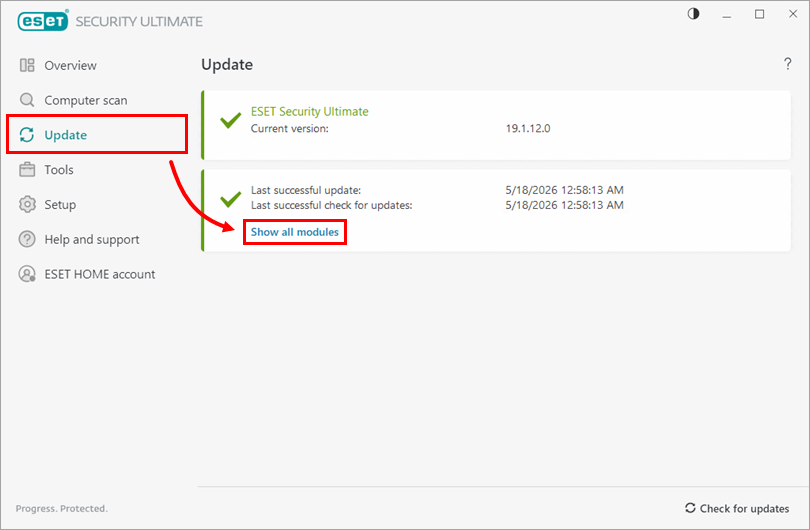
Click Update → Show all modules.
-
The list of installed modules and their versions is displayed.