Issue
- Activate an ESET application offline
- Create and download a (
.lf) offline activation file to activate an ESET application
Solution
- Get the subscription file token from ESET PROTECT On-Prem
- Create an offline activation file in ESET PROTECT Hub
- Upload the offline activation file to ESET PROTECT On-Prem
- Activate an ESET application using the offline activation file
I. Get the subscription file token from ESET PROTECT On-Prem
-
Click More → Subscription Management → Actions → Add Subscriptions.
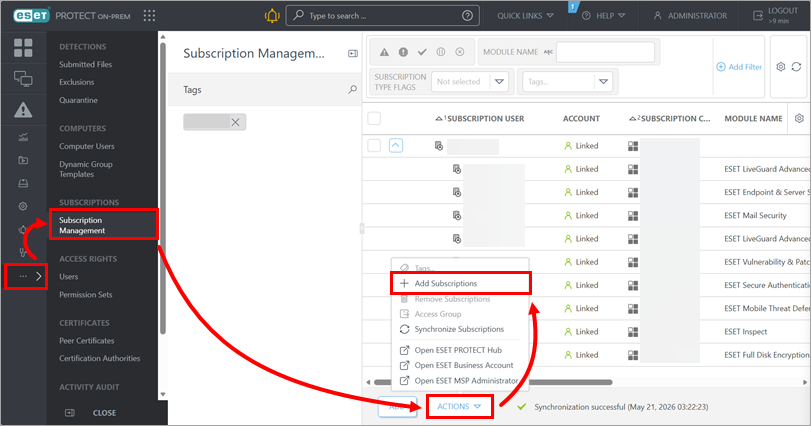
-
Select Insert offline activation file and copy the subscription file token.
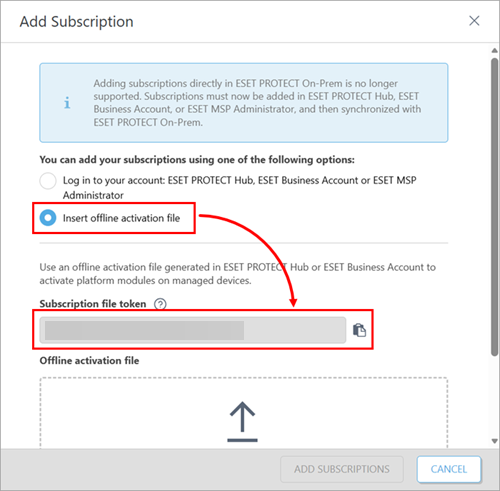
II. Create an offline activation file in ESET PROTECT Hub
Related solution: ESET Business Account (EBA) users
-
Click Subscriptions. Expand the subscription that you want to export and click the subscription applicable to the ESET application that you want to activate. Click Create offline activation file.
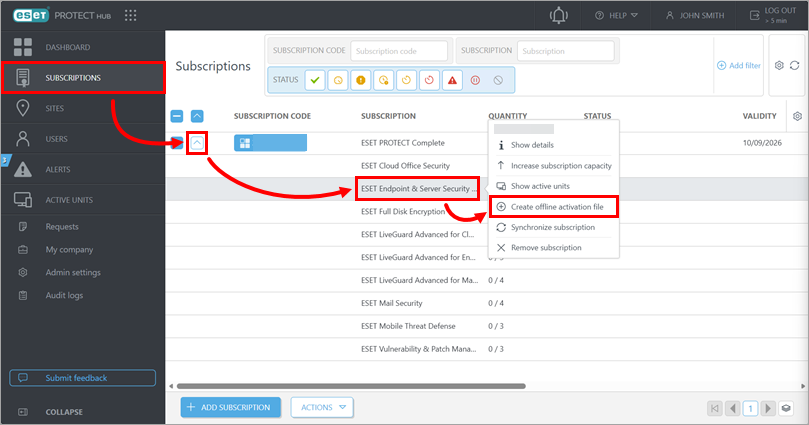
-
In the Solution field, select the ESET application that you want to activate. In the Offline activation file name field, type a name. In the Quantity field, select how many applications you want to activate. Select the check box next to Allow management with ESET PROTECT. In the ESET PROTECT token field, type or copy/paste the subscription file token you got from ESET PROTECT On-Prem. Click Create.
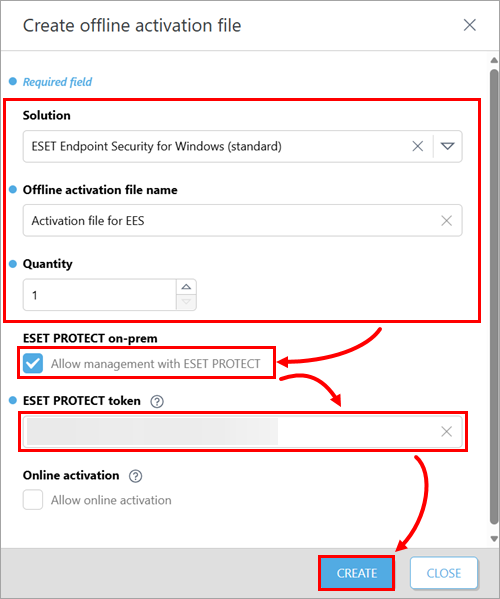
-
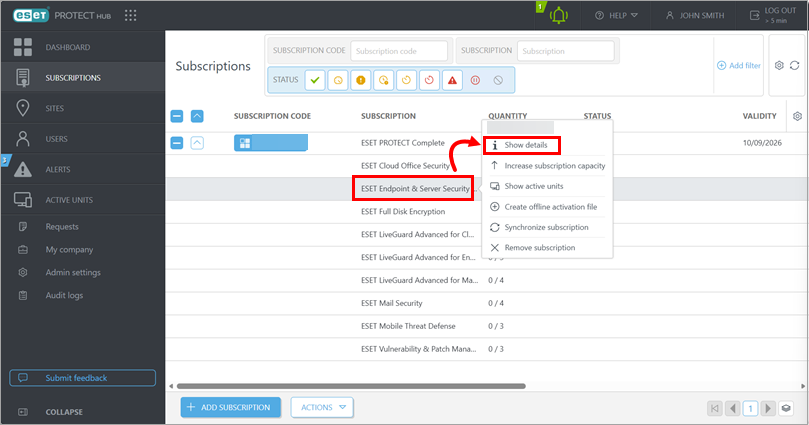
Click the subscription for which you created the offline activation file and click Show details.
-
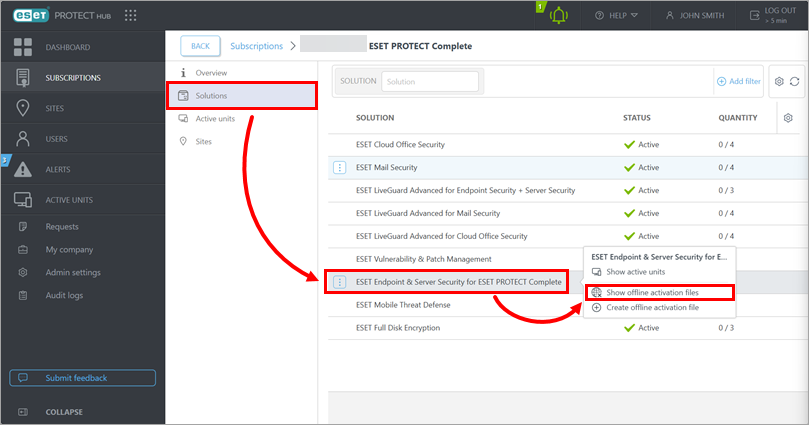
Click Solutions, click the solution related to the ESET application you want to activate and click Show offline activation files.
-
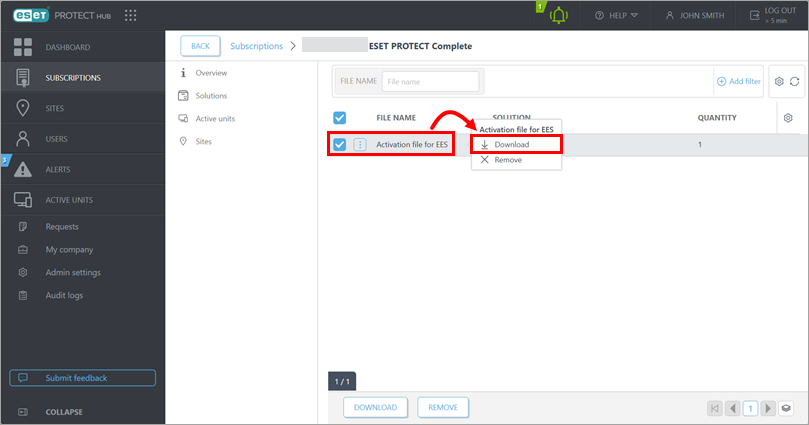
Click the offline activation file you created and click Download.
III. Upload the offline activation file to ESET PROTECT On-Prem
-
In the ESET PROTECT Web Console, return to the screen where you got the subscription file token.
-
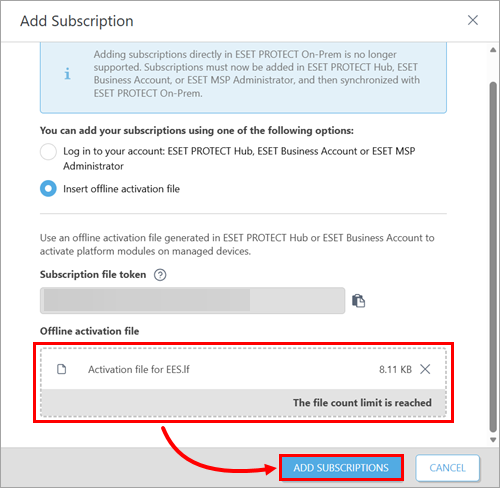
Upload the offline activation file you downloaded from ESET PROTECT Hub or ESET Business account (EBA) and click Add subscriptions.
IV. Activate an ESET application using the offline activation file
- Activate an ESET application on client devices individually
- Activate an ESET application on client devices in bulk through ESET PROTECT On-Prem:
-
Deploy the ESET application through a software install client task—in the task settings, select the subscription you imported by uploading the offline activation file.
-
Activate the ESET application modules through a module activation client task—in the task settings, select the subscription you imported by uploading the offline activation file.


