Issue
- Prerequisites
- Activate ESET applications installed on your endpoints or server using a client task in ESET PROTECT or ESET PROTECT On-Prem
- Check the Product activation task status in ESET PROTECT or ESET PROTECT On-Prem
Solution
Related solutions: Endpoint users
Prerequisites
- All necessary ports opened on your network
- Deployed ESET Management Agent
- Deployed ESET endpoint applications
- Subscriptions added in ESET PROTECT
- Subscriptions added in ESET PROTECT On-Prem
Activate ESET applications installed on your endpoints or server using a client task in ESET PROTECT or ESET PROTECT On-Prem
-
Create or edit a task in ESET PROTECT or ESET PROTECT On-Prem.
-
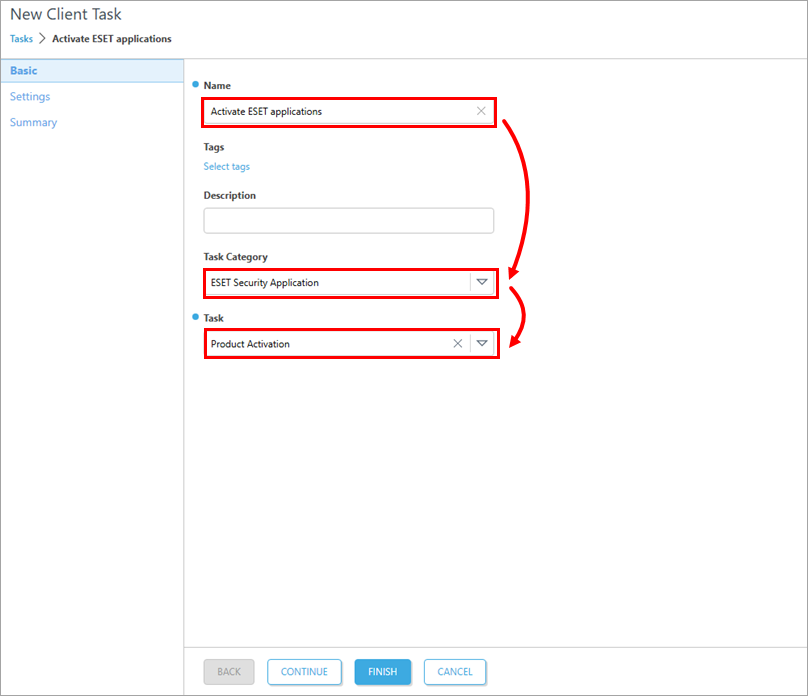
In the Basic section, type a task name into the Name field; the Tags and Description fields are optional. In the Task Category field, select ESET Security Application and in the Task field, select Product activation.
-
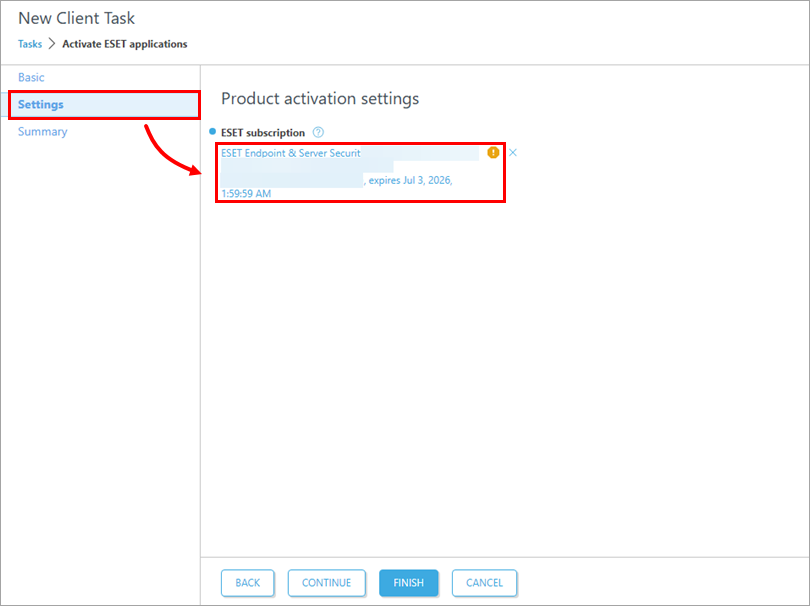
Click Settings, and under ESET subscription, click Choose ESET Subscription or the pre-selected subscription.
-
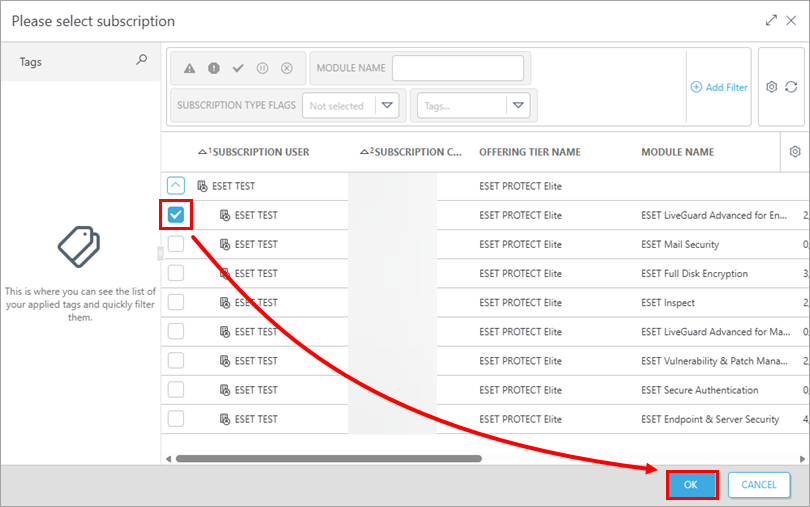
Select the check box next to a valid subscription in the repository, then click OK.
-
Click Finish.
-
Create a trigger and add target computers or groups to execute the Product activation task.
Check the Product activation task status in ESET PROTECT or ESET PROTECT On-Prem
-
Open the Product activation task details.
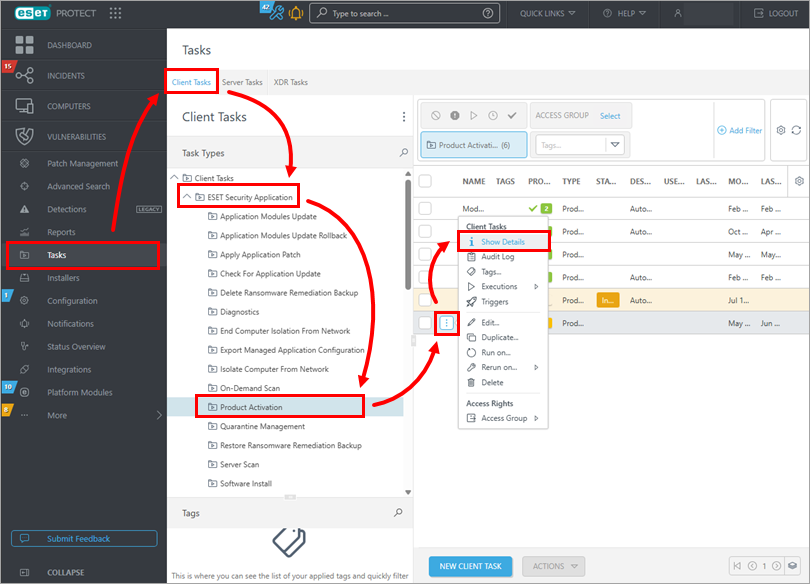
Product activation task details in ESET PROTECT
Click Tasks. In the Client Tasks sidebar, select Client Tasks → ESET Security Application → Product activation, click the Menu icon next to the task name and select Show Details from the context menu.
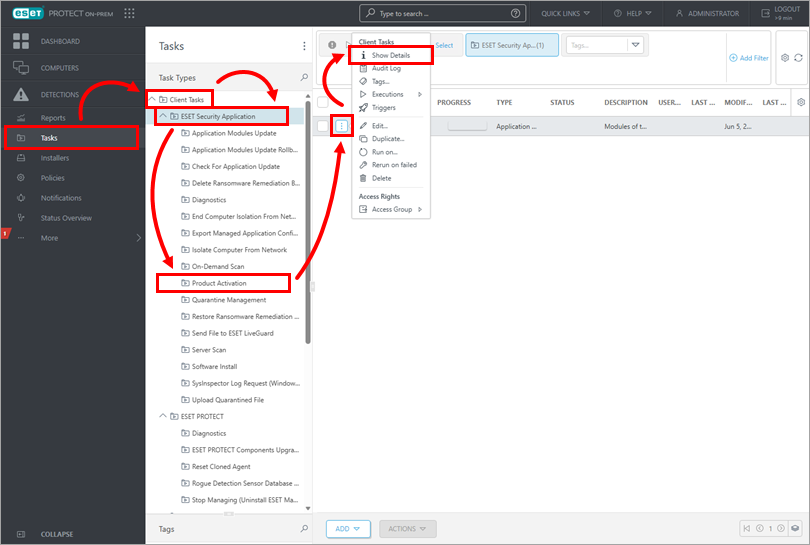
Product activation task details in ESET PROTECT On-Prem
Click Tasks, expand Client Tasks → ESET Security Application and click Product activation. Click the Menu icon next to the task name and click Show Details from the context menu.
-
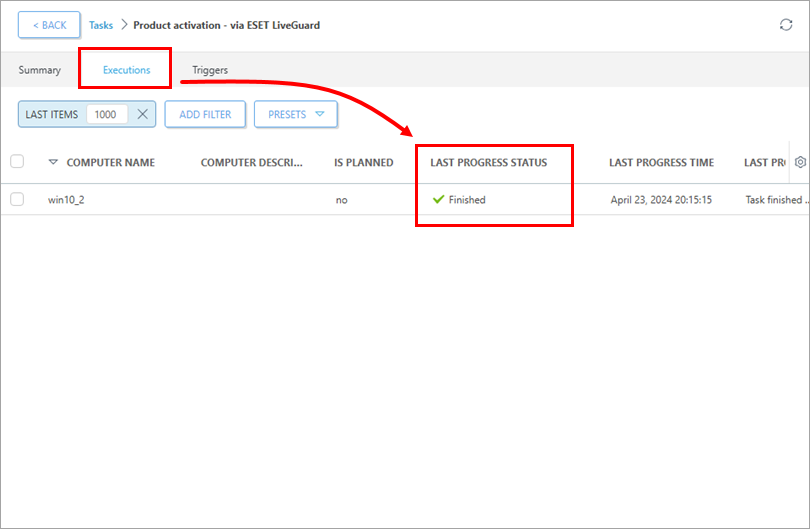
Click the Executions tab and verify your task status in the Last Progress Status column.