Issue
- Resolve a notification about a certificate being expired, revoked, unsigned, or otherwise invalid
- SSL/TLS protocol filtering and root certificates
- ESET certificate notifications
- Non-ESET certificate notifications
Details
Click to expand
SSL/TLS protocol filtering and root certificates
ESET home and small office applications for Windows automatically use SSL/TLS protocol filtering to inspect encrypted (HTTPS) communications. For more information, see SSL/TLS, or see how you can manage SSL/TLS protocol filtering in your ESET application.
For SSL/TLS protocol filtering to work, the ESET application adds an ESET root certificate to the local trusted certificate store and verifies the certificates used by websites and online services.
If your ESET application detects an untrusted, invalid, or otherwise problematic certificate, it displays a certificate notification to help protect you from potentially unsafe connections. For more information, see ESET certificate notifications.
Solution
ESET certificate notifications
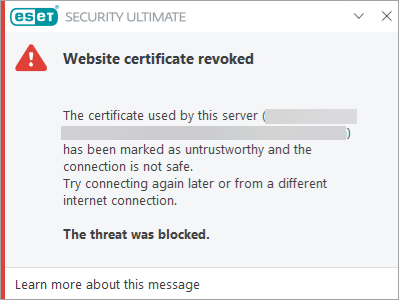
Website certificate revoked
The ESET application detected a revoked or invalid website certificate. This can occur if the certificate has expired, the issuing Certificate Authority has revoked the certificate, or the issuing Certificate Authority is no longer trusted.
Read more about the Website certificate revoked notification.
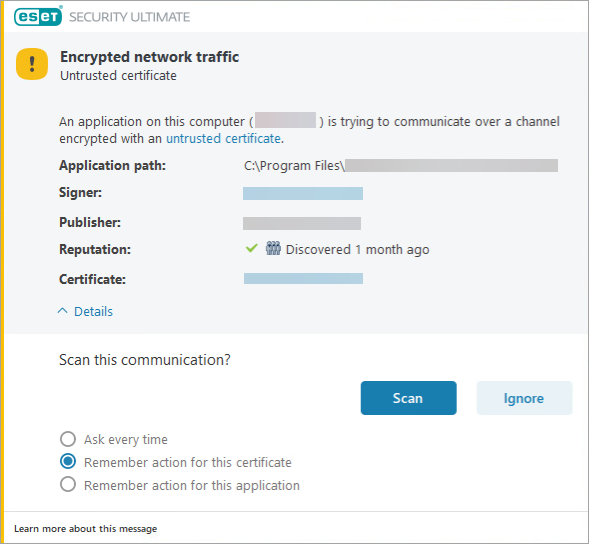
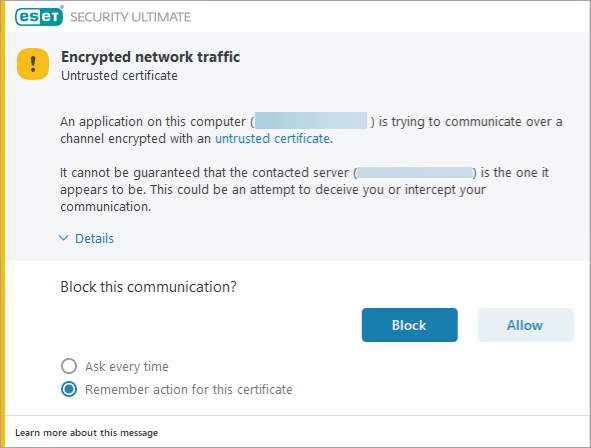
Encrypted network traffic: Untrusted certificate
The ESET application detected an untrusted certificate used in encrypted network communication. This can occur when an application attempts to establish a secure connection using an untrusted certificate or when an advertisement on a website attempts to load using an invalid certificate.
The notification may look different based on your ESET application configuration.
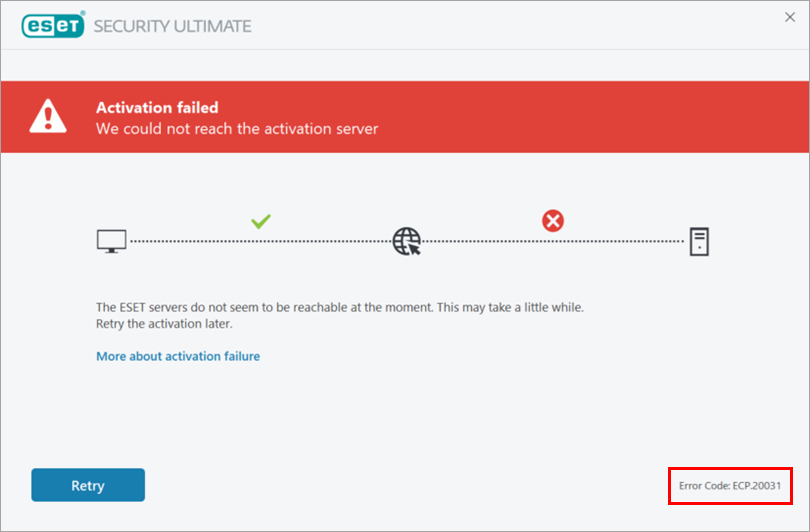
Activation failed / Error Code: ECP.20031
The ESET application encountered outdated or missing security certificates during installation or activation, preventing successful certificate validation.
The error code is displayed in the bottom right corner of the ESET application window.
Read more about the certificate validation failure during installation or activation of an ESET application.
Non-ESET certificate notifications
Connection is untrusted / sec_error_reused_issuer_and_serial error message
These notifications are generated by your web browser, not by your ESET application. Ensure that you have SSL/TLS protocol filtering enabled in your ESET application.


