Issue
- Create or edit a client task, server task, or XDR task in ESET PROTECT
- Create or edit a client task or server task in ESET PROTECT On-Prem
- Create a client task
- Create a server task
- View an XDR task
- Edit a client or server task in ESET PROTECT
- Edit a client or server task in ESET PROTECT On-Prem
Solution
Tasks can be used to manage ESET PROTECT Server, client computers and their ESET applications. Read more about tasks in ESET PROTECT and ESET PROTECT On-Prem.
Create a client task
-
Open the task creation page.
Client task in ESET PROTECT
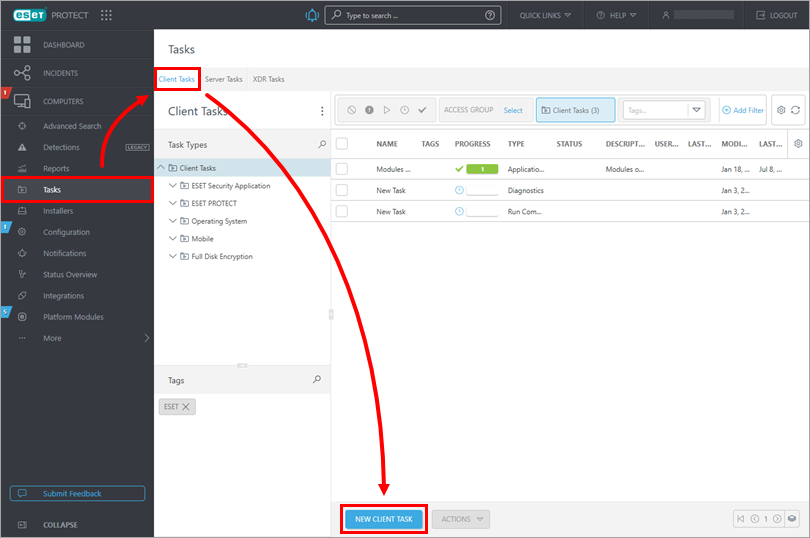
Click Tasks → Client Tasks → New client task.
Client task in ESET PROTECT On-Prem
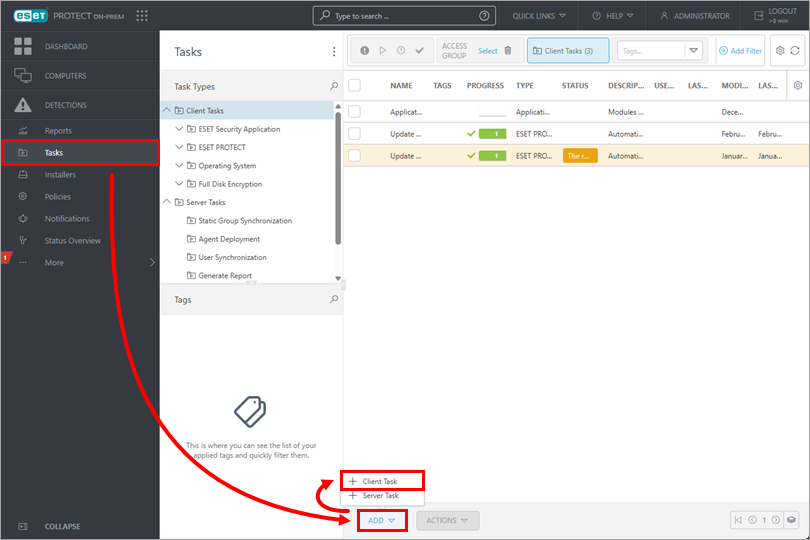
Click Tasks → Add → Client Task.
-
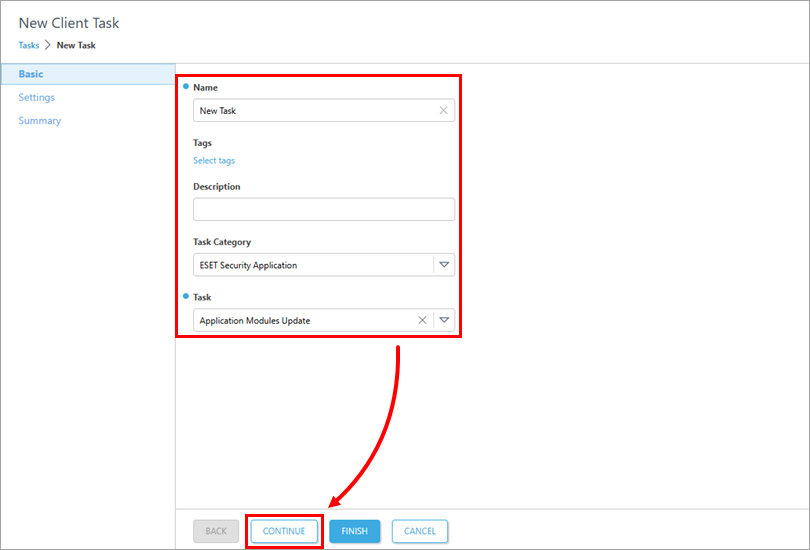
In the Name field, type a name for the client task. Select the category from the Task Category drop-down menu and then select the respective task type from the Task drop-down menu. Click Continue.
-
In the Settings section, configure the client task settings. These settings vary depending on the selected task category and type. When configured, click Continue.
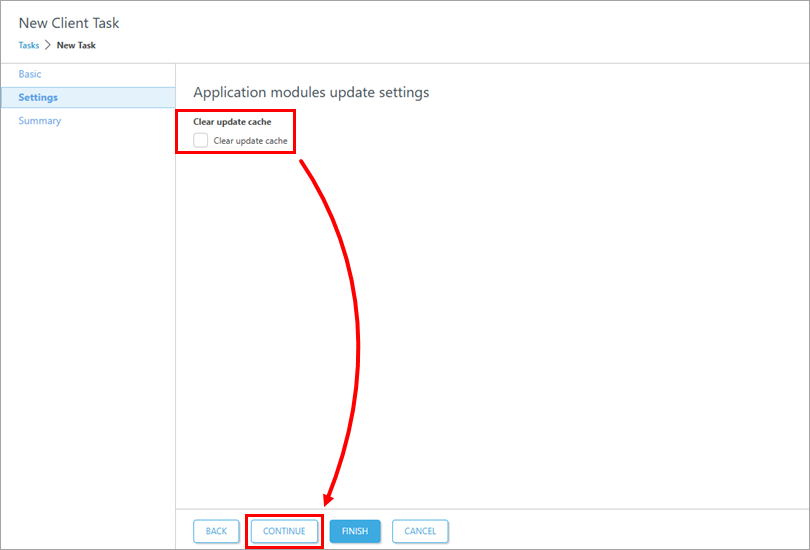
-
Click Finish. The task can be executed on selected client computers.
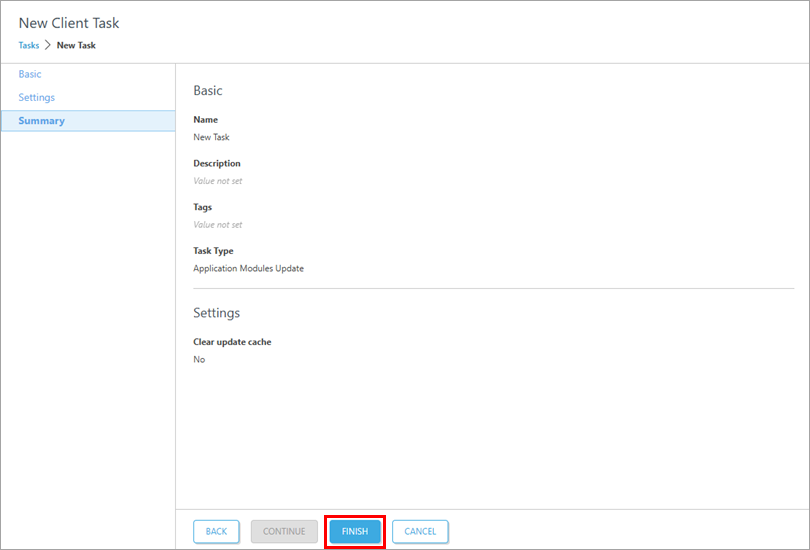
-
Create a trigger to execute a client task in ESET PROTECT or ESET PROTECT On-Prem.
Create a server task
-
Open the task creation page.
Server task in ESET PROTECT
Click Tasks → Server Tasks → New server task.
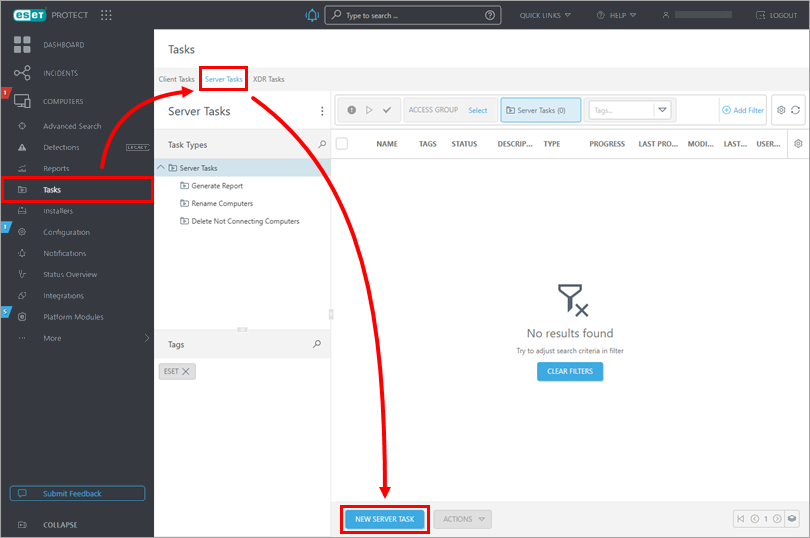
Server task in ESET PROTECT On-Prem
Click Tasks → Add → Server Task.
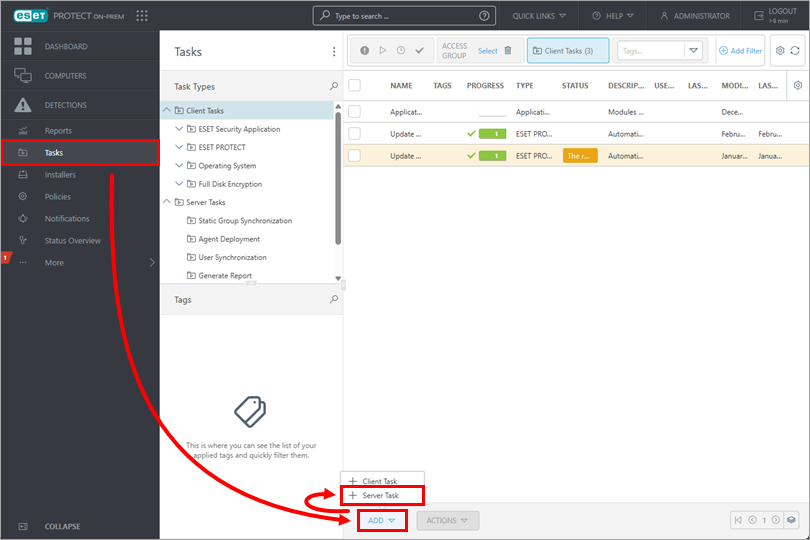
-
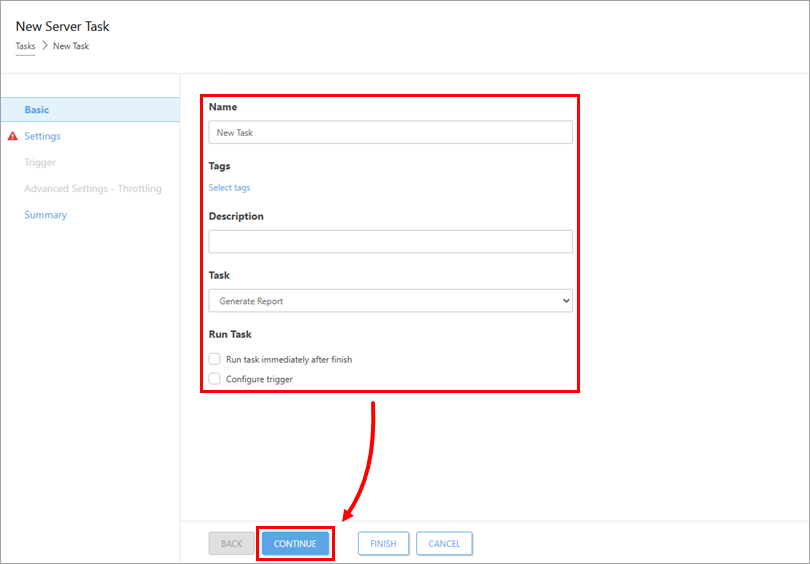
In the Name field, type a name for the client task. Select the category from the Task Category drop-down menu and then select the respective task type from the Task drop-down menu. Click Continue.
-
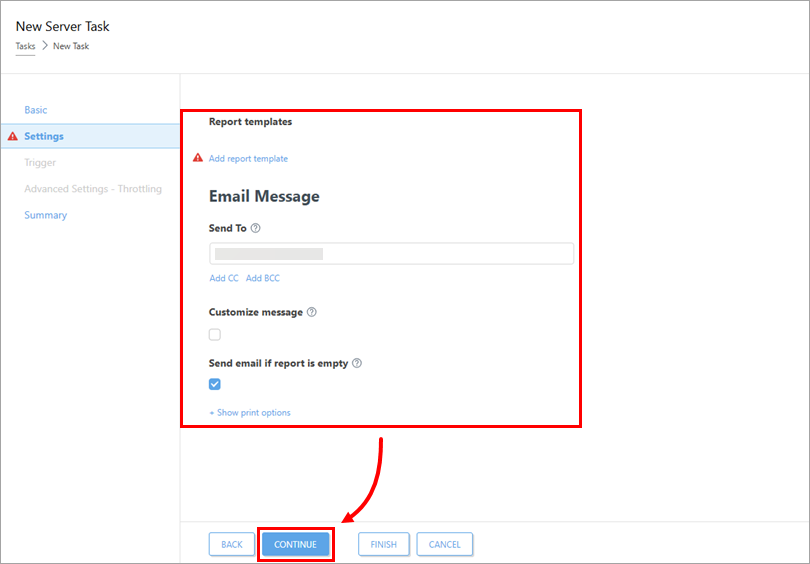
In the Settings section, configure the client task settings. These settings vary depending on the selected task type. When configured, click Continue.
-
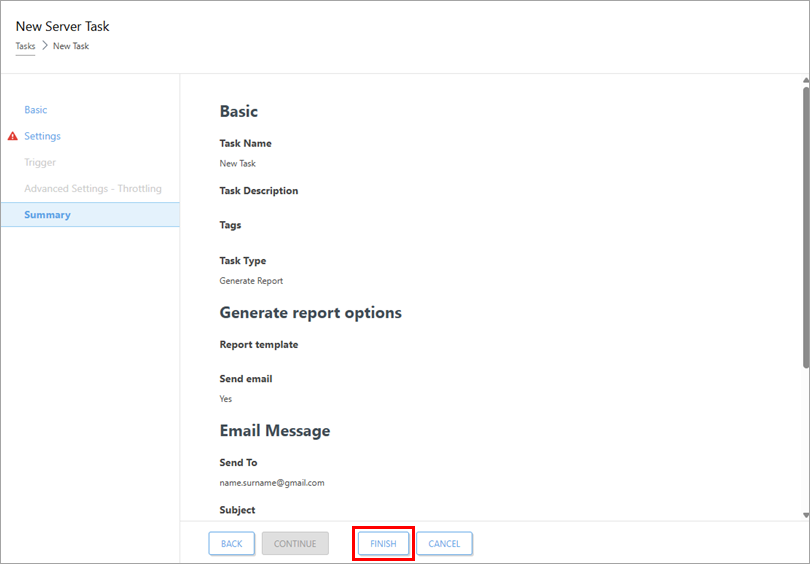
Click Finish. The task can be executed on selected servers.
-
Create a trigger to execute the task. Each server task can have one trigger configured.
View an XDR task
XDR tasks are created as a response to incidents by selecting the affected identities and setting up the response actions for them. Read more about the Incidents.
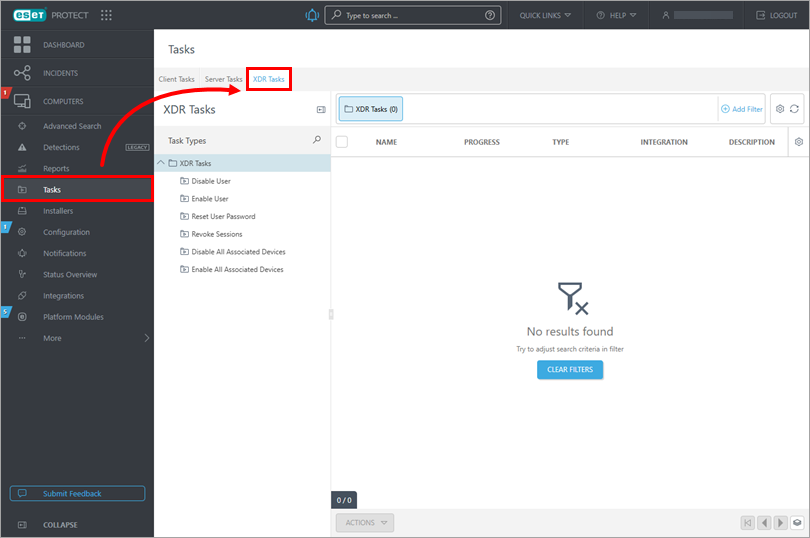
To review the existing XDR tasks:
-
Click Tasks → XDR Tasks.
Edit a client or server task in ESET PROTECT
-
Click Tasks, click the Client Tasks or Server Tasks tab and select the task type and category. Click the task you want to modify and click Edit.
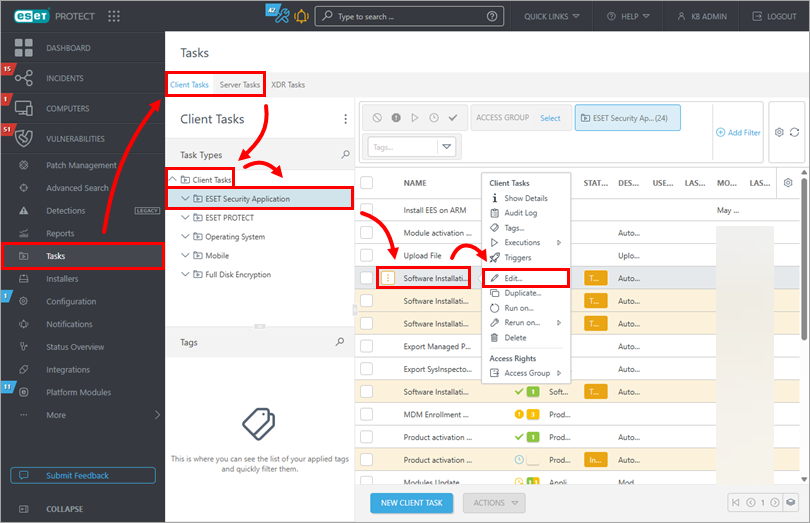
Edit a client or server task in ESET PROTECT On-Prem
-
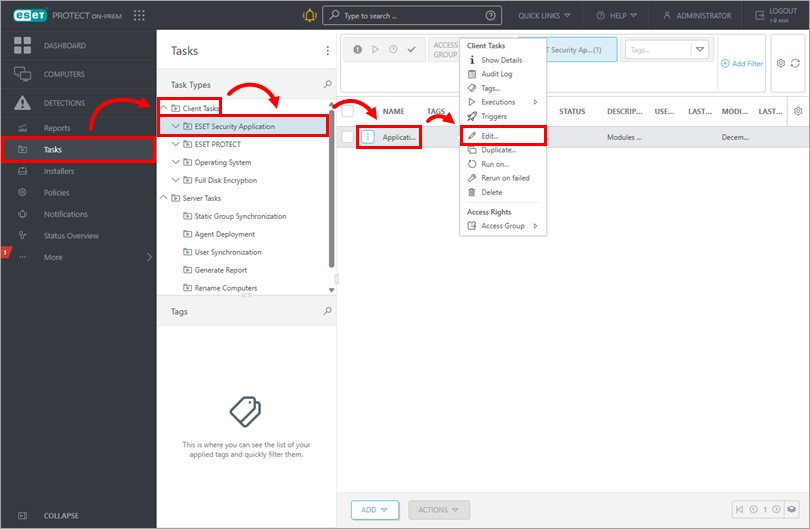
Click Tasks and select the task type and category. Click the task you want to modify and click Edit.