Issue
- You receive the “This installation package is not supported by this processor type” error message
- ESET Technical Support has directed you to this article to determine whether your system is 32-bit, 64-bit, or ARM
Details
Click to expand
If you do not have your Activation Key, visit our Lost subscription page to retrieve it. Your active (non-expired) ESET subscription includes both the 64-bit and ARM versions of your ESET application.
Solution
Related solution: Business users
-
Open Control Panel: click Start, type
control paneland click Control Panel or press Enter.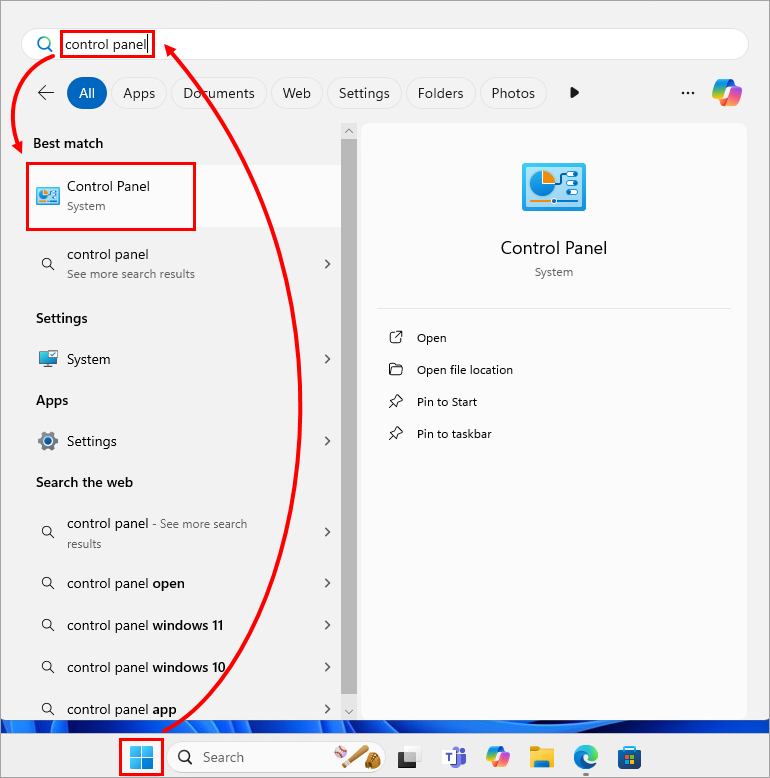
-
In All Control Panel Items, click System.
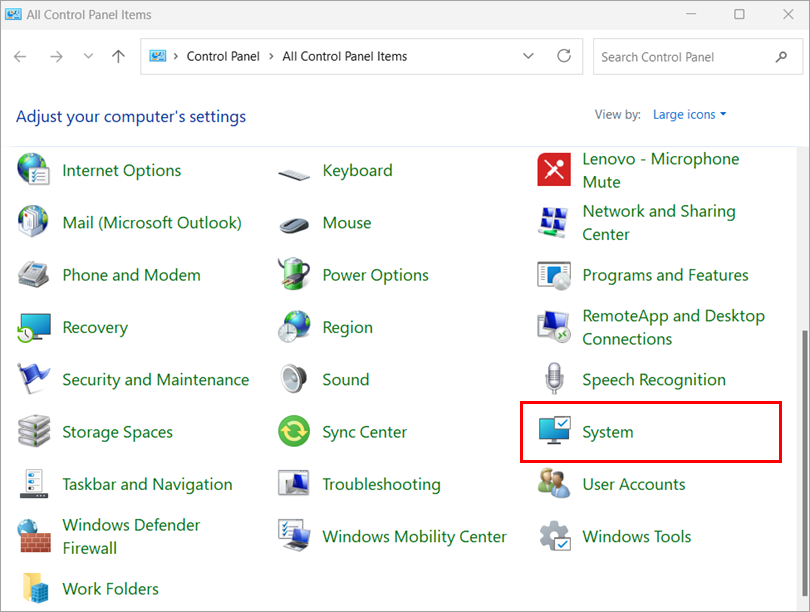
-
Check Device specifications → System type.
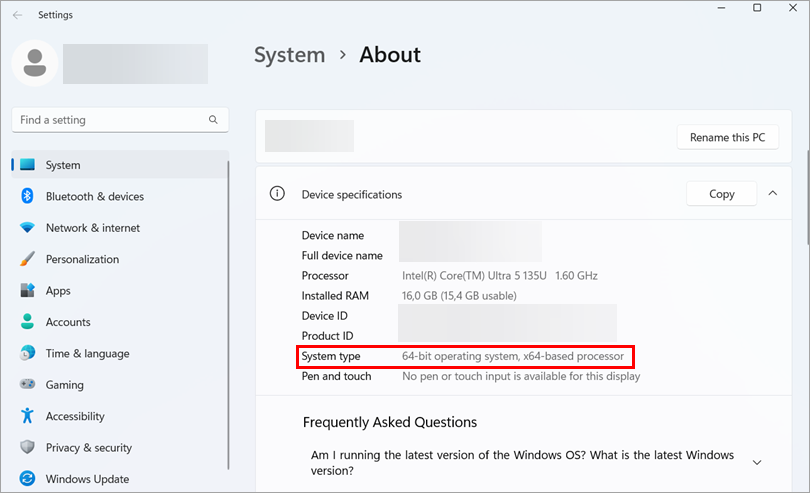
-
Download the appropriate ESET application installer and install the application.


