Solution
Related solutions: Endpoint users
-
Create a policy or open an existing one. To configure the policy settings, follow the steps below.
-
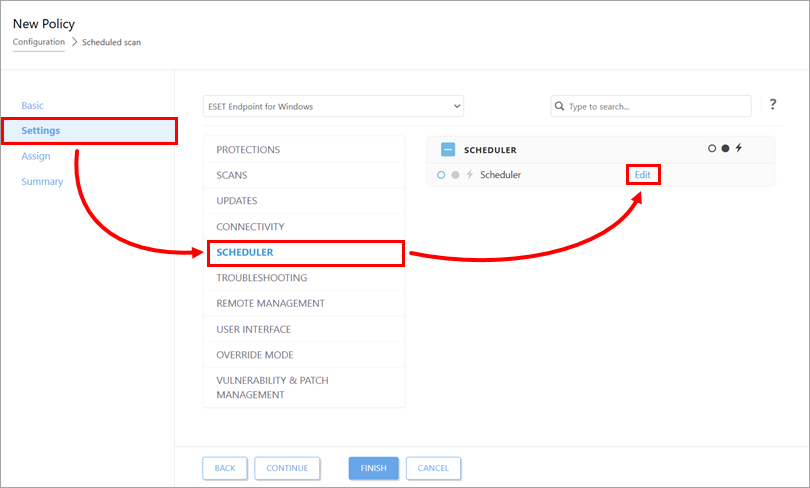
Click Settings → Scheduler → Edit.
-
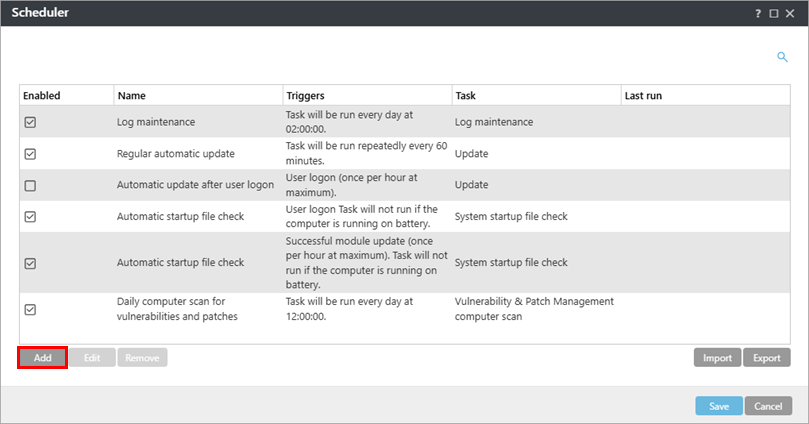
Click Add.
-
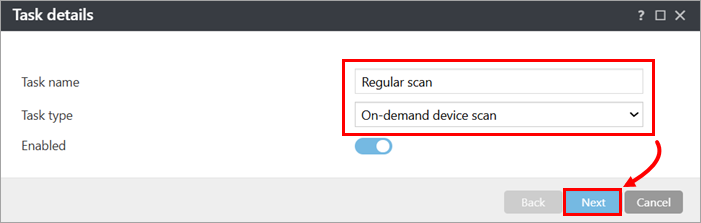
Type a name for the scheduler task. In the Task type drop-down menu, select On-demand device scan and click Next.
-
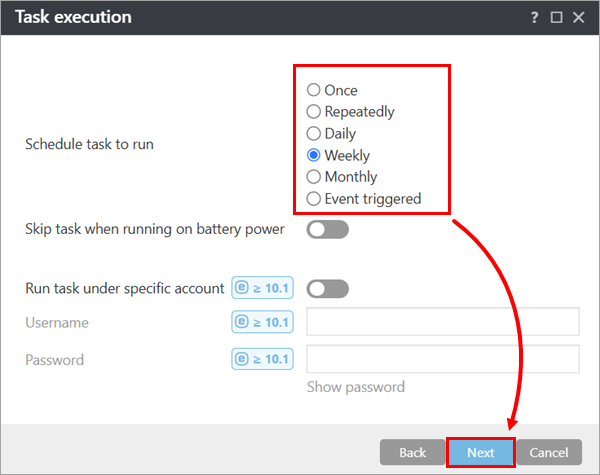
Select the scan frequency and click Next.
-
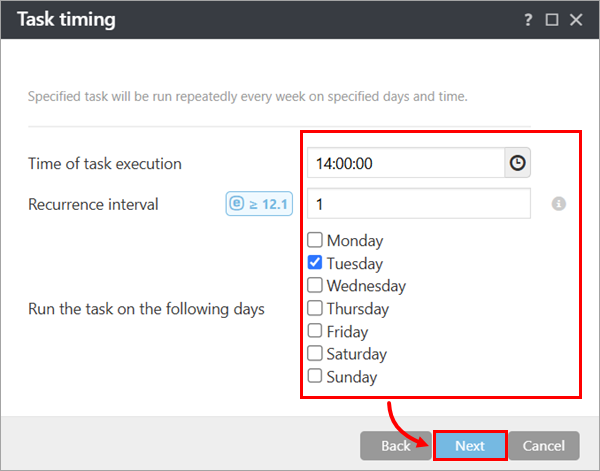
Set the execution time, recurrence and day and click Next.
-
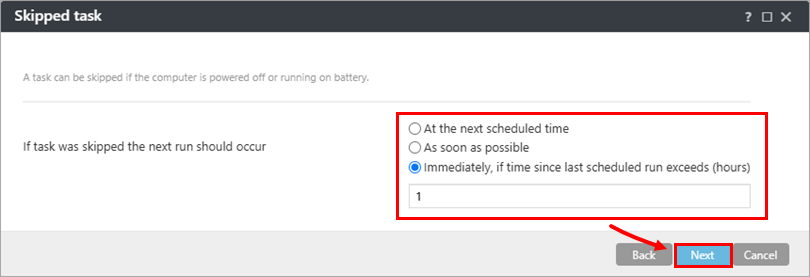
Define if and how the scan should be retriggered if skipped by the user and click Next.
-
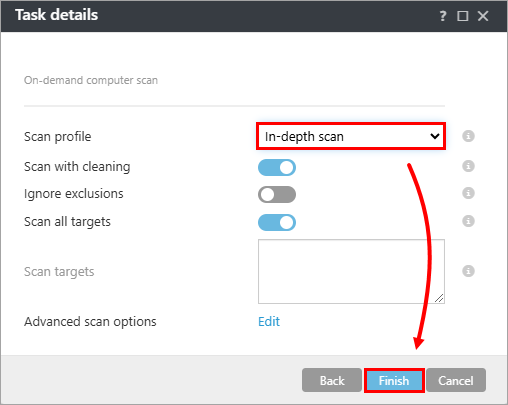
In the Scan profile drop-down menu, select In-depth scan and click Finish.
-
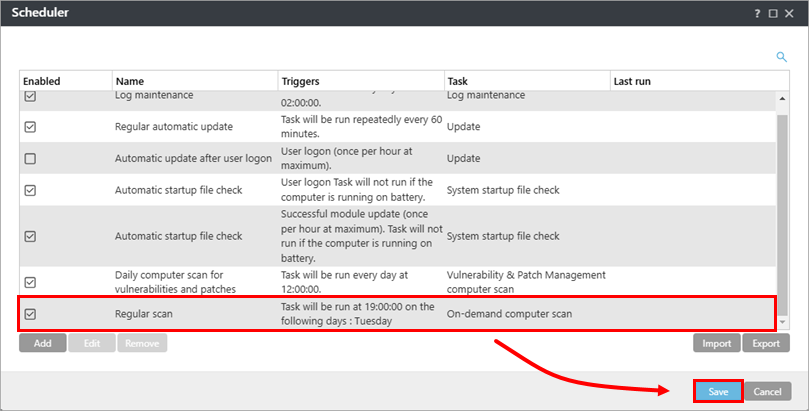
Verify that the check box next to the scheduler task you created is selected and click Save.
-
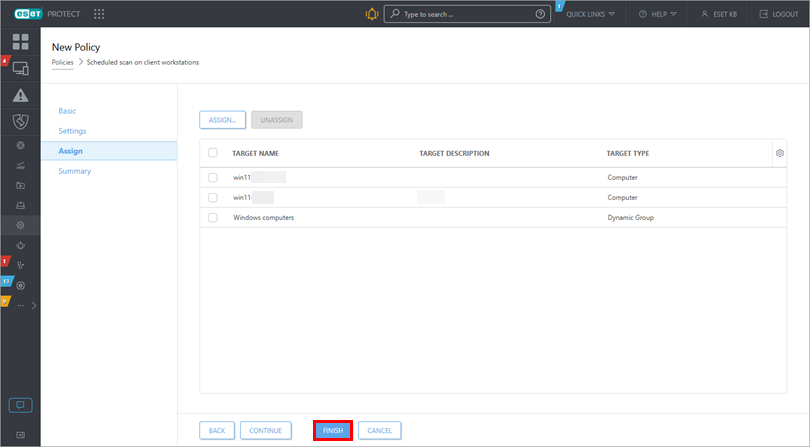
Assign the policy to the devices where you want to schedule the regular scan.
-
Click Finish.