Issue
- What is ESET LiveGrid®?
- What is the difference between ESET LiveGrid®reputation system and ESET LiveGrid® feedback system?
- Test if ESET LiveGrid® is enabled
- Enable or disable ESET LiveGrid® in ESET home and small office applications
- Enable or disable ESET LiveGrid® in ESET business applications
Solution
What is ESET LiveGrid®?
ESET LiveGrid® is a preventative system that gathers information about threats from ESET users worldwide. The ESET LiveGrid® database contains reputation information about potential threats.
When enabled, ESET LiveGrid® can detect and block the most recently introduced threats. This makes ESET LiveGrid® a particularly effective way to defend against rapidly changing threats such as new types of ransomware (for example, CryptoLocker, CryptoWall, etc.).
LiveGrid® servers are located in Bratislava, Vienna, and San Diego. However, those are only the servers responding to client requests from the clients. The actual processing of submitted samples only happens in Bratislava, Slovakia. View more information on the Privacy Policy.
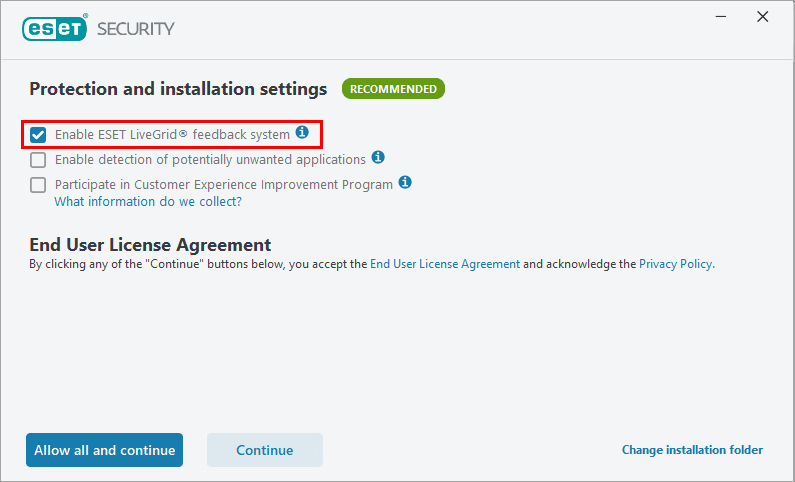
If you installed your ESET application using default settings, ESET LiveGrid® is already enabled.
What is the difference between ESET LiveGrid® reputation system and ESET LiveGrid® feedback system?
The ESET LiveGrid® reputation system provides cloud-based whitelisting and blacklisting. A user can check the reputation of Running processes and files directly from the program's interface or contextual menu with additional information from ESET LiveGrid®.
The ESET LiveGrid® feedback system collects information about your computer about newly detected threats.
This information may include a sample or copy of the file in which the threat appeared, the path to the file, the filename, the date and time, the process by which the threat appeared on your computer, and information about your computer's operating system. This information, along with crash reports and other relevant statistics, is sent to the ESET Research lab for further analysis.
User participation will help improve overall protection for all ESET users and the ability to submit samples from the application.
Test if ESET LiveGrid® is enabled
Even if ESET LiveGrid® is enabled in your ESET application, it may not function correctly if your company firewall blocks its cloud communication. Test LiveGrid® to confirm that it can successfully connect to ESET servers and provide cloud‑based protection.
-
Download the CloudCar Testfile with the
cloudcar.exetest file. -
If ESET LiveGrid® is enabled and working properly, the file will open on ESET's servers and will be blocked. The file will not be downloaded onto your computer, and a "Threat removed" message will appear.
Enable or disable ESET LiveGrid® in ESET home and small office applications
Click your operating system for instructions:
- Enable or disable ESET LiveGrid® (Windows)
- Enable or disable ESET LiveGrid® (macOS)
- Enable or disable ESET LiveGrid® (Android)
Enable or disable ESET LiveGrid® in ESET business applications
ESET LiveGuard Advanced is an extension of ESET LiveGrid® for business users.
Click your application for instructions:
- ESET PROTECT/ESET PROTECT On-Prem or ESET Endpoint Security/Antivirus
- ESET Server Security for Windows server
- ESET Server Security for Linux server
- ESET Mail Security for Microsoft Exchange Server
- ESET Security for Microsoft SharePoint Server
- ESET Endpoint Antivirus for macOS
- ESET Endpoint Security for macOS
- ESET Endpoint Security for Android


