Issue
- File-level scanning of some applications causes abnormal system behavior
- Add Performance exclusions via policy in ESET PROTECT or ESET PROTECT On-Prem
- Add Detection exclusions from Detections in ESET PROTECT or ESET PROTECT On-Prem
Solution
Related solution: Endpoint users
Add Performance exclusions via policy in ESET PROTECT or ESET PROTECT On-Prem
-
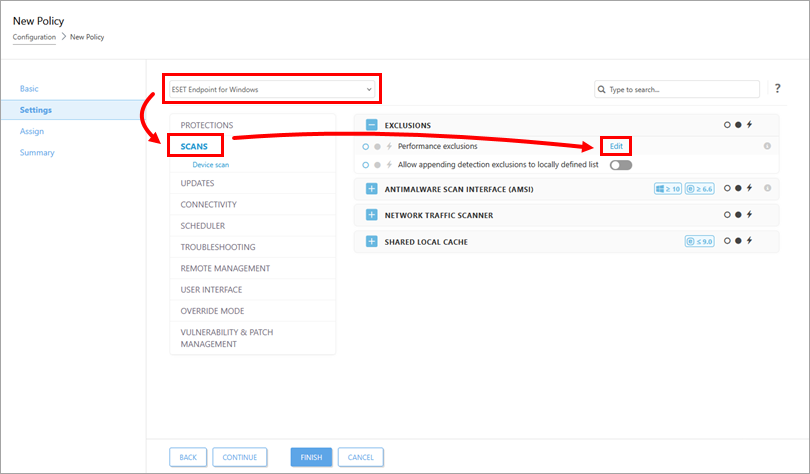
In the Settings section, select your ESET application from the drop-down menu, click Scans, and click Edit next to Performance exclusions.
-
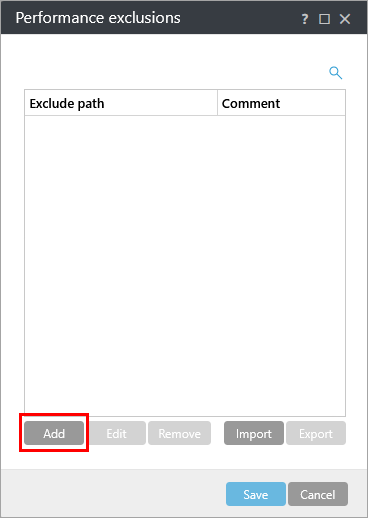
Click Add.
-
Type the path of a directory or file you want to exclude from scanning into the Path field and click Save → Save. Verify the path is in the correct format (for example,
C:\Users\User\Desktop\file.exe).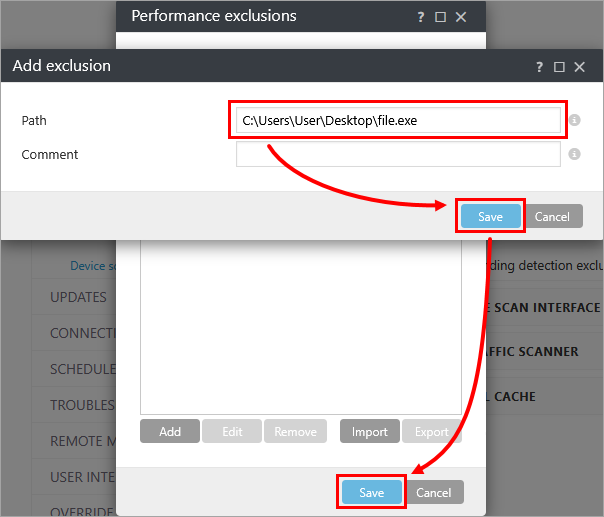
Add Detection exclusions from Detections in ESET PROTECT or ESET PROTECT On-Prem
-
Click Detections, click the menu icon (three dots) next to the detection you want to exclude, and click Create Exclusion.
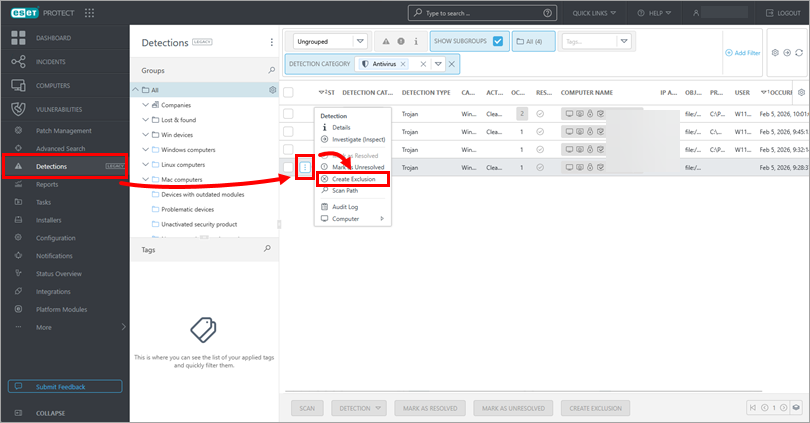
-
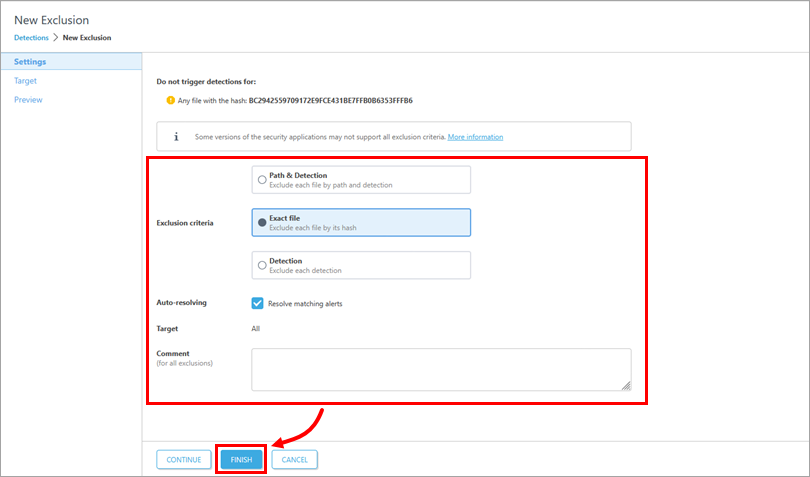
Configure the exclusion based on your preferences and click Finish. For more information, see the detection exclusions Online Help topic.