Issue
- Confirm you have the latest version of your ESET Windows home or small office application
- Update your ESET Windows home or small office application to the latest version
Details
Click to expand
By default, ESET applications check for new updates every hour and are updated at least once a day with new detection engine and module updates.
Learn how to get information about application modules in ESET Windows home and small office applications.
Solution
Related solutions: Business users | macOS users | Android users
-
Open the main program window of your ESET Windows application.
-
Click Update → Check for updates. See the latest versions of ESET applications.
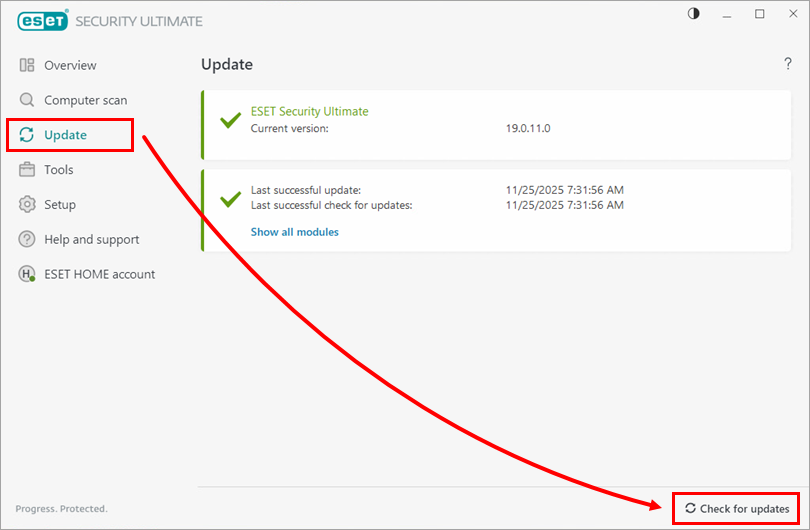
-
If an update is available, click Update application now. You will be asked to restart your computer.
-
After the restart, verify that your update was successful.

If your application cannot update, follow the instructions to re-enter your ESET Activation key.


