Issue
Details
Click to expand
Secure Browser is an additional layer of protection designed to protect your financial data during online transactions. See the list of supported browsers.
Solution
Enable or disable Secure Browser
-
Open the main program window of your ESET Endpoint Security.
-
Press F5 to open Advanced setup.
-
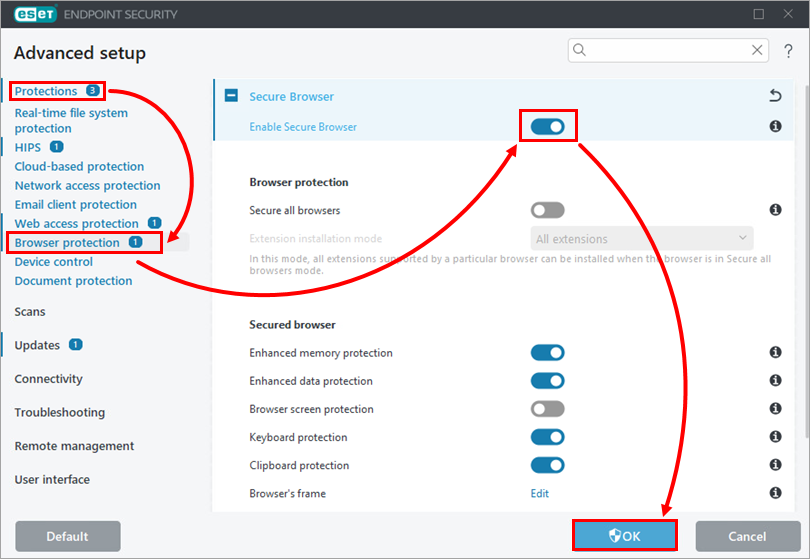
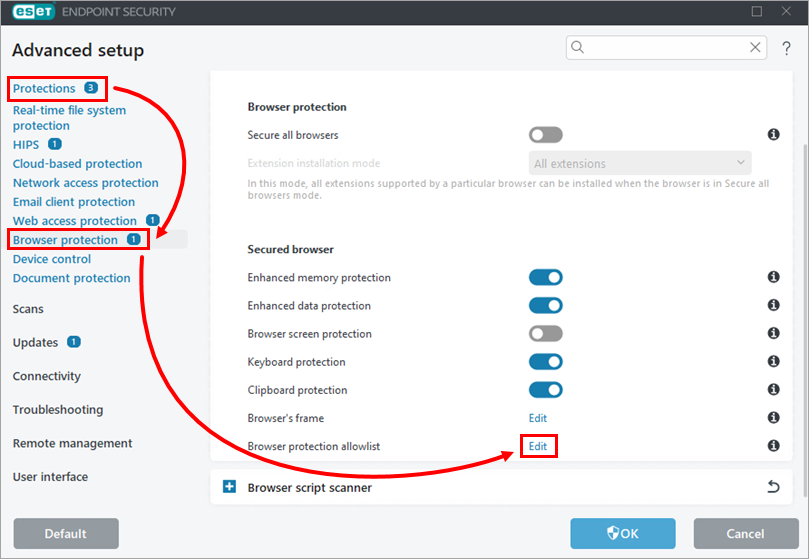
Click Protections → Browser protection. Click the toggle next to Enable Secure Browser and click OK.
-
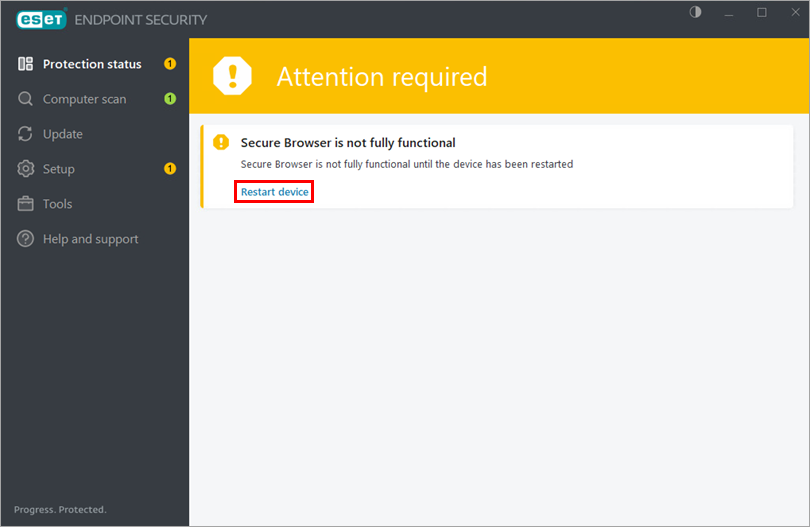
Click Restart device. Until the device is restarted, Secure Browser is only partially functional—it provides protection against security risks but keylogger data is not encrypted.
Open Secure Browser
-
Open the main program window of your ESET Endpoint Security.
-
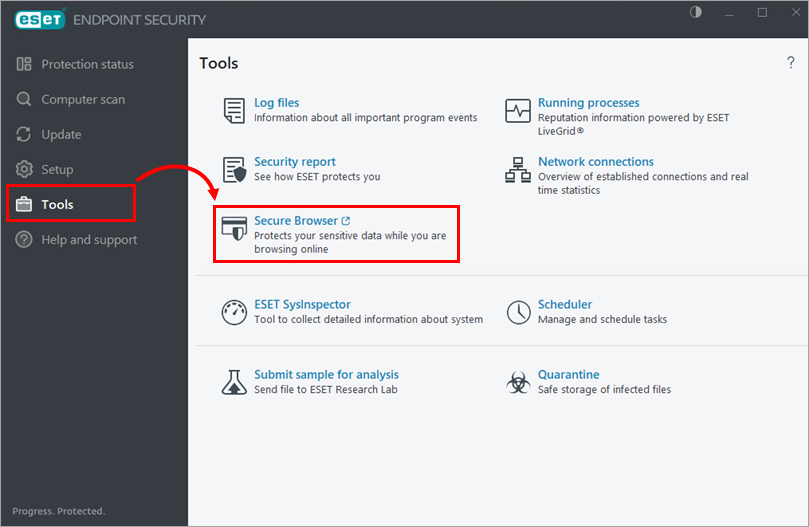
Click Tools → Secure Browser.
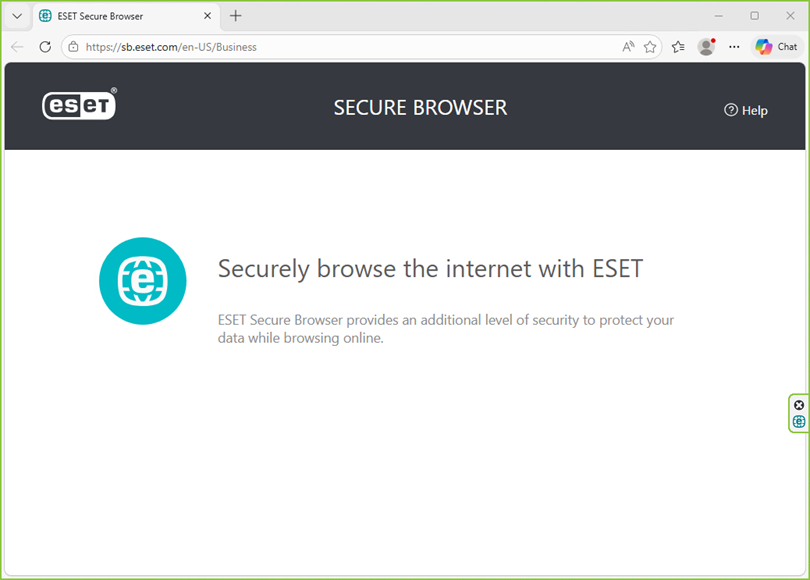
A browser protected by ESET Secure Browser opens. The protected browser is marked with a green border, and the Secured by ESET label appears on the right edge of the browser.
Add, edit, or remove protected websites
-
Open the main program window of your ESET Endpoint Security.
-
Press F5 to open Advanced setup.
-
Click Protections → Browser protection. Click Edit next to Browser protection allowlist.
-
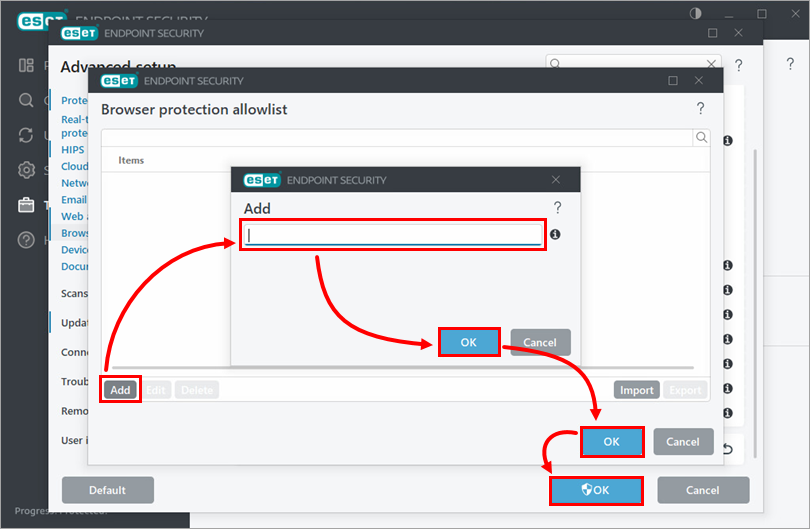
Click Add. Type a website address and click OK → OK → OK. For more information, see Browser protection allowlist.