Issue
- Your ESET business subscription is expiring or has expired
- You are having difficulty renewing your business subscription
- You are a self-managed customer using ESET PROTECT Hub
- Before you proceed
- Renew your ESET business subscription
- Special cases/troubleshooting
Solution
Before you proceed
- You can renew your business application subscription for up to two years (730 days) after the purchase. This period may differ based on the country where you purchased your ESET subscription
- Manage auto-renewal settings for your ESET subscription
- Manage account and credit card information for your ESET subscription
- You will need your Activation key or Public ID
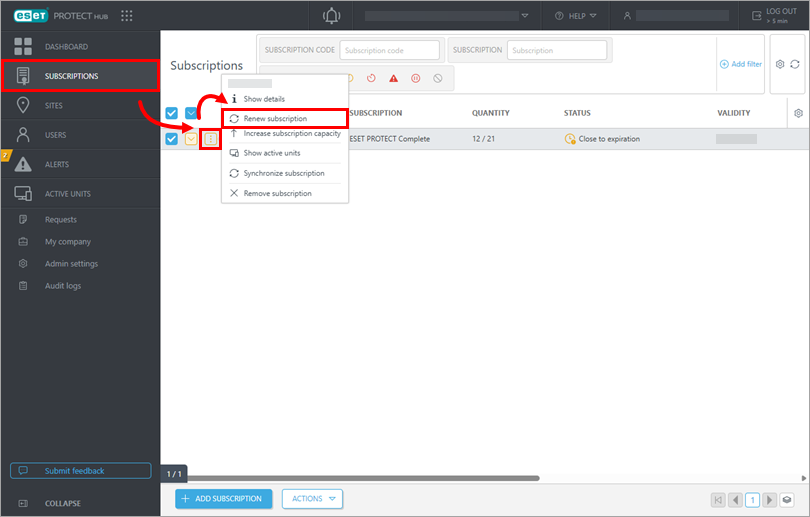

-
Log in to the ESET eStore using your Activation key or Public ID.
You can also use different methods to log in to ESET eStore, such as ESET PROTECT Hub, or in-app and email links.
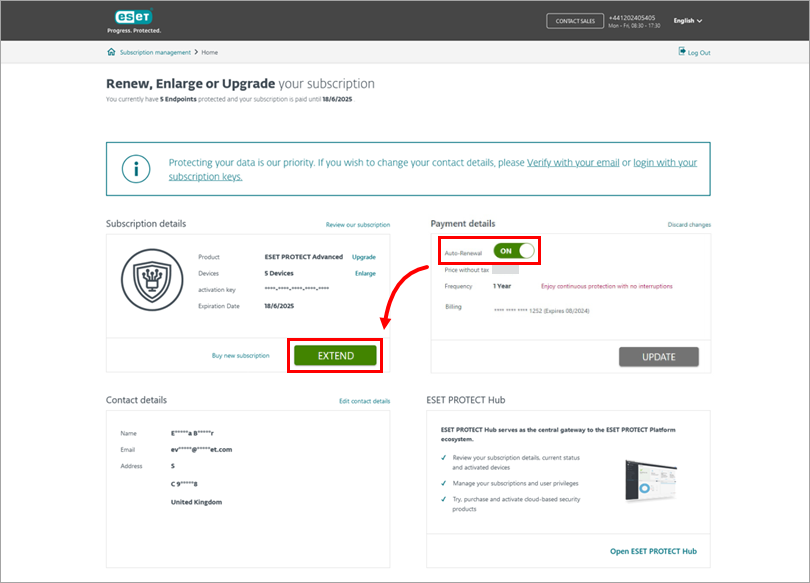
-
If you are in a renewal period, you will be redirected directly to the Renewal page (see image in step 3).
If you are outside the renewal period, we strongly recommend enabling auto-renewal before you extend your subscription. Click the toggle next to Auto-Renewal to enable it and click Extend.
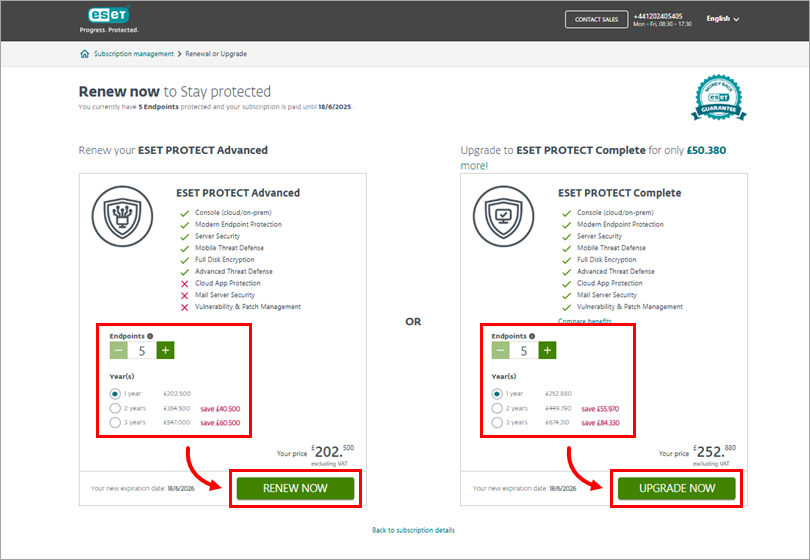
-
Adjust the number of devices you want to protect and select the validity period. Your renewal price will be prorated based on the volume discount you qualify for.
- If you want to renew your current subscription, click Renew now.
- If you want to renew your subscription, but you also want to upgrade to a higher protection tier, click Upgrade now.
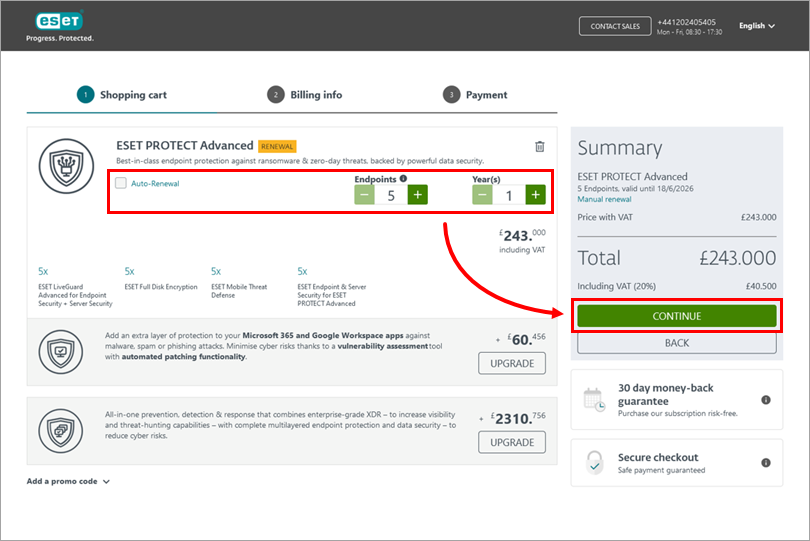
-
Review your renewal information. In this step, you can still adjust the number of devices and the validity period. We strongly recommend enabling auto-renewal option by selecting the check box next to Auto-Renewal. You can also upgrade your subscription to a higher protection tier, add additional protection (if available), or add a promo code. Click Continue.
- Follow the on-screen instructions and complete your purchase. Your subscription has been renewed automatically, and no further action is needed.
Special cases/troubleshooting
See the licensing FAQ (business users).
Subscription not eligible for renewal
Check the expiration date of your subscription. If it has been more than two years (730 days) since your ESET subscription expired, your subscription is not eligible for renewal, and you must purchase a new ESET subscription.
The new expiration date is not displaying after a renewal
Read more about the issue with the new expiration date not displaying after renewing a subscription.
Update account and credit card information
See how to manage account and credit card information for your ESET subscription.
Lost subscription
If you cannot find your subscription information, visit the Lost ESET subscription page.


