[KB8073] 在 ESET Endpoint Encryption 中恢复遗忘的全磁盘加密密码

注意:

本页已由电脑翻译。点击本页面语言下的英文,显示原文。如果你发现有什么不清楚的地方,请联系你当地的支持。

问题

ESET Endpoint Encryption Client and ESET Endpoint Encryption Server are separate applications from ESET Full Disk Encryption

The article below applies only to the ESET Endpoint Encryption Client or ESET Endpoint Encryption Server and not ESET Full Disk Encryption.

Visit ESET Full Disk Encryption support to view ESET Full Disk Encryption content.

  • 在 ESET Endpoint Encryption (EEE) 中还原独立的 Full Fisk Encryption (FDE) 密码

解决方案

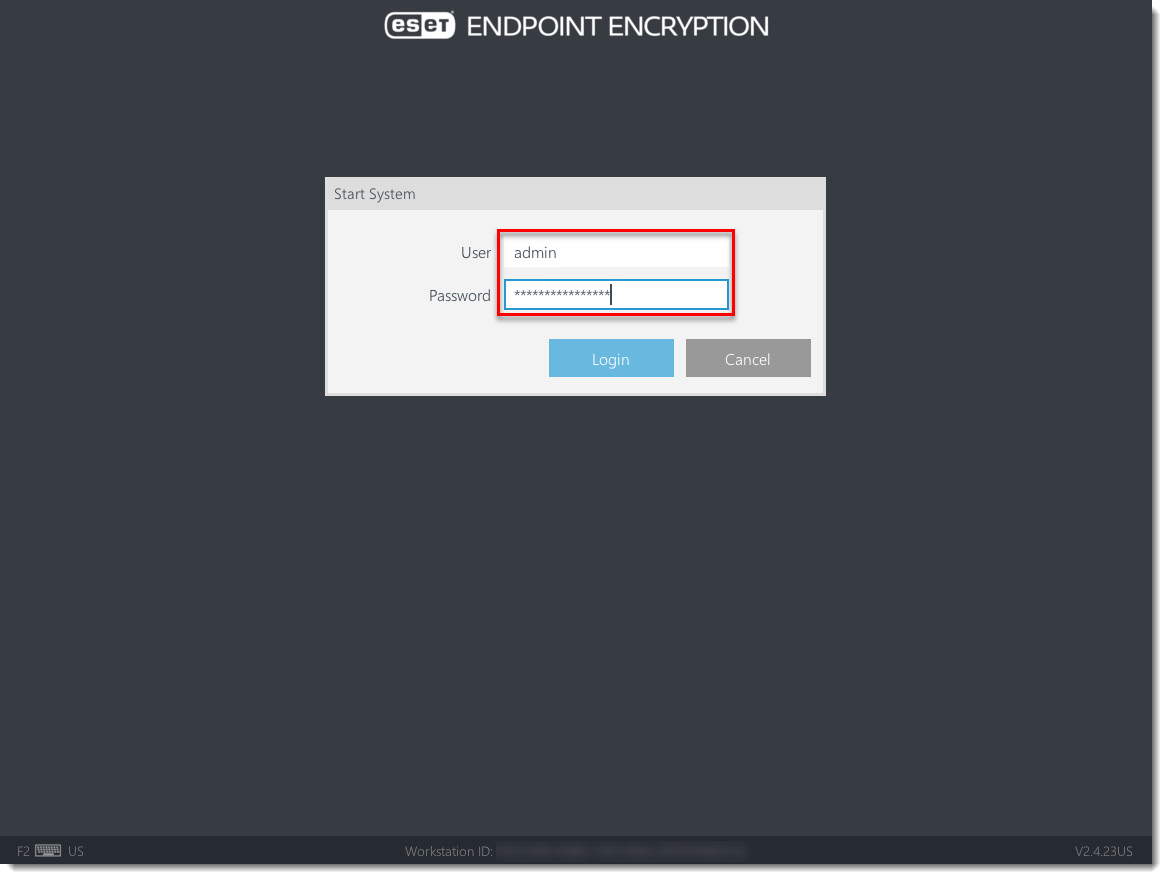
  1. 在另一台计算机上,打开您在机器上 started Full Disk Encryption 前保存到外部存储设备或网络驱动器的文件。文件默认名称为 adminpassword.txt 或 adminpassword.htm。
    图 1-1
    点击图片在新窗口中查看大图
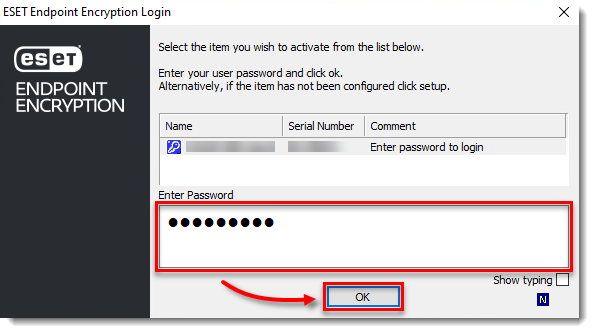
  2. 启动要解锁的计算机。在 FDE 登录屏幕上,在用户字段中输入admin。在密码 字段中,键入管理员密码,然后按键盘上的Enter 键

    图 1-2
    点击图片在新窗口中查看大图
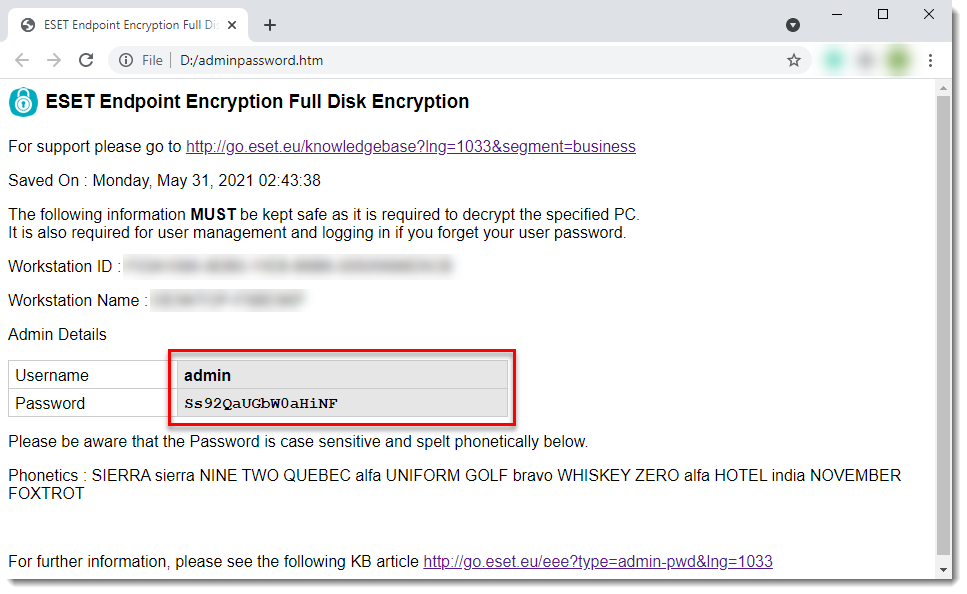
  3. 操作系统启动后,使用密钥文件密码登录。按照本指南中的步骤找回遗忘的 Key-File 密码

    图 1-3
    点击图片在新窗口中放大查看
  4. 更改全磁盘加密密码.