Issue
- Enable ESET LiveGrid® on endpoints from ESET PROTECT On-Prem
- Enable ESET LiveGrid® from ESET Endpoint applications
Solution
Related solutions: Home users | macOS users
Enable ESET LiveGrid® on endpoints from ESET PROTECT On-Prem
-
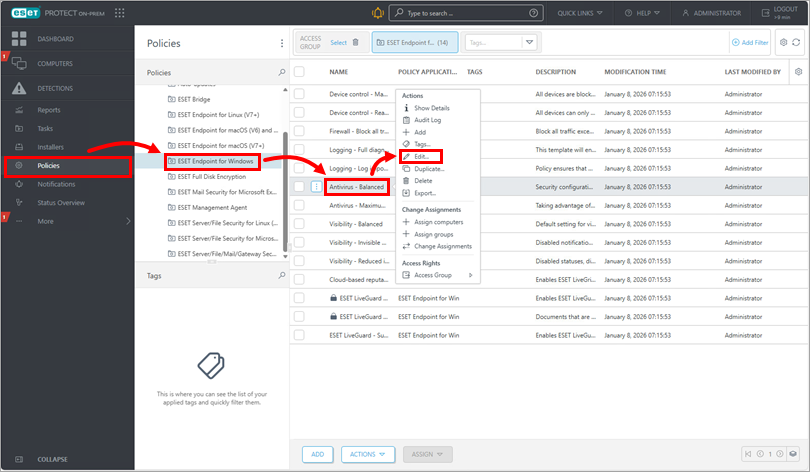
Click Policies, choose the policy for endpoints on which you want to enable ESET LiveGrid®, click the policy name → Edit.
-
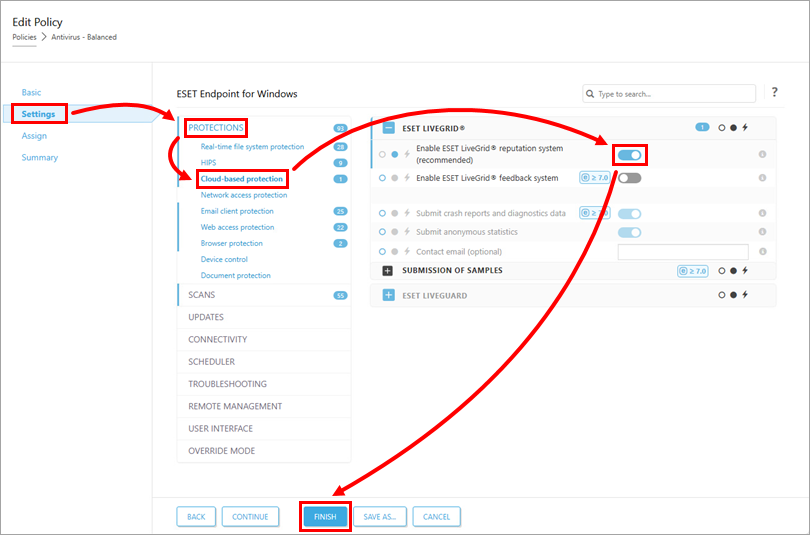
Click Settings → Protections → Cloud-based protection. Click Enable ESET LiveGrid® reputation system to enable ESET LiveGrid®, or leave this setting disabled to disable ESET LiveGrid®. Click Finish to apply your changes. Endpoints will receive the policy changes the next time that they check in to ESET PROTECT On-Prem.
Enable ESET LiveGrid® from ESET Endpoint applications
-
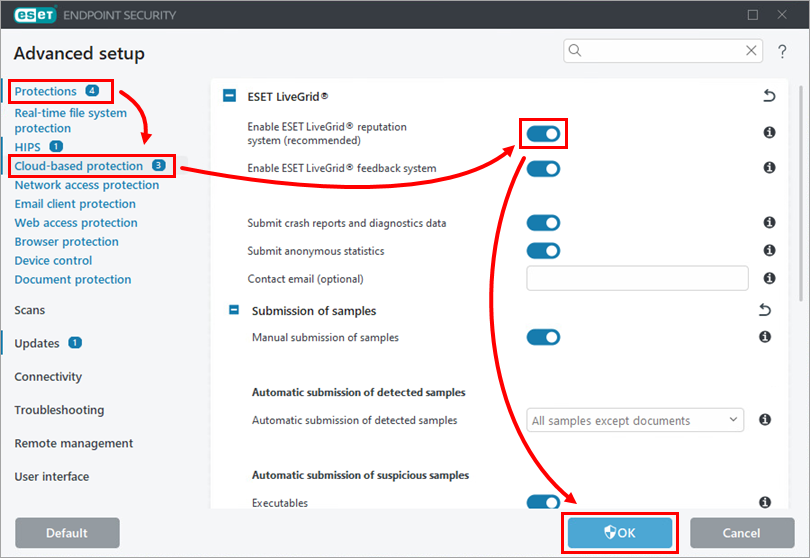
Press the F5 key to access Advanced setup.
-
Expand Protections → Cloud-based protection. Click Enable ESET LiveGrid® reputation system to enable ESET LiveGrid®, or leave this setting disabled to disable ESET LiveGrid®. Click OK to save your changes.