Issue
- Disable HIPS for troubleshooting purposes
- Enable HIPS protection
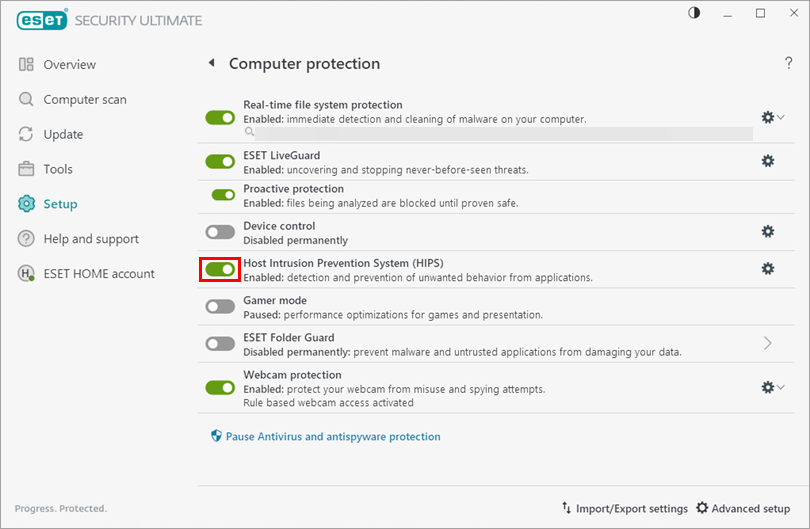
- Verify that HIPS is enabled on your system
Details
Click here to expand
The Host Intrusion Prevention System (HIPS) protects your system from malware and unwanted activity attempting to affect your device negatively.
HIPS utilizes advanced behavioral analysis coupled with the detection capabilities of network filtering to monitor running processes, files and registry keys. HIPS is separate from Real-time file system protection and is not a firewall; it only monitors processes running within the operating system.
Users can define a custom ruleset to replace the default ruleset; however, this requires advanced knowledge of applications and operating systems and is not recommended in most situations.
Solution
Related solution: Endpoint users
Disable HIPS protection for troubleshooting purposes
-
Open the main program window of your ESET Windows home or small office application.
-
Press F5 to open Advanced setup.
-
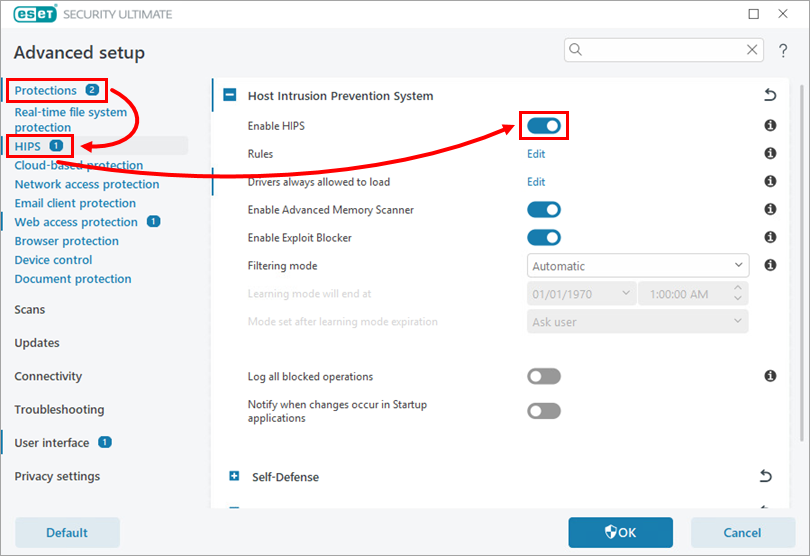
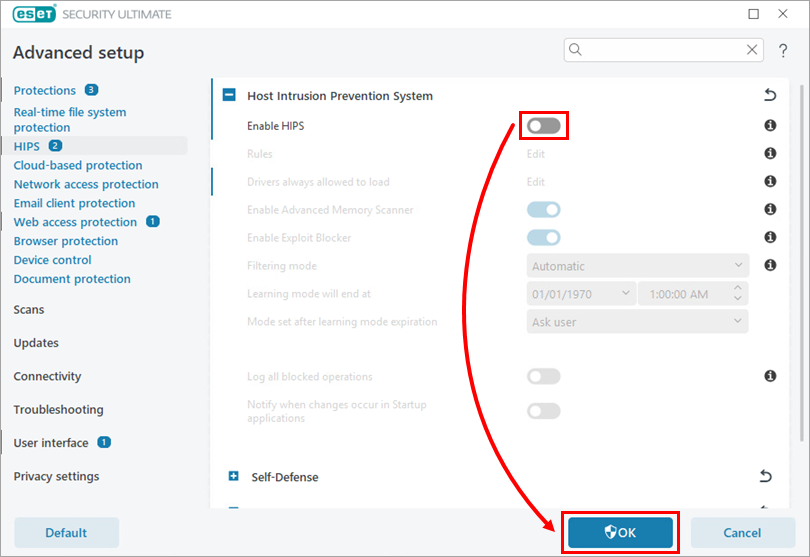
Click Protections → HIPS and click the toggle next to Enable HIPS to disable it.
-
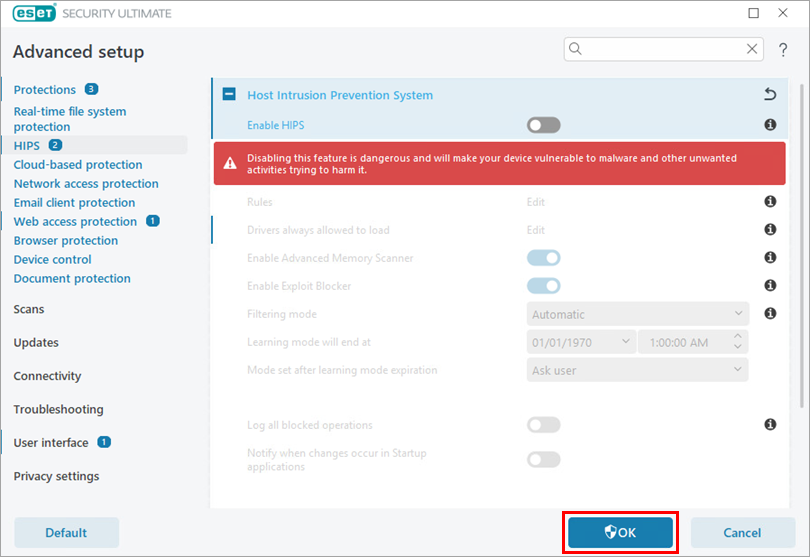
Click OK.
-
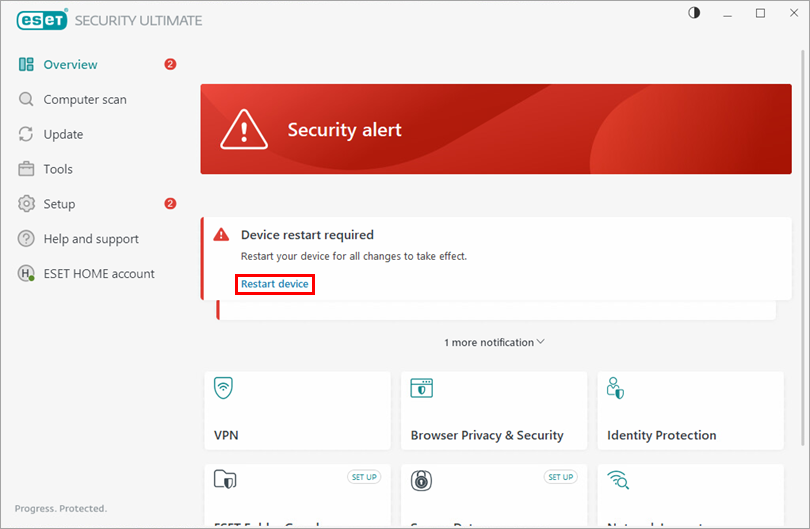
Restart your device. After your device restarts, HIPS will be completely disabled. The ESET application window will display the protection status in red to indicate that maximum protection is not ensured, and your device is vulnerable to threats. Be sure to re-enable HIPS after you finish troubleshooting.
Enable HIPS protection
-
Open the main program window of your ESET Windows home or small office application.
-
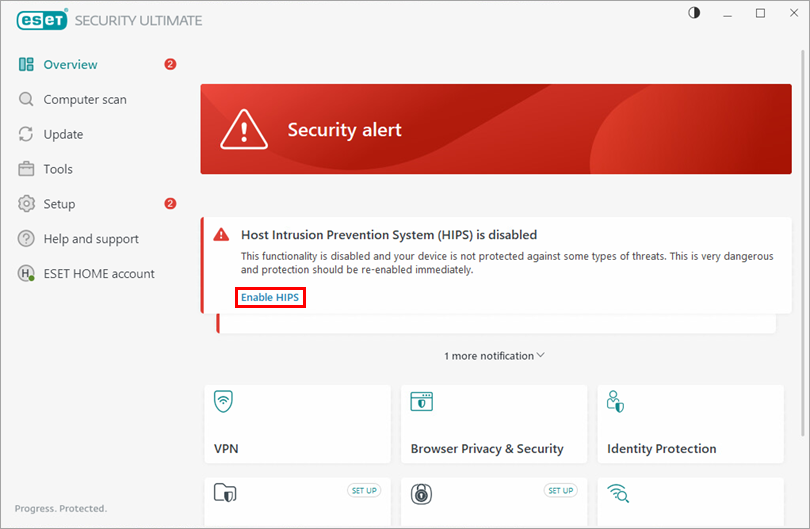
Click Enable HIPS in the Security alert. If it does not appear, press F5 to open Advanced Setup.
-
Click the toggle next to Enable HIPS to enable it and click OK.
-
Click Restart device for the changes to take effect. When your device has finished restarting, maximum protection will be restored, and your device will be fully protected.
Verify that HIPS is enabled on your system
-
Open the main program window of your ESET Windows home or small office application.
-
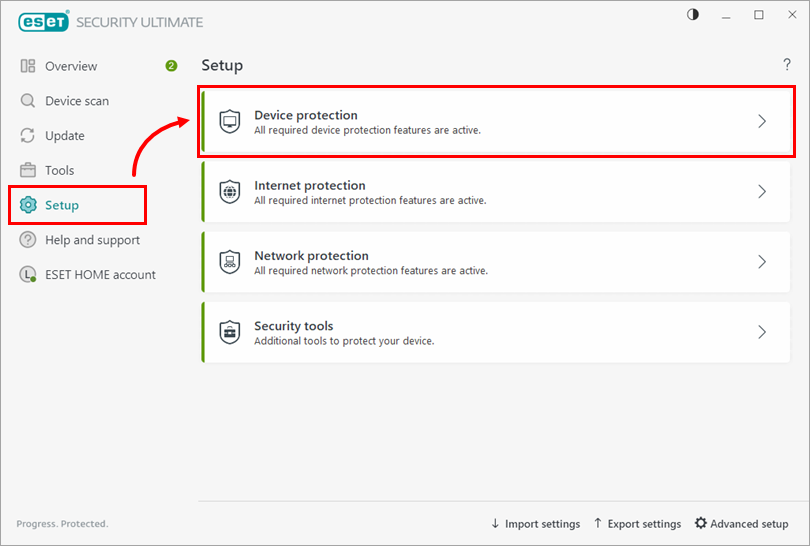
Click Setup → Device protection.
-
Ensure the toggle next to Host Intrusion Prevention System (HIPS) is enabled. If HIPS has been disabled on your system, re-enable it.