[KB3260] 在 ESET 网络安全软件中排除被阻止的安全网站

注意:

本页已由电脑翻译。点击本页面语言下的英文,显示原文。如果你发现有什么不清楚的地方,请联系你当地的支持。

问题

  • ESET 网络安全软件中的 Web 访问保护功能阻止了一个您知道是安全的网站

解决方案

Windows 用户:排除一个安全的网站,使其不会被 ESET 小型办公室或家庭 Windows 产品中的 Web 访问保护拦截

Before excluding a website

Excluding a website poses a security risk. You should only exclude websites from malware content scanning if instructed by ESET Technical Support or if you are sure the website is safe.

Best practices:

  • Only exclude a website for a specific period
  • Do not exclude websites where you provide sensitive information (such as banking websites)
  • Do not disable real-time file system protection while downloading and running files from excluded websites
  • Report miscategorization if you think ESET should not block a specific website

  1. 打开 ESET 网络安全

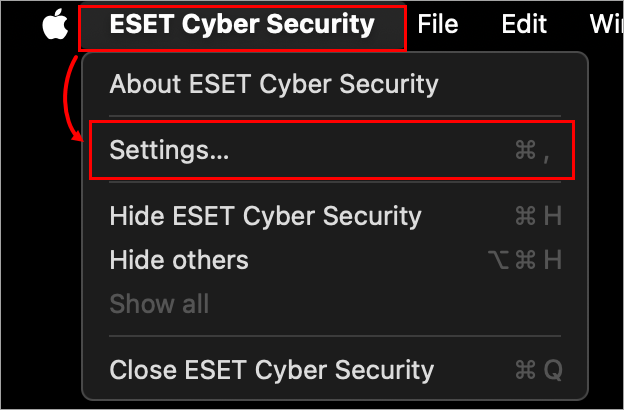
  2. 单击 macOS 菜单栏(屏幕顶部)中的ESET 网络安全,然后单击设置

    图 1-1
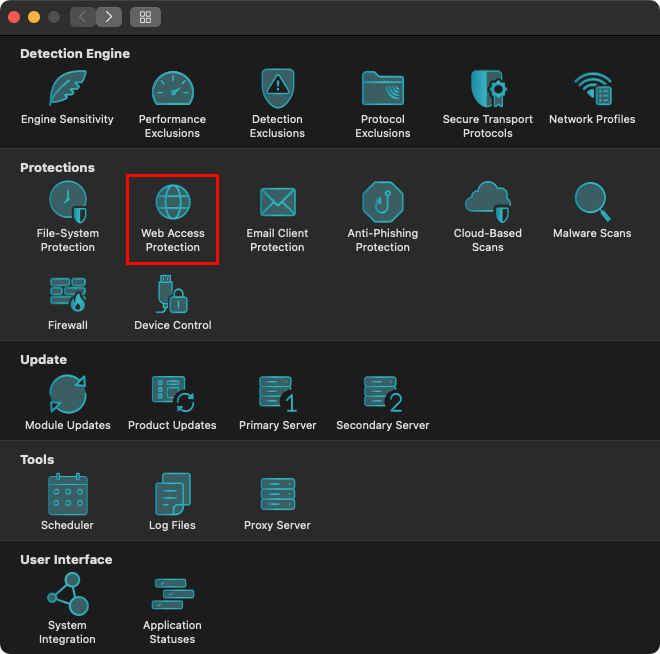
  3. 单击Web 访问保护

    图 1-2
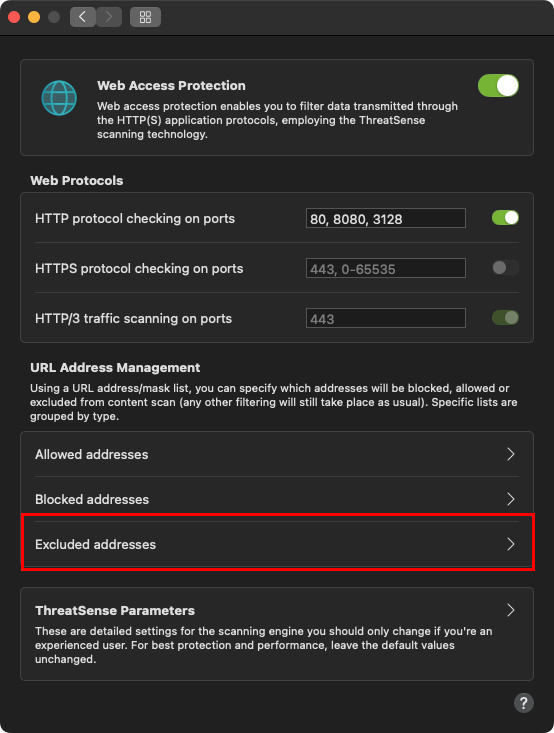
  4. 单击排除的地址

    图 1-3
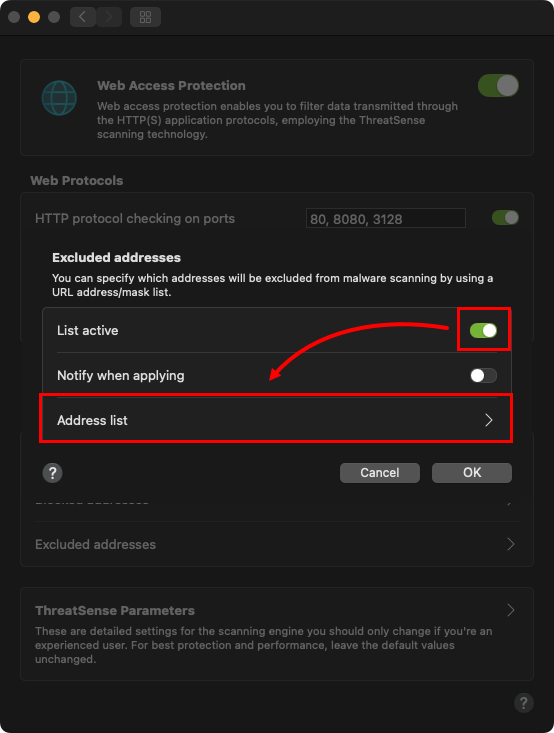
  5. 确认已选中 "活动列表"旁边的复选框,然后单击 "地址列表"。

    图 1-4
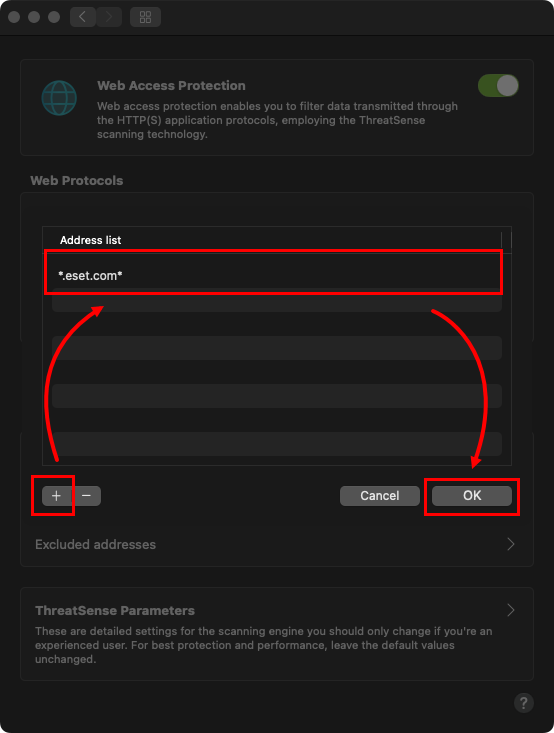
  6. 单击加号图标在地址列表中添加新行,键入要排除的网站或域名,然后单击确定 (对于添加的每个网站,请确保包含 "www. "或通配符 "*"符号,如 "www.eset.com "或 "*eset.com")。

    图 1-5
  7. 您的更改将自动保存。完成后退出Web 访问保护窗口。