注意事項
このページはコンピュータによって翻訳されています。このページの「言語」の「英語」をクリックすると、原文が表示されます。ご不明な点がございましたら、お近くのサポートまでお問い合わせください。
問題
- 安全だとわかっている Web サイトが Web プロテクションによってブロックされる
解決方法
 ESET Windows Home 製品に関する説明をお探しですか?ナレッジベースの記事を見る.
Before excluding a website
Excluding a website poses a security risk. You should only exclude websites from malware content scanning if instructed by ESET Technical Support or if you are sure the website is safe.
Best practices:
- Only exclude a website for a specific period
- Do not exclude websites where you provide sensitive information (such as banking websites)
- Do not disable real-time file system protection while downloading and running files from excluded websites
- Report miscategorization if you think ESET should not block a specific website
.
- ESET Cyber SecurityまたはESET Cyber Security Proを開く。ESET製品の開封方法.
- Setup→ Enter application preferences をクリックします。
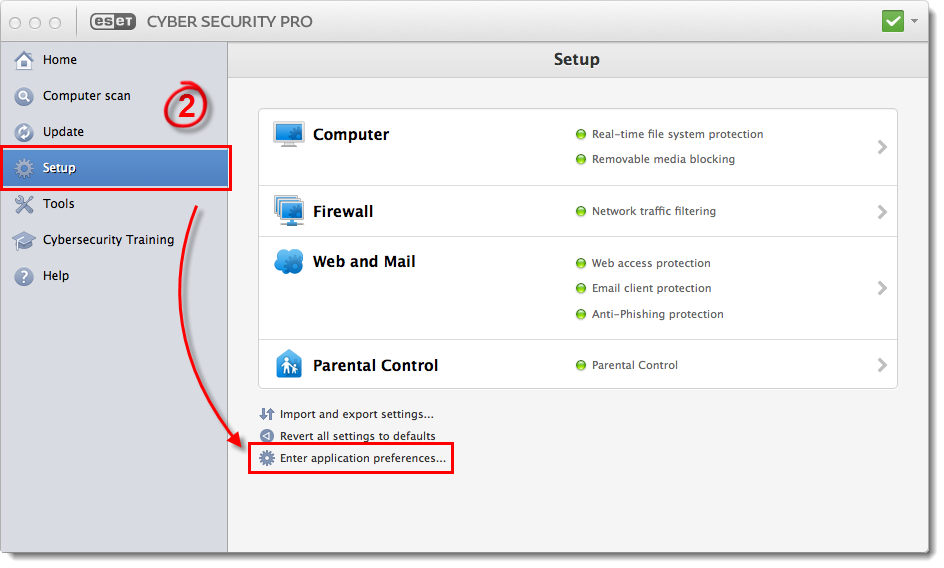
図 1-1
クリックすると新しいウィンドウで拡大表示されます。
- Web Protection をクリックします。
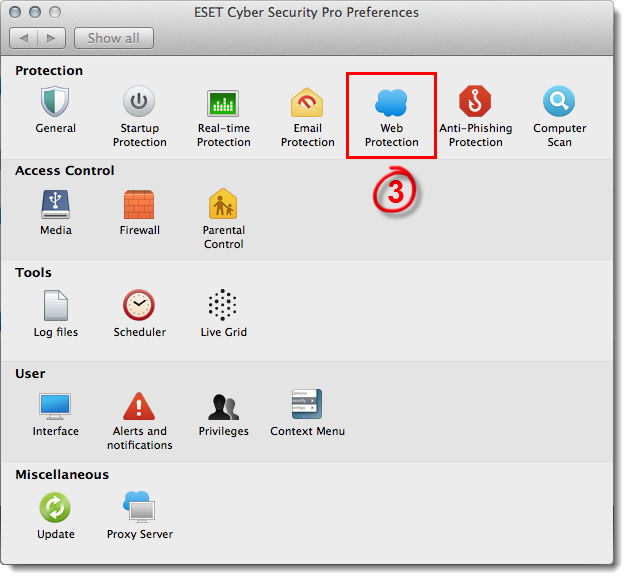
図1-2
- URL Lists] をクリックし、[Address List]ドロップダウン メニューから[Excluded URL]が選択されていることを確認し、[Add] をクリックします。
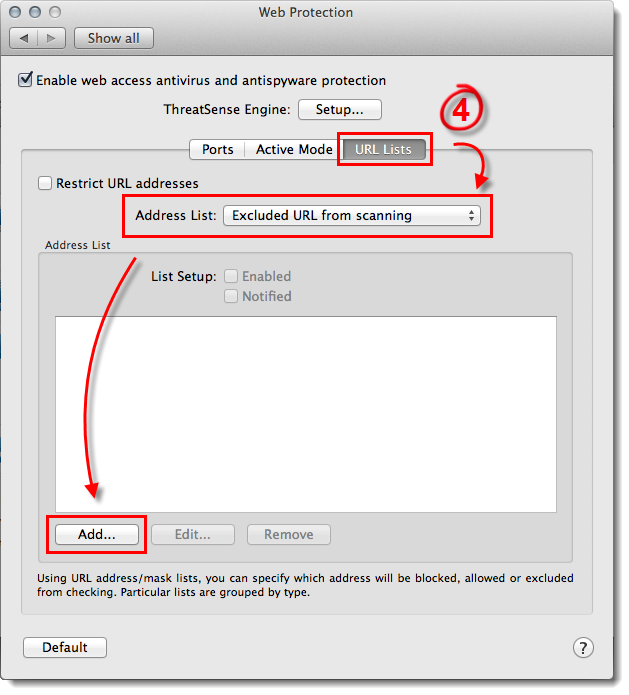
図1-3
- Mask(マスク)」フィールドに除外したいウェブサイトまたはドメインを入力し、「OK 」をクリックします(追加する各ウェブサイトには、「www.」を含めるか、「www.eset.com」または「*eset.com」のようにワイルドカード「*」記号を含めるようにしてください)。
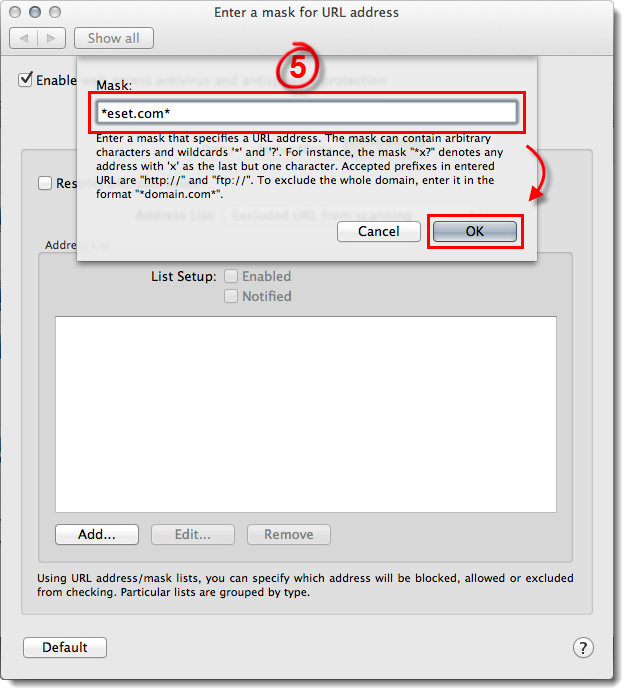
図1-4
-
変更は自動的に保存されます。終了したら、Web Protection ウィンドウを終了します。


