[KB2960] 在 ESET 适用于 Windows 的小型办公或家用产品中,将安全网站排除在 Web 访问防护的阻止范围之外

注意:

本页已由电脑翻译。点击本页面语言下的英文,显示原文。如果你发现有什么不清楚的地方,请联系你当地的支持。

解决方案

终端用户 | 远程管理用户 | Mac用户

Before excluding a website

Excluding a website poses a security risk. You should only exclude websites from malware content scanning if instructed by ESET Technical Support or if you are sure the website is safe.

Best practices:

  • Only exclude a website for a specific period
  • Do not exclude websites where you provide sensitive information (such as banking websites)
  • Do not disable real-time file system protection while downloading and running files from excluded websites
  • Report miscategorization if you think ESET should not block a specific website

  1. 打开 ESET Windows 产品的主程序窗口

  2. F5键打开高级设置。

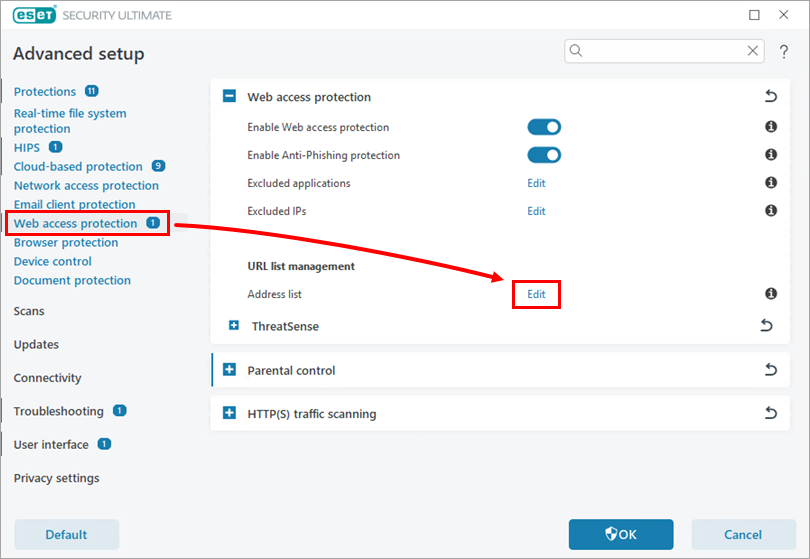
  3. 单击Web 访问保护,在地址列表旁边单击编辑

    图 1-1
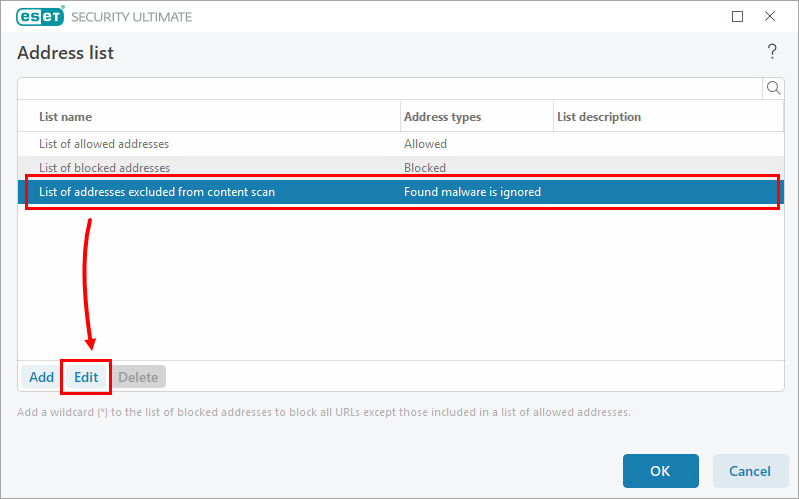
  4. 选择 "内容扫描排除的地址列表",然后单击 "编辑"。

    图 1-2
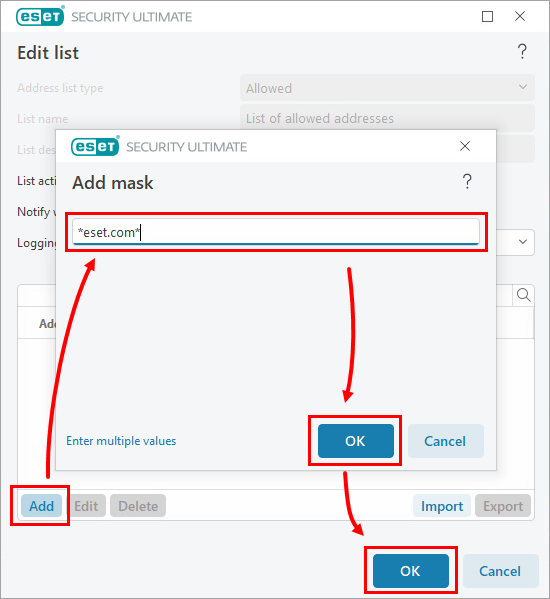
  5. 在 "编辑列表"窗口中,单击 "添加"。在 "添加屏蔽 "窗口中,键入适用的网站或域名,然后单击确定确定

    网站格式

    每个网站都必须包含 "www. "或通配符 "*"符号。例如,ESET 网站必须添加为www.eset.com*eset.com*

    图 1-3
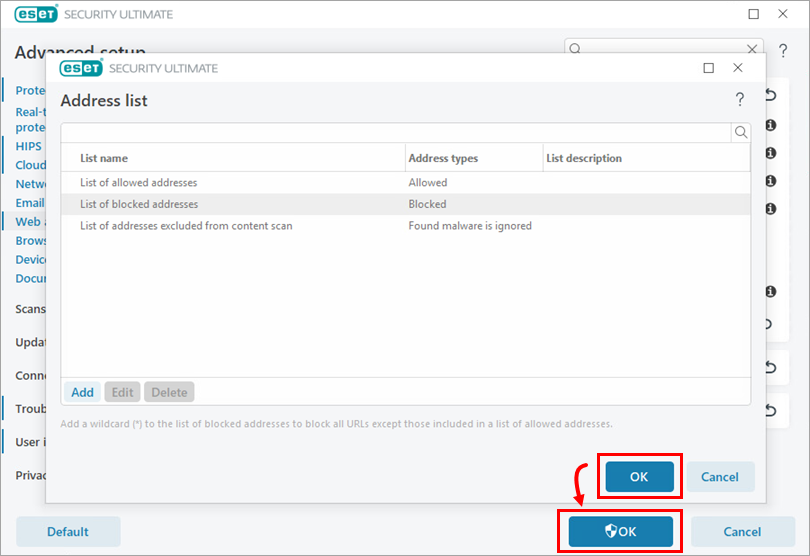
  6. 单击确定 确定

    图 1-4