Issue
Details
Click to expand
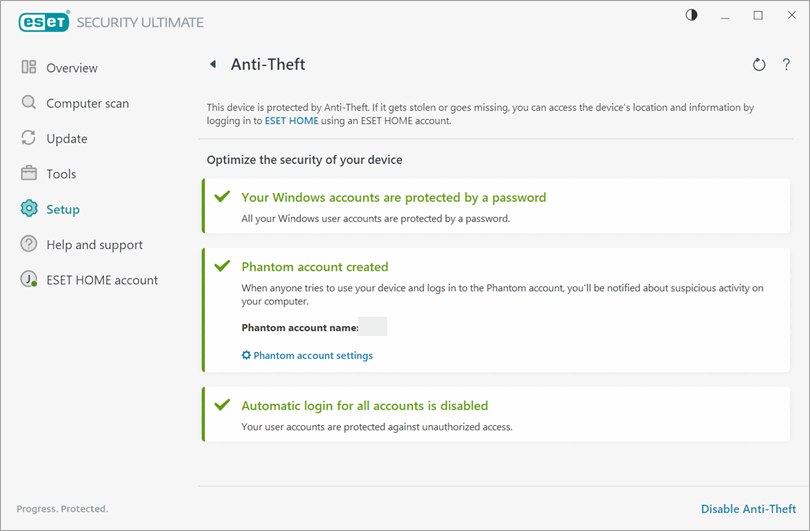
ESET Anti-Theft enables you to monitor and track your device anywhere in the world using IP address localization. Phantom accounts are fake user accounts with limited permissions that are used as bait for potential thieves.
Solution
Related solutions: Android users
Activate Anti-Theft on your device
-
Open the main program window of your ESET Windows application.
-
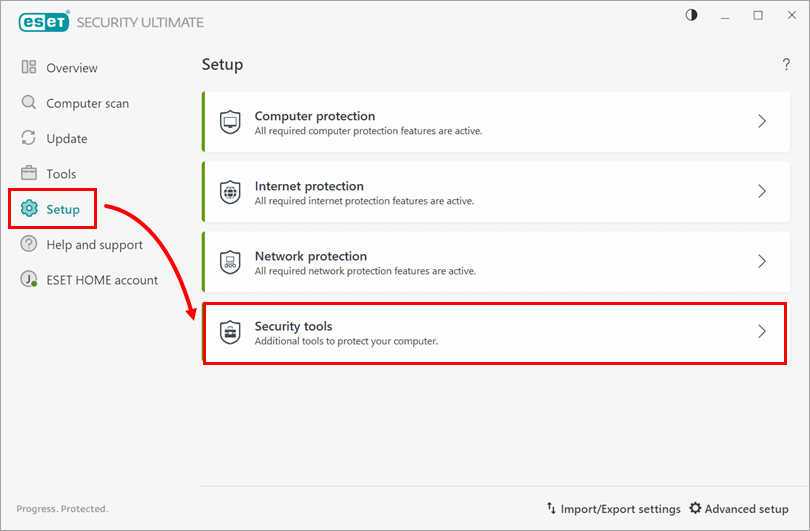
Click Setup → Security tools.
-
Enable the toggle next to Anti-Theft.

-
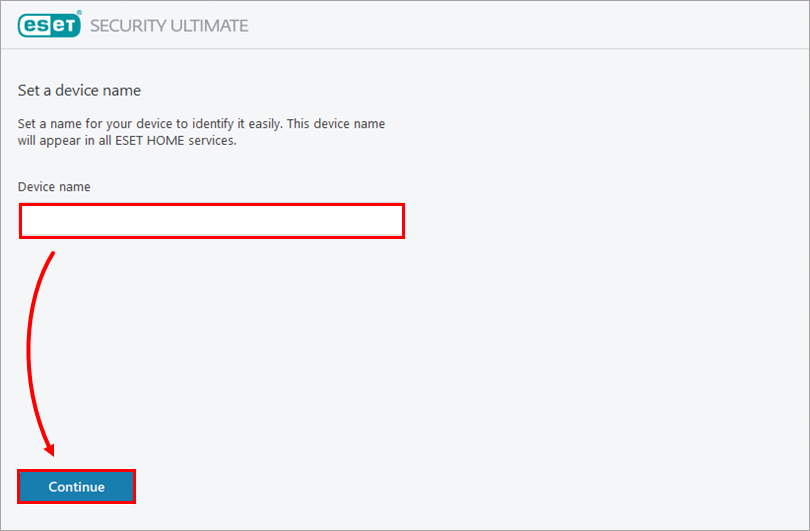
If prompted, log in to your ESET HOME account. Type a name for your device in the Device name field and click Continue.
-
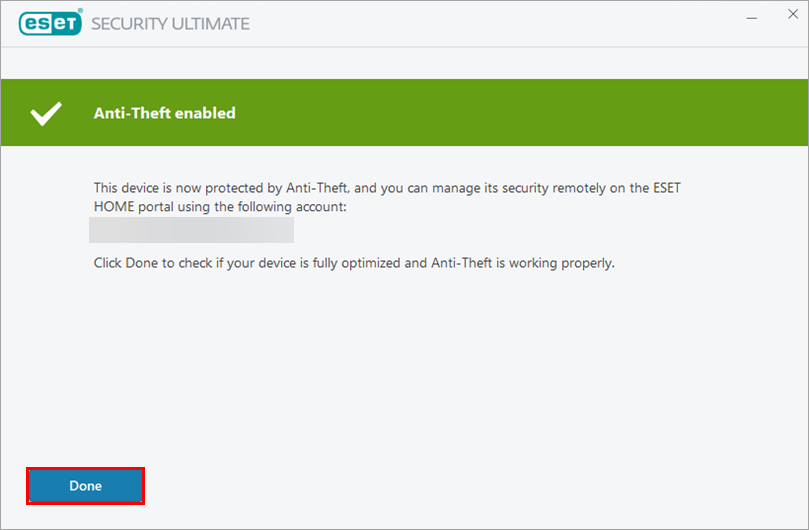
Click Done. Anti-Theft is now enabled on your device, and you can access your Anti-Theft account on the ESET HOME portal.
Create a Phantom account
-
Open the main program window of your ESET Windows application.
-
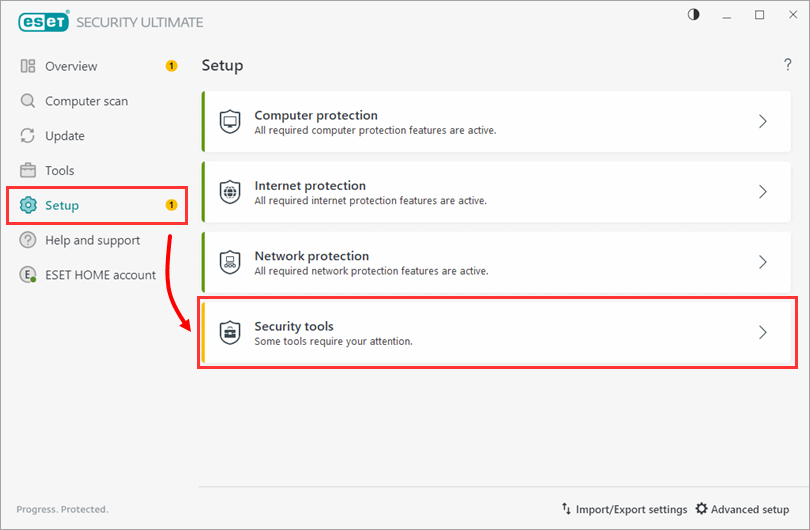
Click Setup → Security tools.
-
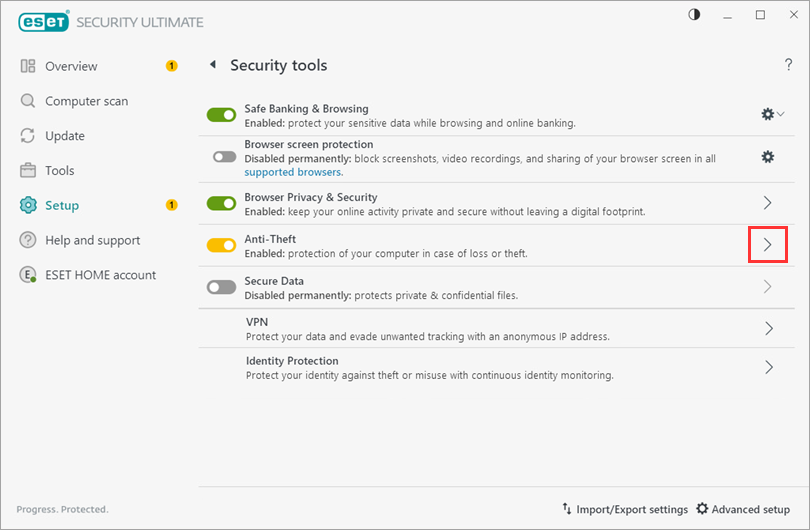
Click the arrow next to Anti-Theft.
-
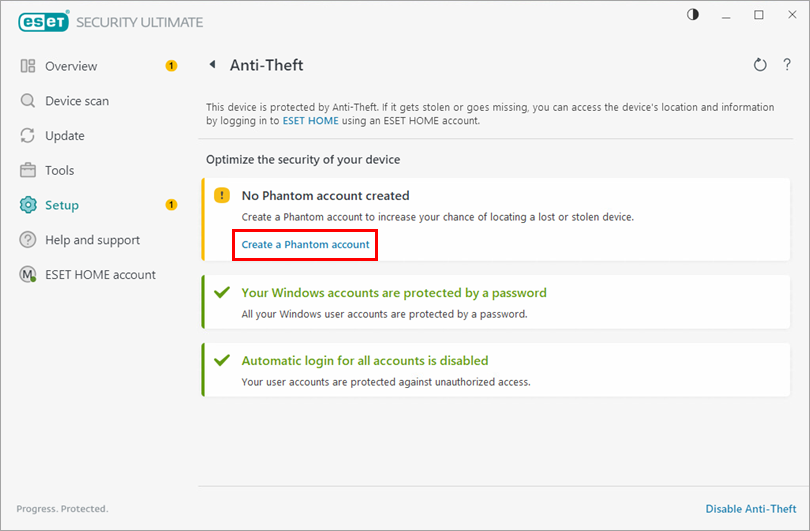
Click Create a Phantom account.
-
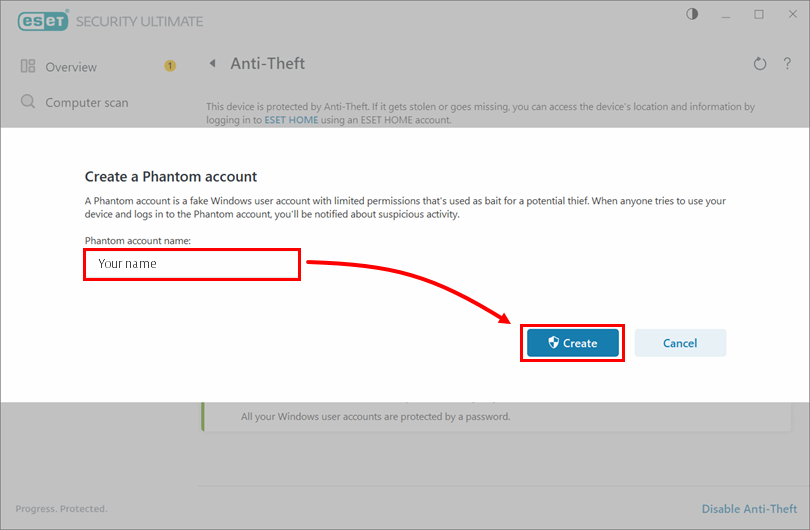
Type a name for your Phantom account and click Create.
-
Your Phantom account has been created.