Issue
- Automatically assign devices to a Dynamic Group based on the serial number of their peer certificate in ESET PROTECT On-Prem
- Use peer certificates to automatically assign devices to Dynamic Groups in ESET PROTECT On-Prem
- Group devices into Dynamic Groups based on the peer certificate they use in ESET PROTECT On-Prem
Solution
-
If needed, create a new peer certificate.
-
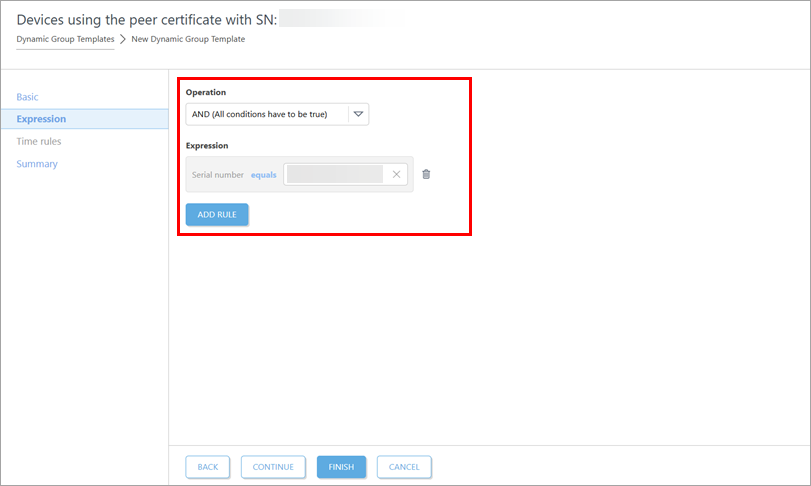
Create a Dynamic Group template with the following settings:
- Operation: AND (All conditions have to be true)
- Rule: Peer certificate > Serial number
- Operator: equals
- Value: a peer certificate serial number
-
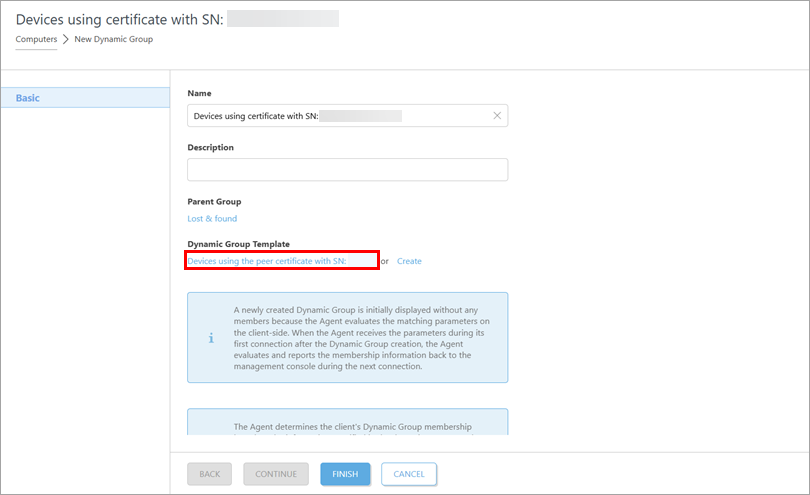
Use the Dynamic Group template to create a Dynamic Group for devices that use the certificate with the serial number you specified: in the Computers view, select the group within which you want to create the Dynamic Group. When creating the Dynamic Group, below Dynamic Group Template, select the Dynamic Group template you created.