Issue
- Force client computers to check in with a the wake-up call, and any queued tasks scheduled to run immediately
Details
Click to expand
When you create a new task in the ESET PROTECT or ESET PROTECT On-Prem, the task is added to a queue and will be executed automatically the next time the client computers check in. If you want to have a task executed immediately, you can send a wake-up call to client computers. The client computers will check in as soon as they receive the wake-up call, and any queued tasks scheduled to run immediately (or earlier than when the wake-up call was sent) will be executed.
Solution
-
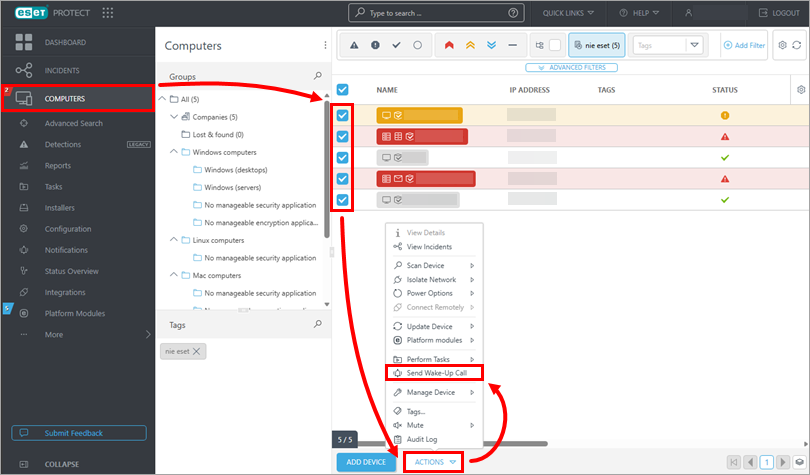
Click Computers, select the check box next to each computer you want to send a wake-up call and then click Actions → Send Wake-Up Call.
-
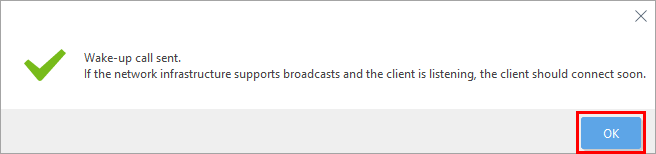
A notification that the wake-up call has been sent will be displayed. Click OK.
-
Queued tasks will execute the next time clients check in to ESET PROTECT.


