Solution
Related solutions: ESET Mail Security for Microsoft Windows Exchange Server users | Linux users
-
Download the installer for ESET Server Security for Microsoft Windows Server.
-
Double-click the installer to run it.
-
Select the installation language and click Next.

-
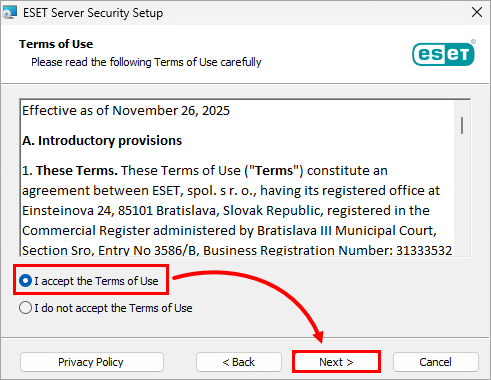
Read the Terms of Use, select I accept the Terms of Use and click Next.
-
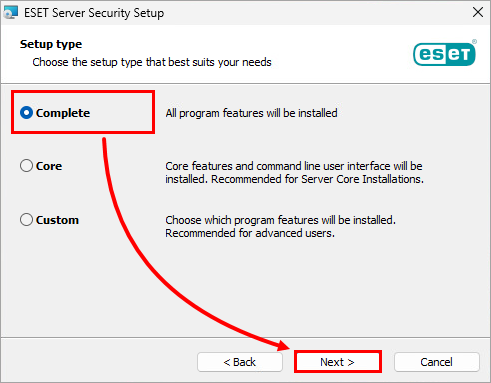
Ensure that Complete is selected and click Next.
-
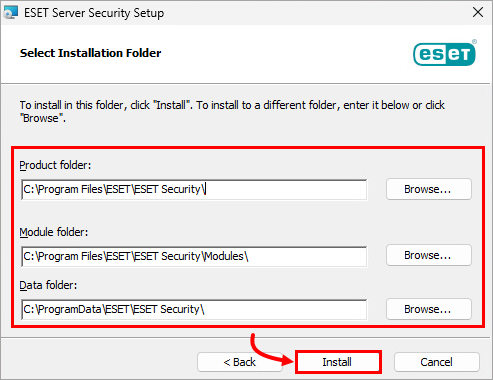
Verify or modify the installation locations and click Install.
-
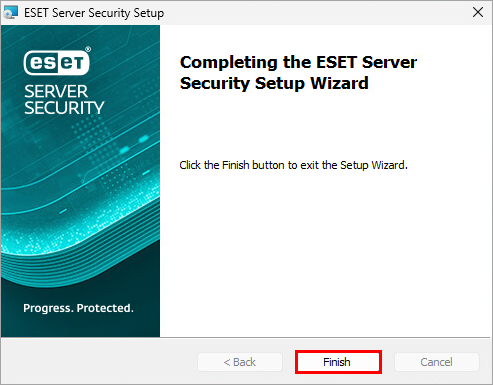
Click Finish.
-
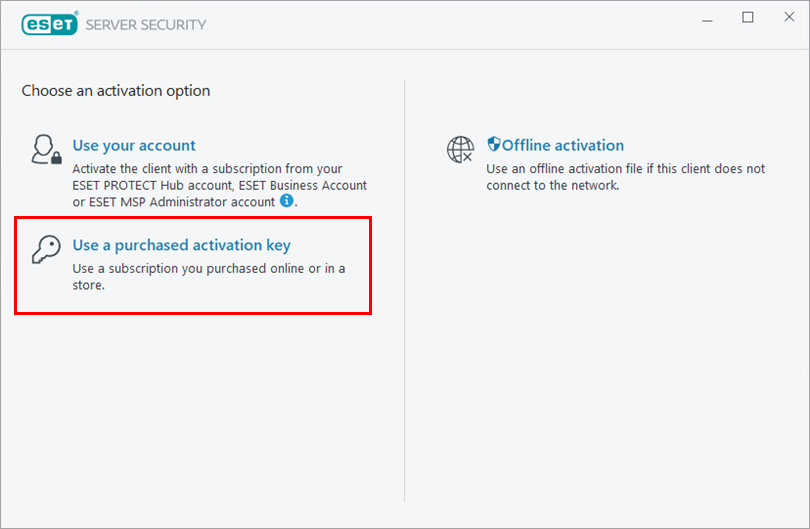
Click Use a purchased activation key.
-
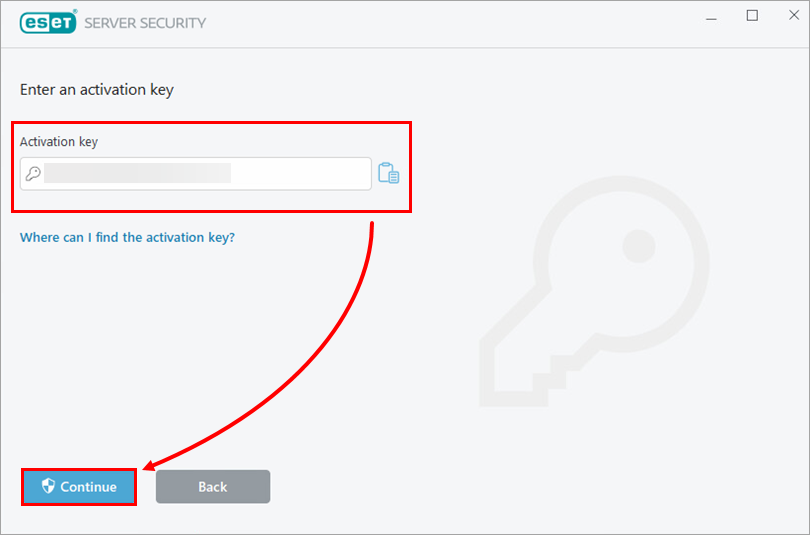
Type or copy/paste your activation key and click Continue. If needed, recover your activation key.
-
Click Finish Change.

-
Below Detection of potentially unwanted applications is not configured, click Enable. Below ESET LiveGrid® feedback system, click Allow (recommended). Learn more about potentially unwanted applications or ESET LiveGrid®.

ESET Server Security for Microsoft Windows Server has been installed successfully.


