Issue
- Add or remove the ESET Antispam toolbar from an email client
Details
Click to expand
The ESET Antispam toolbar appears by default in Microsoft Outlook when you use a compatible email client and an ESET Windows security product that supports this feature. For more information, see the list of email clients compatible with ESET Windows products.
The toolbar allows you to mark emails as Spam or Not spam, and assign email addresses to the Blacklist (addresses marked as a Spam address) or Whitelist (addresses marked as a Trusted address).

Solution
-
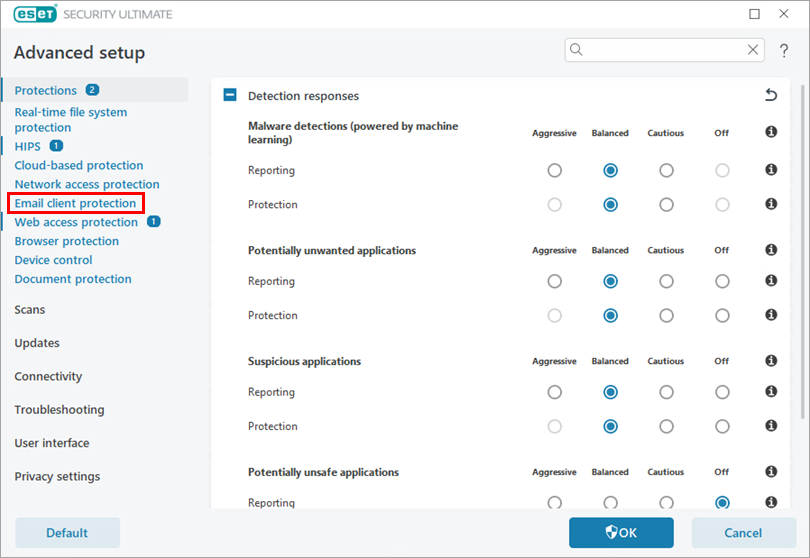
Press the F5 key to access Advanced setup.
-
Click Email client protection.
-
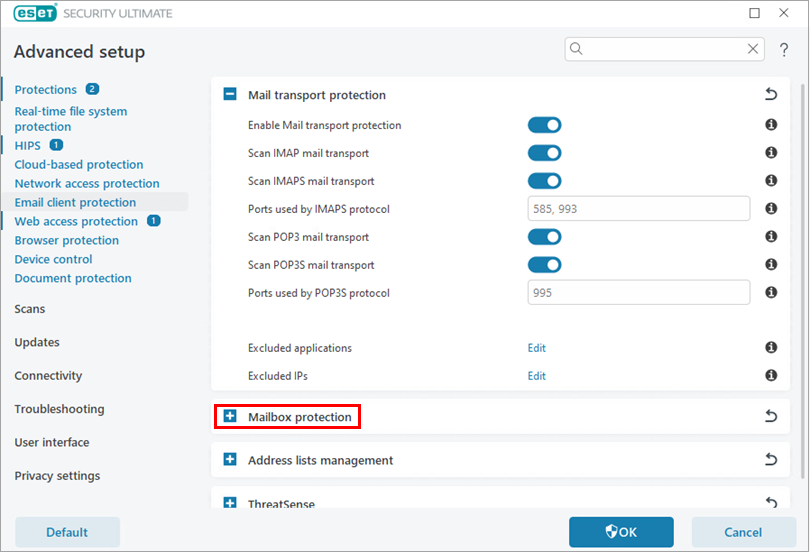
Click Mailbox protection.
-
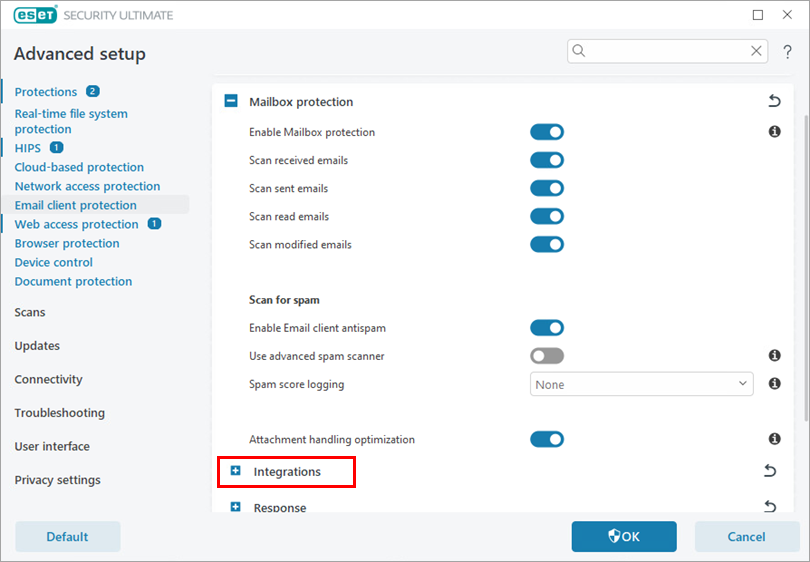
Click Integrations.
-
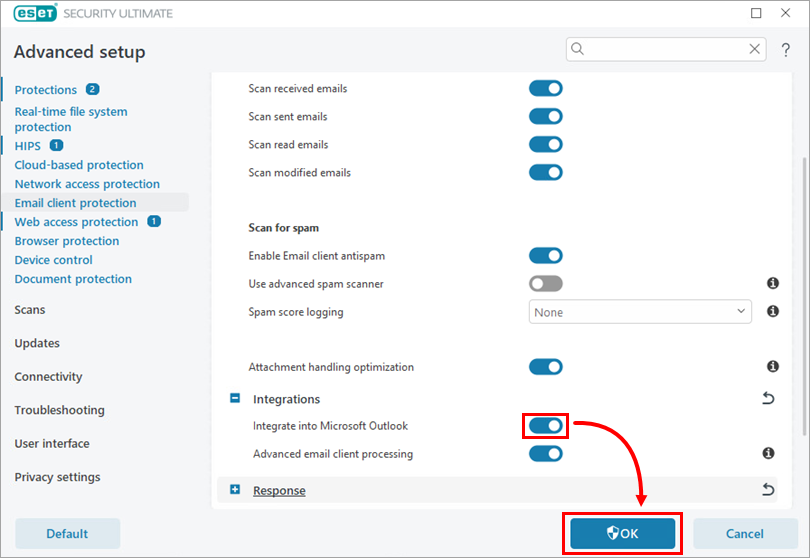
Enable or disable the toggle next to Integrate into Microsoft Outlook and click OK to save your changes.
-
Restart your email client.


