Issue
- Temporarily pause Safe Banking & Browsing to complete specific tasks on banking websites that cannot be completed in the ESET-protected browser (for example, creating and printing shipping labels)
- Pause or disable Safe Banking & Browsing
- Re-enable Safe Banking & Browsing
- Enable or disable Safe Banking & Browsing for a specific website
Details
Click to expand
Safe Banking & Browsing is an additional layer of protection designed to protect your financial data during online transactions. For more information, see Safe Banking & Browsing.
Solution
Pause or disable Safe Banking & Browsing
-
Open the main program window of your ESET Windows home or small office application.
-
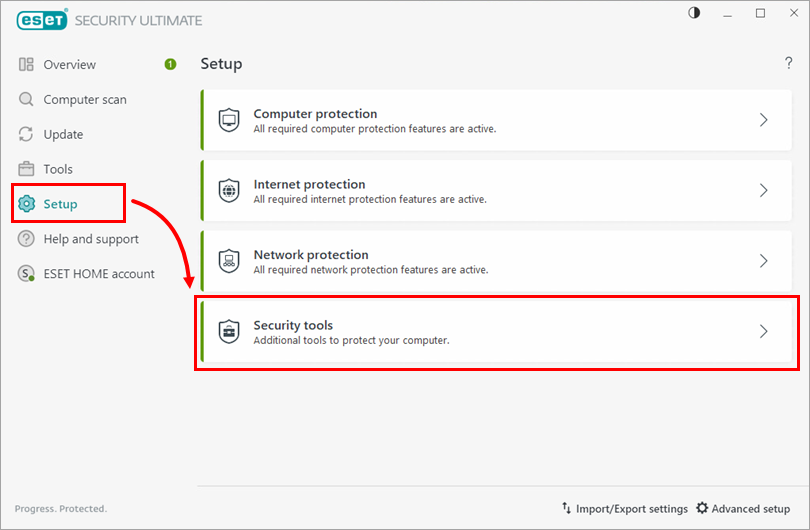
Click Setup → Security tools.
-
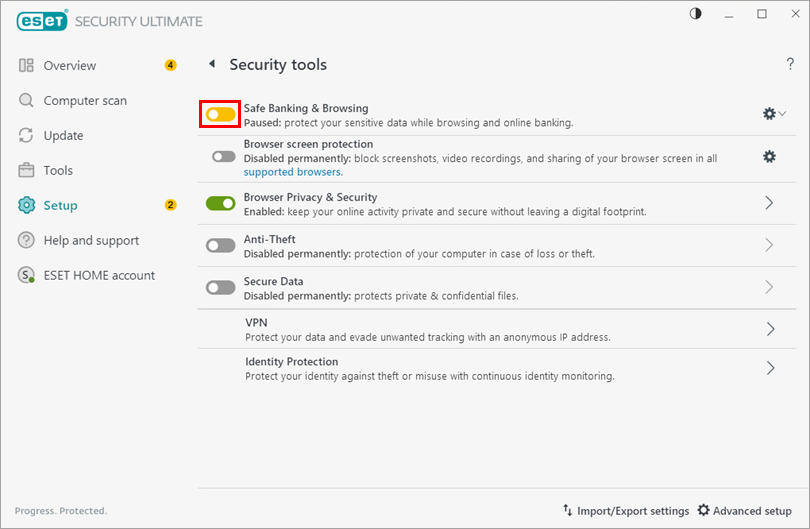
Click the toggle next to Safe Banking & Browsing for options to pause or disable protection. The toggle turns yellow when paused or red when disabled.
-
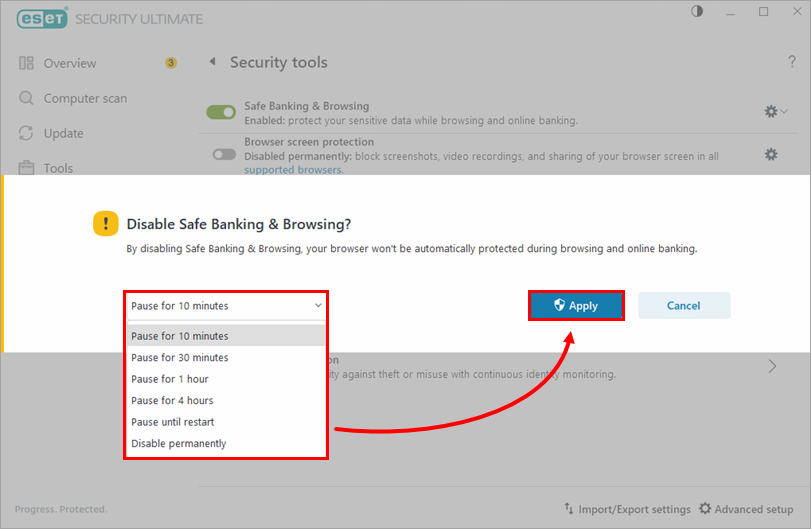
Click the drop-down menu and select a pause or disable option. Click Apply.
Re-enable Safe Banking & Browsing
-
Open the main program window of your ESET Windows home or small office application.
-
Click Setup → Security tools.
-
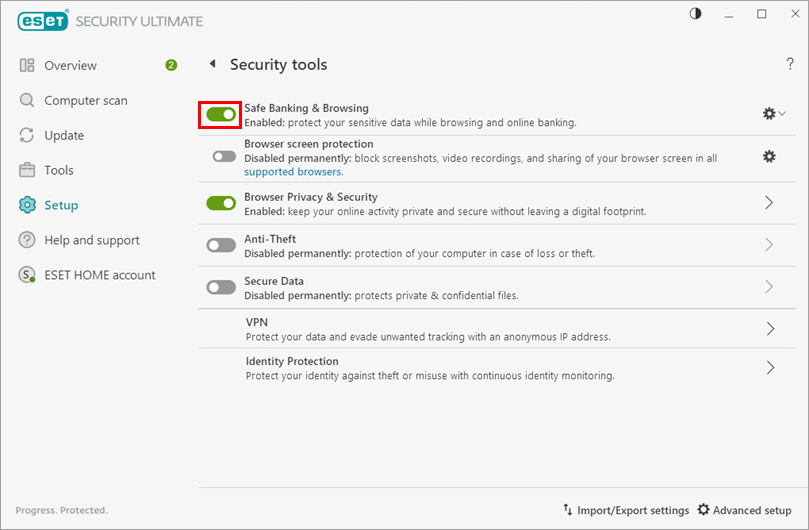
Click the toggle next to Safe Banking & Browsing to re-enable protection. The toggle turns green when enabled.