Sorun
- ESET Windows ev ve küçük ofis ürünlerinde varsayılan güvenlik duvarı ayarlarını geri yükleme
- Yerleşik (önceden tanımlanmış) güvenlik duvarı kurallarını görüntüleme
Çözüm
ESET Windows ev ve küçük ofis ürünlerinde varsayılan güvenlik duvarı ayarlarını geri yükleme
-
Gelişmiş kurulumu açmak için F5 tuşuna basın.
-
Ağ erişim koruması'nı tıklatın, Güvenlik Duvarı'nı genişletin ve Geri Döndür simgesini tıklatın.
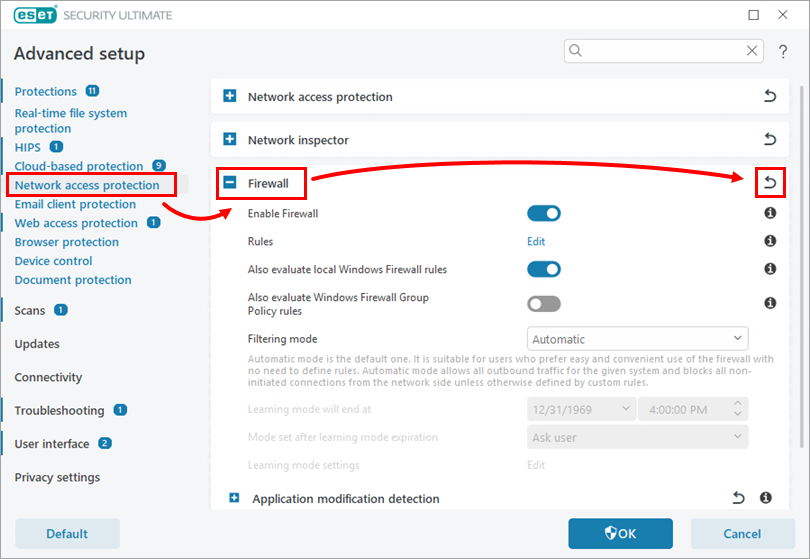
Şekil 1-1 -
Tabloların içeriğini geri döndür seçeneğinin yanındaki geçişi etkinleştirin ve Varsayılana geri döndür seçeneğine tıklayın.
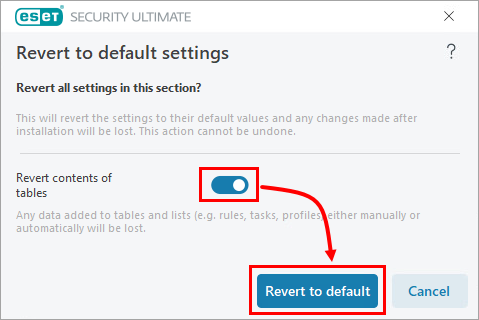
Şekil 1-2
Yerleşik (önceden tanımlanmış) güvenlik duvarı kurallarını görüntüleme
-
Gelişmiş kurulumu açmak için F5 tuşuna basın.
-
Ağ erişim koruması'nı tıklatın, Güvenlik Duvarı'nı genişletin ve Kurallar'ın yanındaki Düzenle 'yi tıklatın.
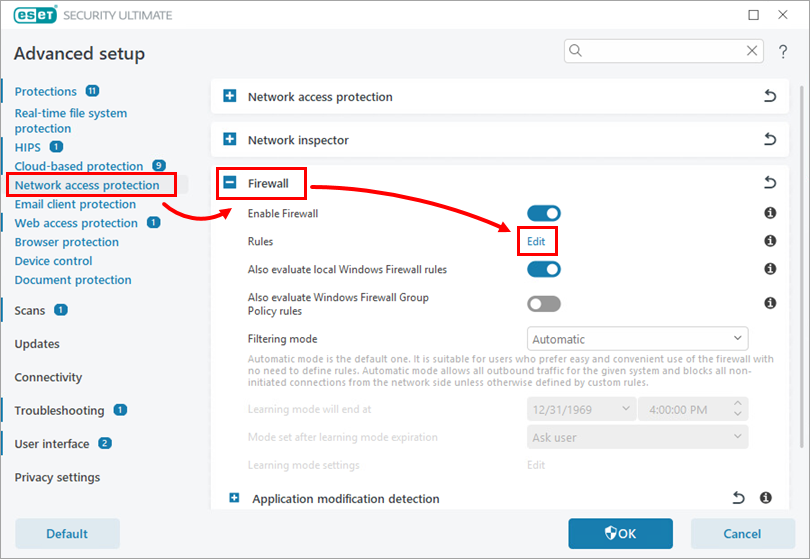
Şekil 2-1 -
Daha fazla filtre öğesine tıklayın.
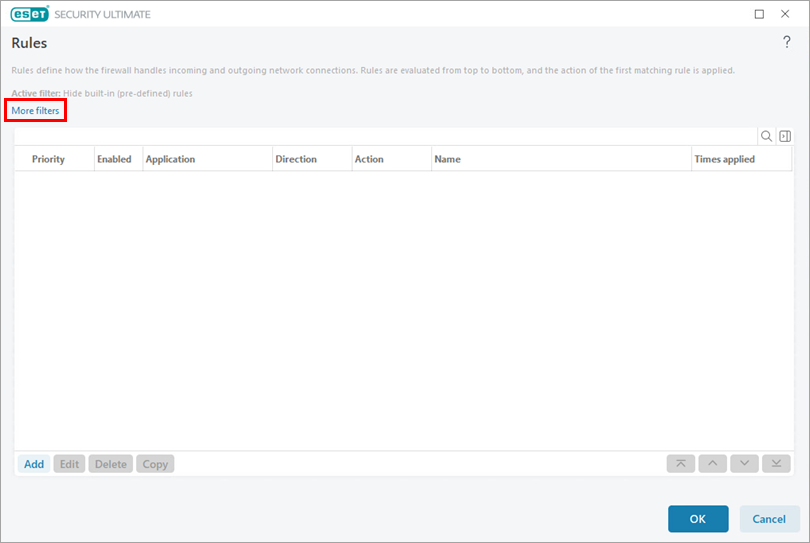
Şekil 2-2 -
Yerleşik (önceden tanımlanmış) kuralları gizle seçeneğinin yanındaki geçişi devre dışı bırakın ve Uygula'ya tıklayın.
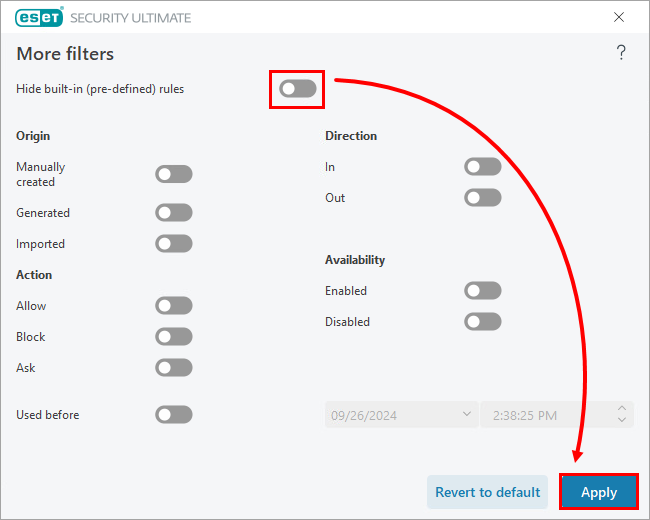
Şekil 2-3


