Issue
- Add a user to ESET PROTECT or ESET PROTECT On-Prem
Solution
ESET PROTECT
To create a new user in ESET PROTECT, you need to create a new user in ESET PROTECT Hub.
-
Log in to ESET PROTECT Hub.
-
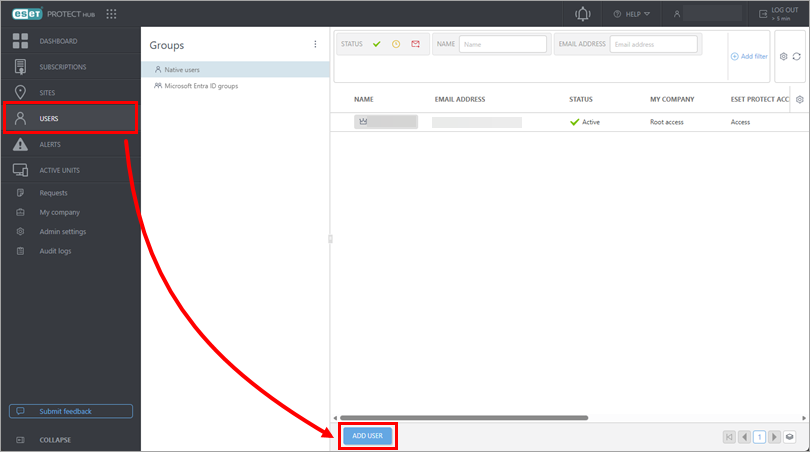
Click Users → Add User.
-
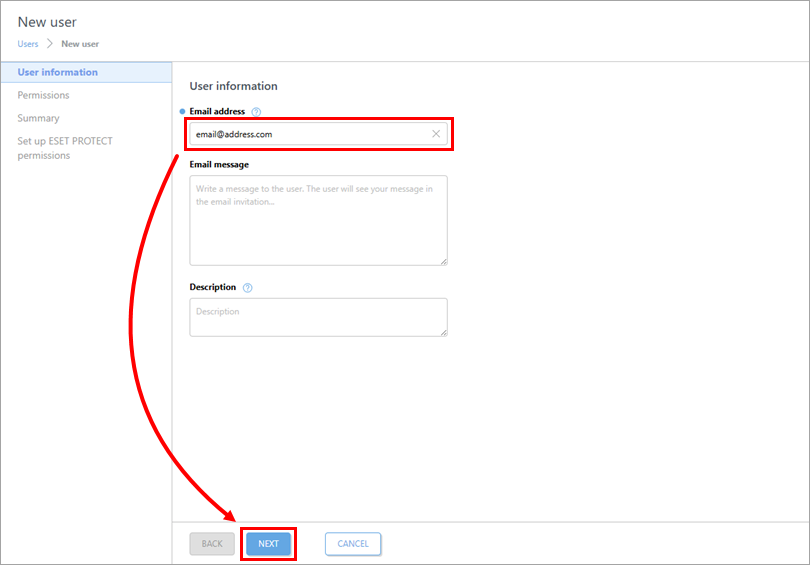
Type an email address for the new user into the Email address field and click Next.
-
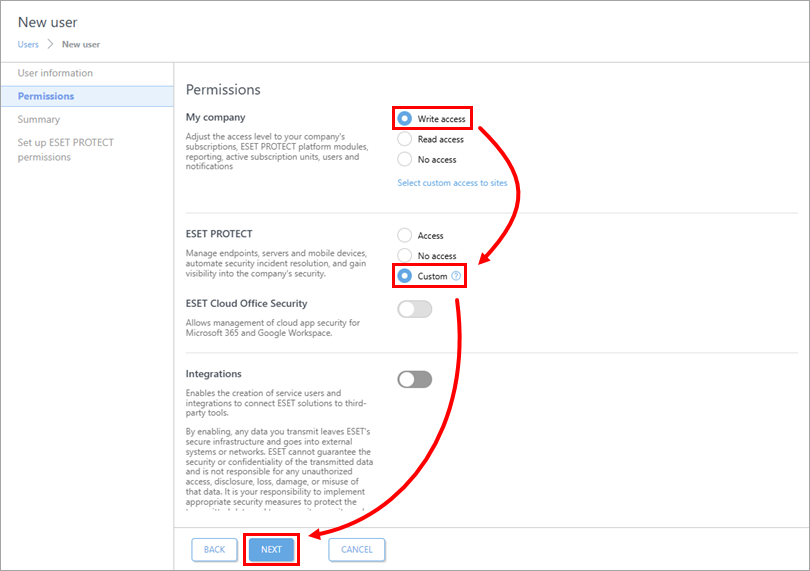
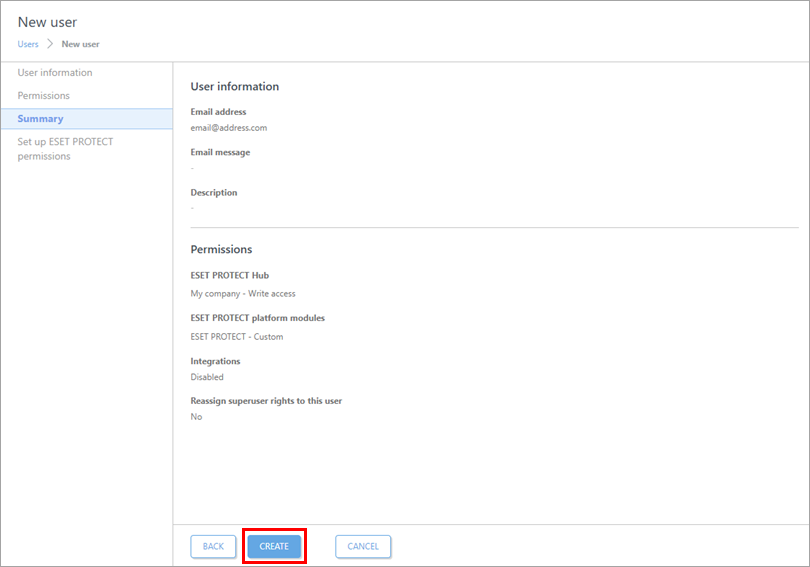
In the Permissions section, select Write access for My company and select Custom for ESET PROTECT. Click Next.
-
Click Create.
-
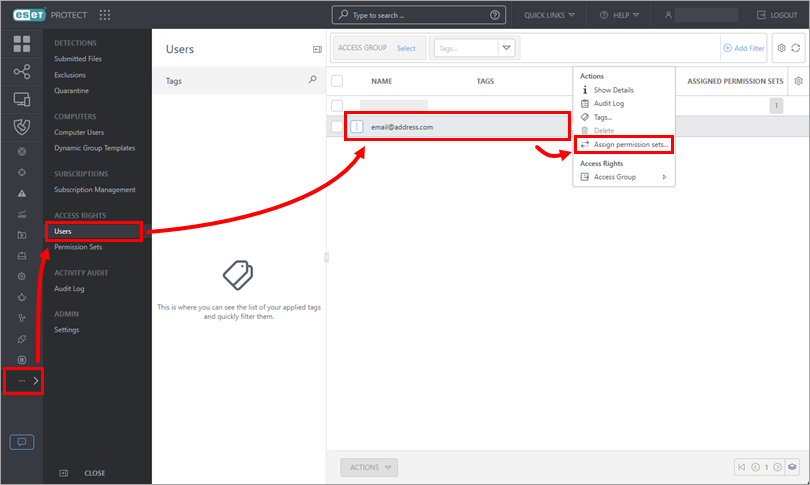
Click More → Users, click the new user and click Assign permission sets.
-
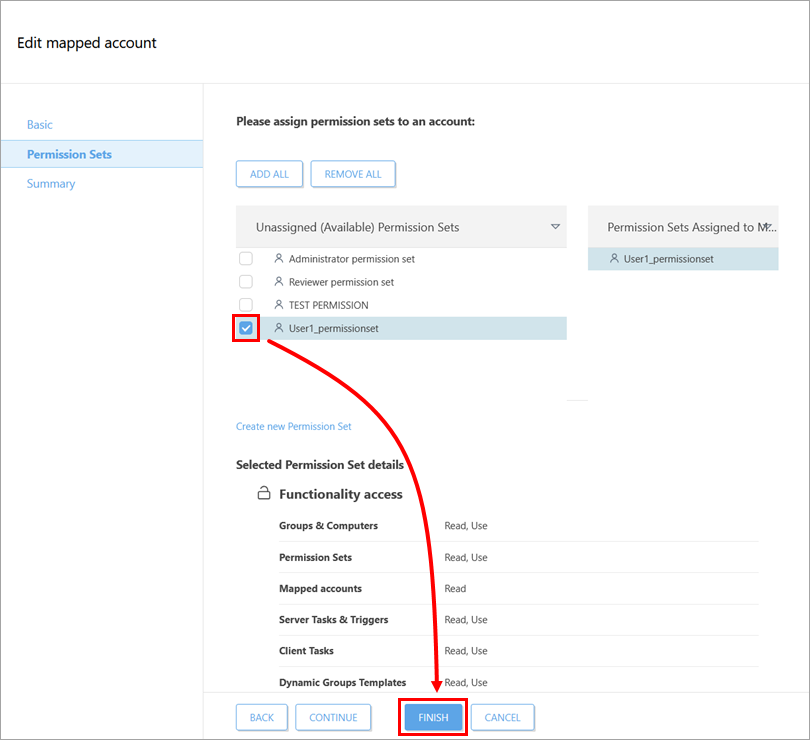
Select the check box next to the permission sets you want to assign to the user and click Finish. If needed, create a new permission set.
ESET PROTECT On-Prem
-
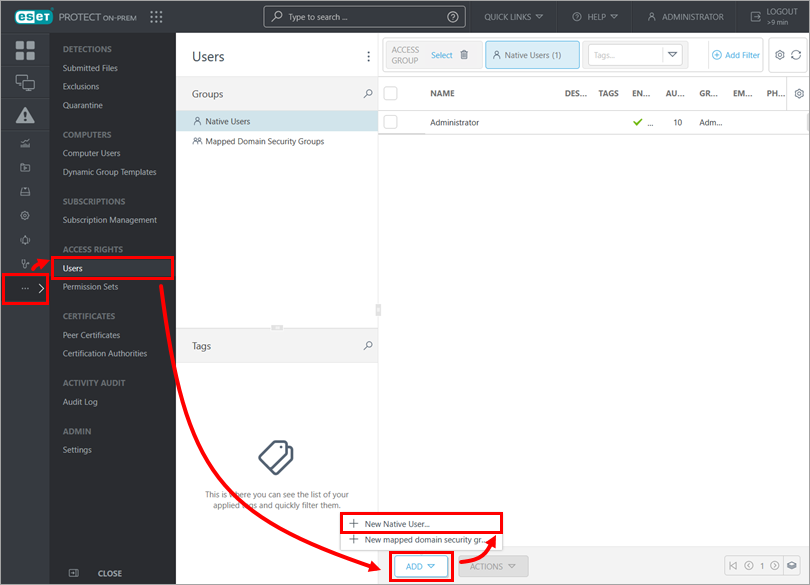
Click More → Users → Add → New Native User.
-
Type a name for the user into the User field and type a password for the user into the Password and Confirm Password fields. For more information about all available settings, see the ESET PROTECT On-Prem Online Help.
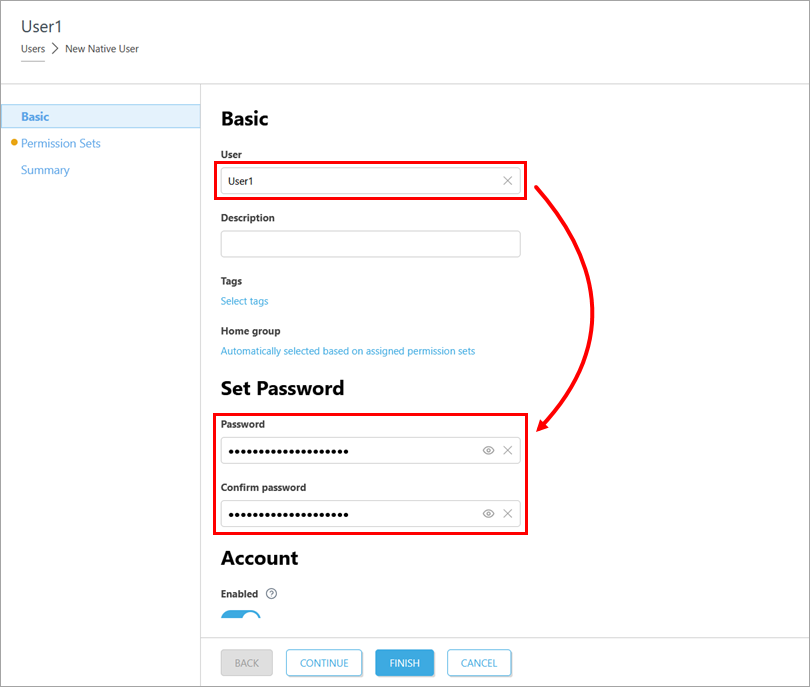
-
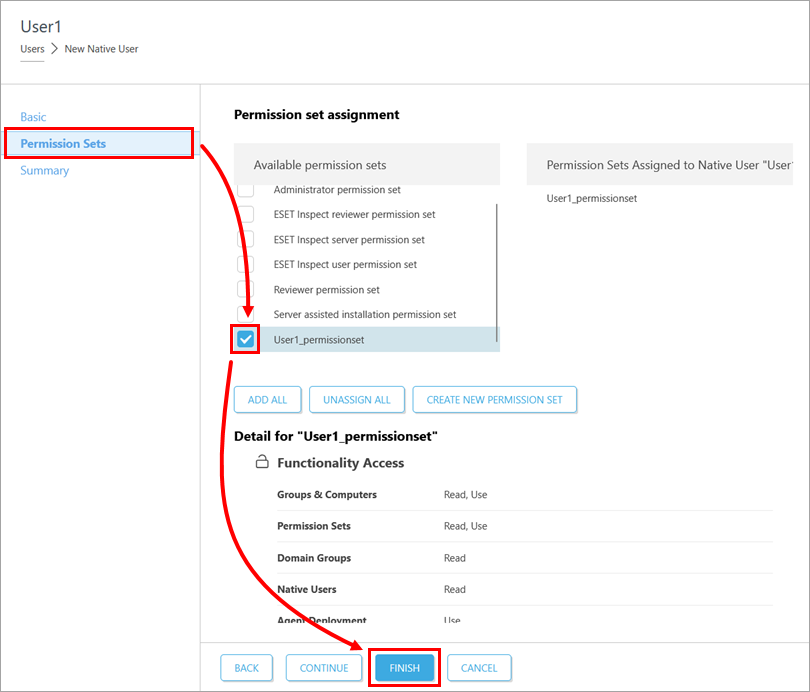
Click Permission Sets. Select the check box next to the permission sets you want to assign to the user and click Finish. If needed, create a new permission set.