Issue
Solution
Enroll iOS and iPadOS devices using ESET PROTECT
-
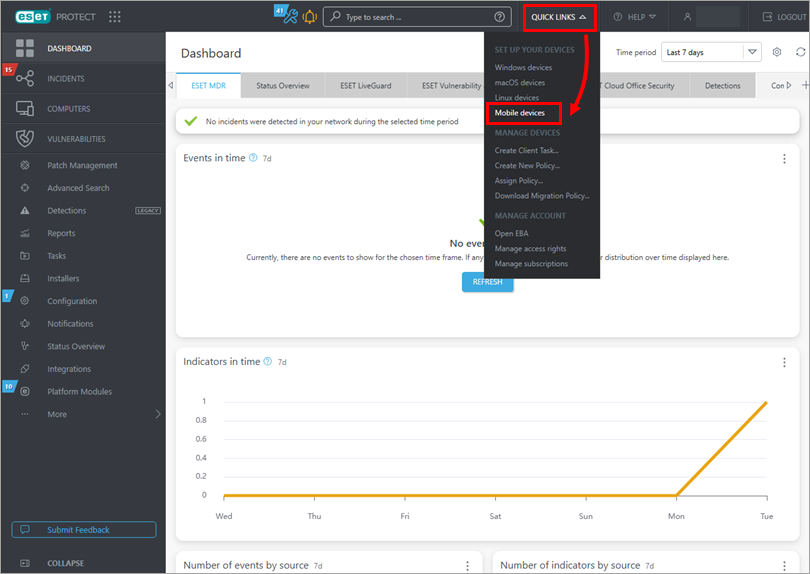
Click Quick Links, under Set up your devices, click Mobile devices.
-
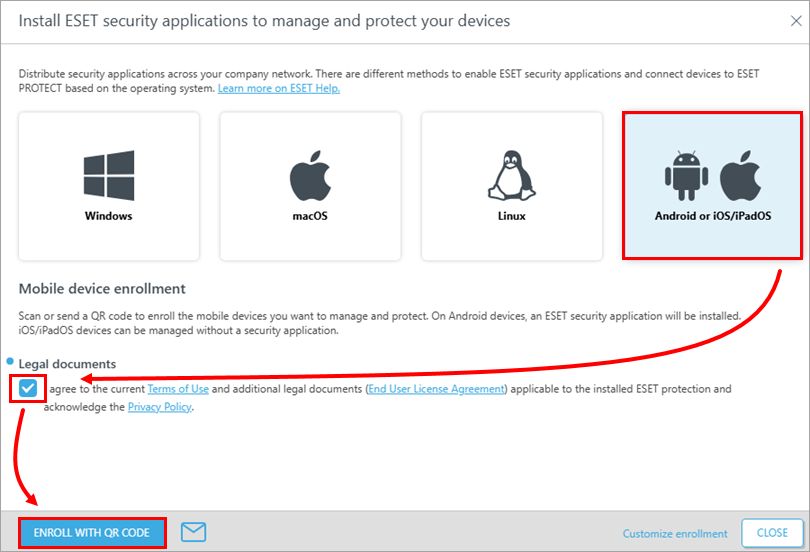
Ensure that Android or iOS/iPadOS is selected. Click the check box under Legal documents and click Enroll with QR code. For other enrollment methods, visit the Online Help page.
-
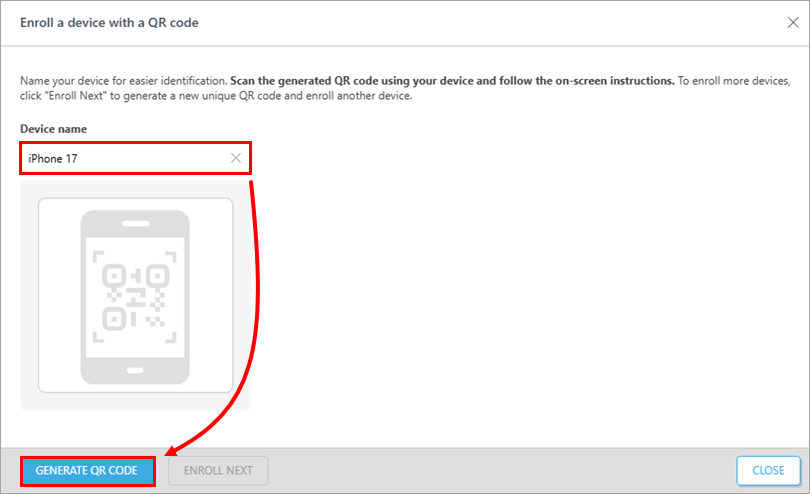
Type in the Device name and click the Generate QR code.
-
On your iOS or iPadOS device, scan the QR code and open the link
mdm.eset.comthat appears on your screen.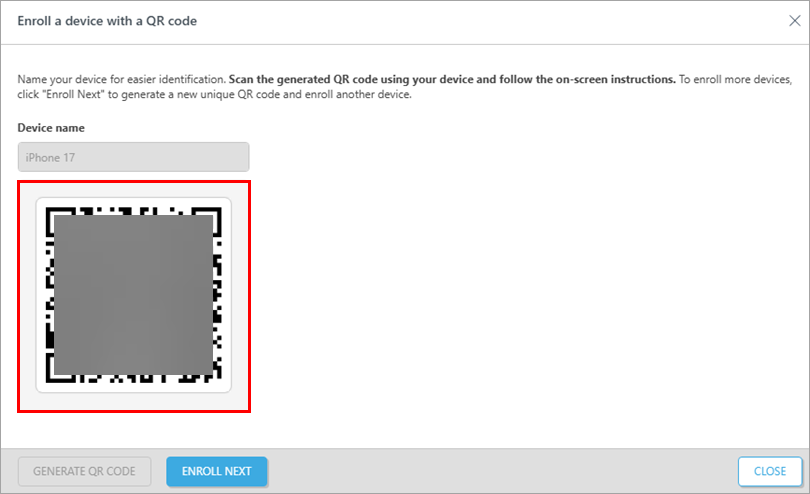
-
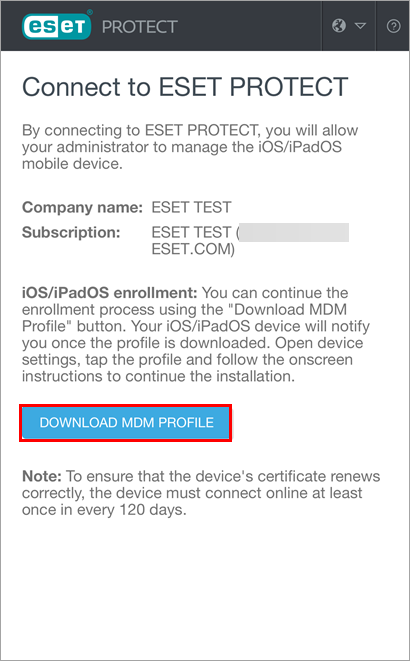
On the Connect to ESET PROTECT website, click Download MDM profile.
-
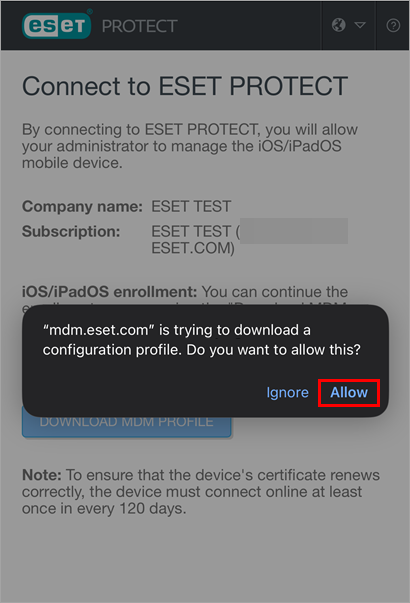
Click Allow to confirm it.
-
Type in your passcode.
-
The profile is now downloaded.
-
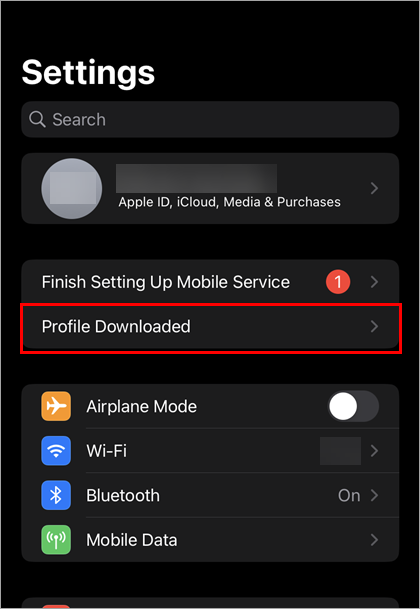
Tap Profile Downloaded.
-
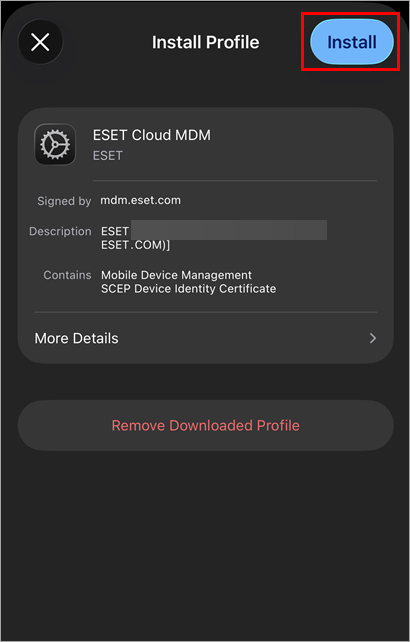
Tap Install.
-
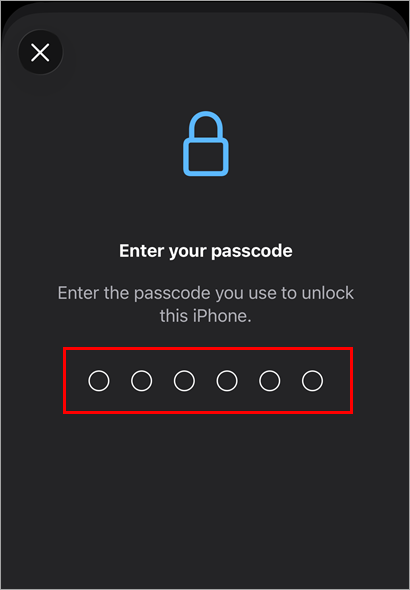
Type in your passcode.
-
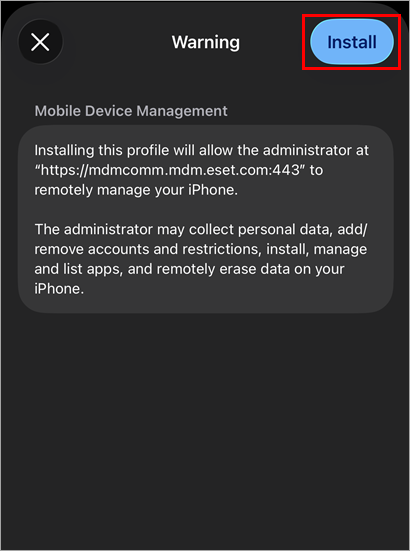
Tap Install.
-
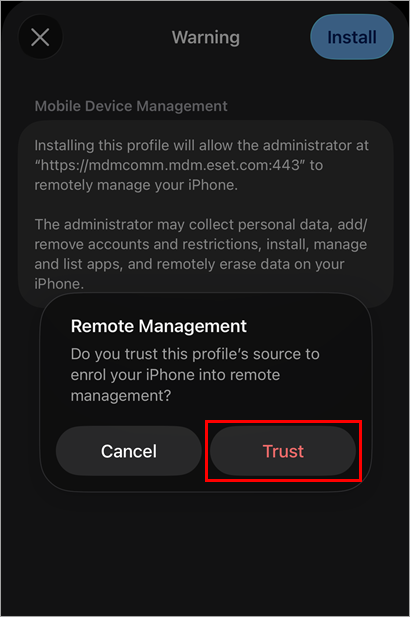
Tap Trust.
-
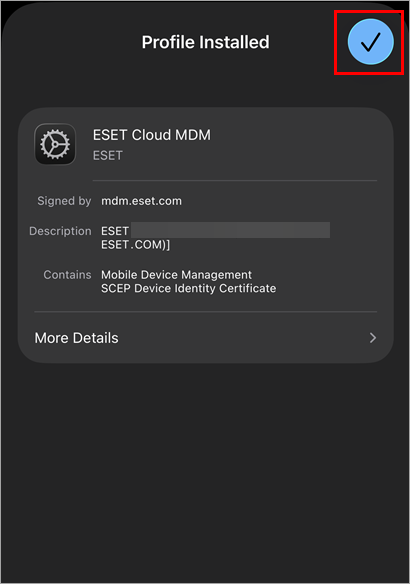
The profile is now installed. Tap the checkmark next to Profile Installed or leave the Settings app.
 .
.Manage iOS devices in ESET PROTECT
-
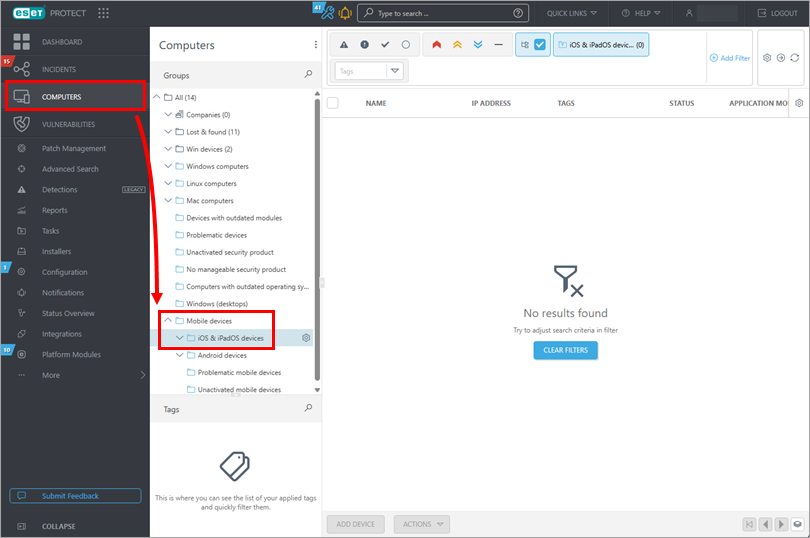
Click Computers → Mobile devices → iOS & iPadOS devices.