Issue
- Add a new removable media blocking rule to block certain media (for example, USB devices)
Details
Click to expand
A Device control rule defines the action that will be taken when a device meeting the rule's criteria is connected to the computer.
Solution
Related solutions: macOS users
-
Press the F5 key to access Advanced setup.
-
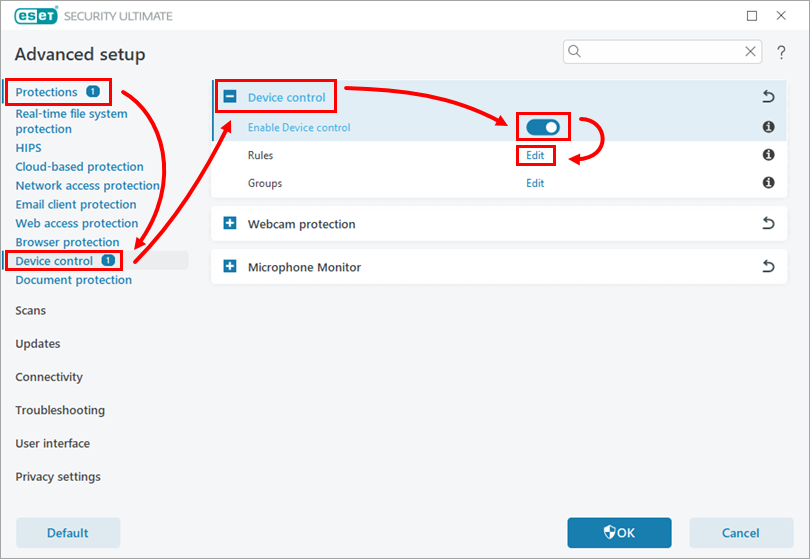
Click Protections → Device Control. Expand the Device control section, and enable the Enable Device control toggle. Next to Rules, click Edit.
-
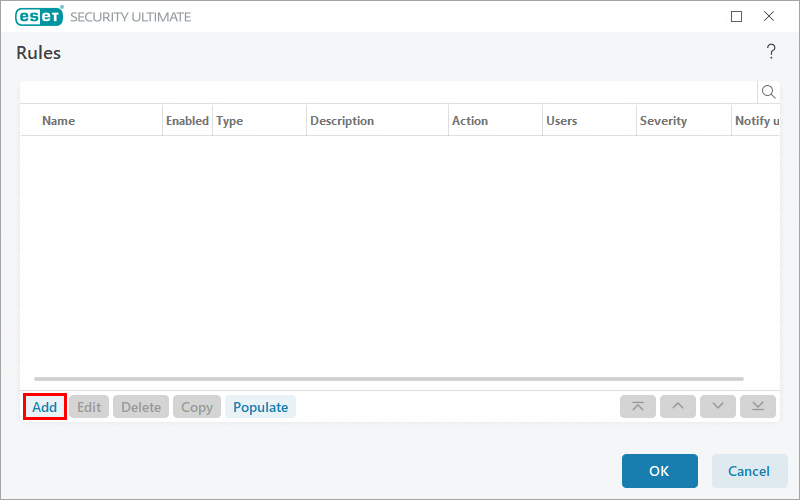
Click Add.
-
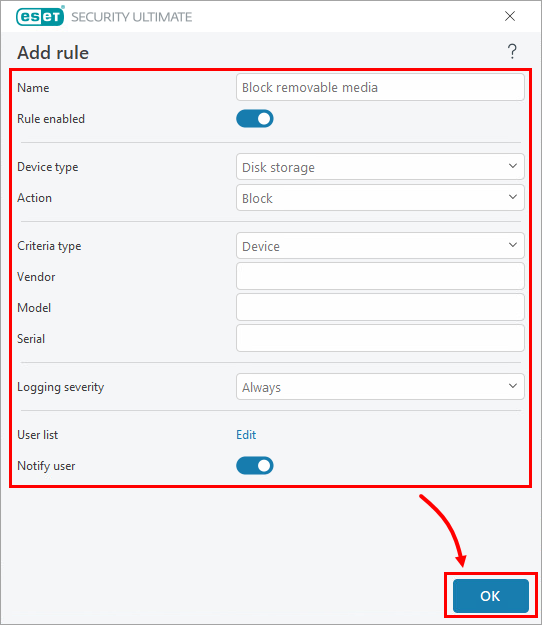
In the Name field, type a name for your rule. In the Device type drop-down menu, select Disk Storage. In the Action drop-down menu, select Block. Complete the form and click OK.
-
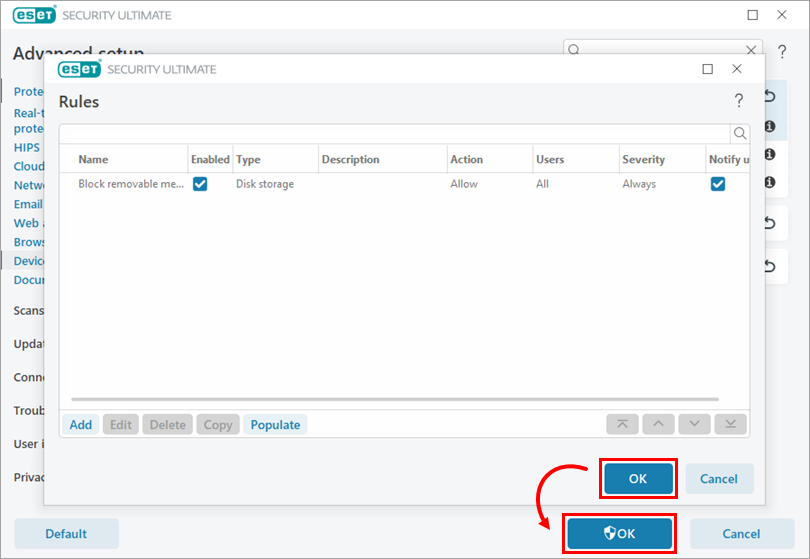
Click OK → OK.
-
Restart your device.


