Issue
- Temporarily disable Antivirus and anti-spyware protection in ESET Windows home and small office applications
- Troubleshoot or install third-party software that requires you to temporarily disable Antivirus and anti-spyware protection in ESET Windows home and small office applications
Solution
-
Open the main program window of your ESET Windows home or small office application.
-
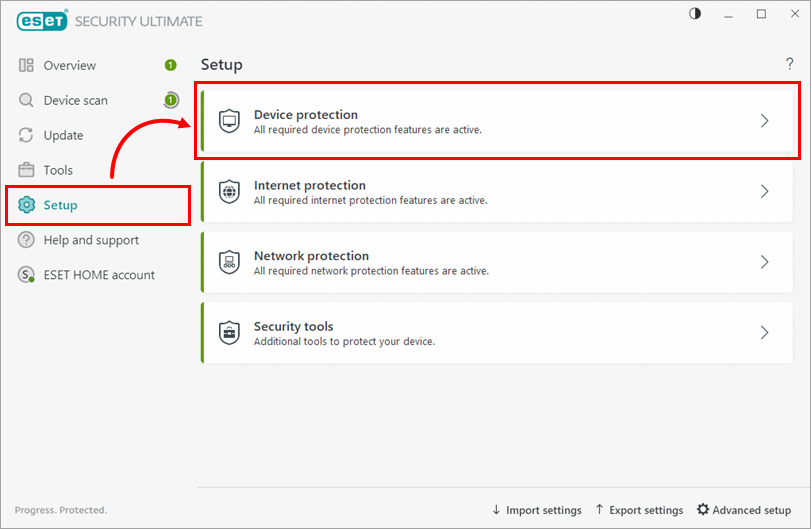
Click Setup → Device protection.
-
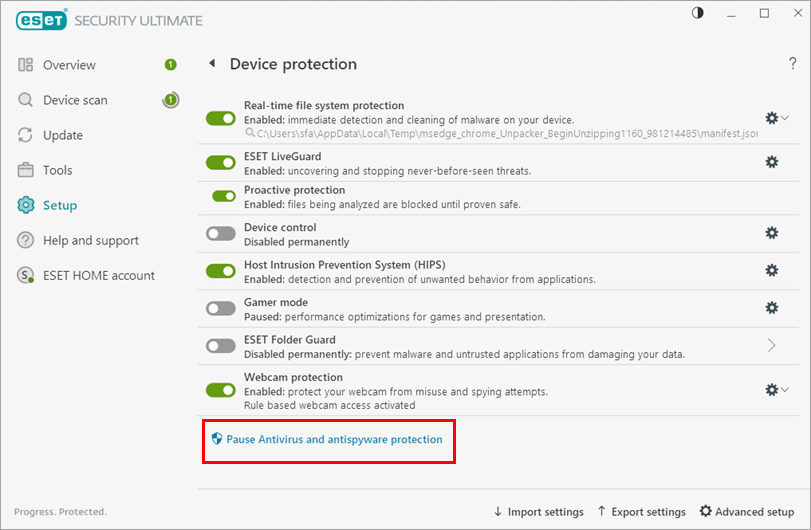
Click Pause Antivirus and antispyware protection.
-
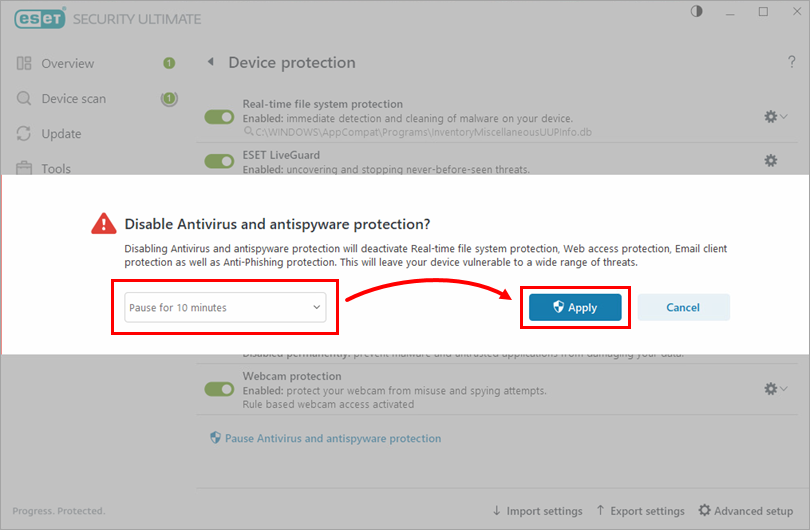
Select for how long you want to disable Antivirus and anti-spyware protection and click Apply.
-
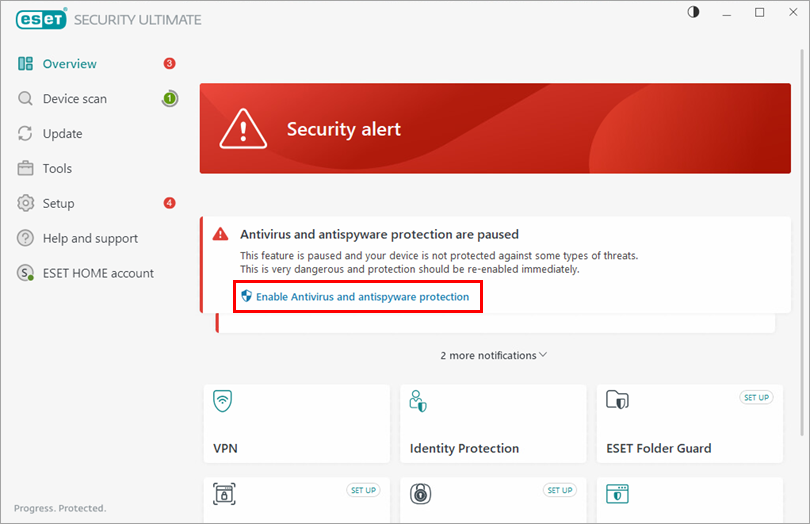
To enable Antivirus and anti-spyware protection again, open the main program window of your ESET Windows home or small office application and click Enable Antivirus and antispyware protection.