Solution
-
Before installing your ESET application, uninstall any antivirus applications already installed.
-
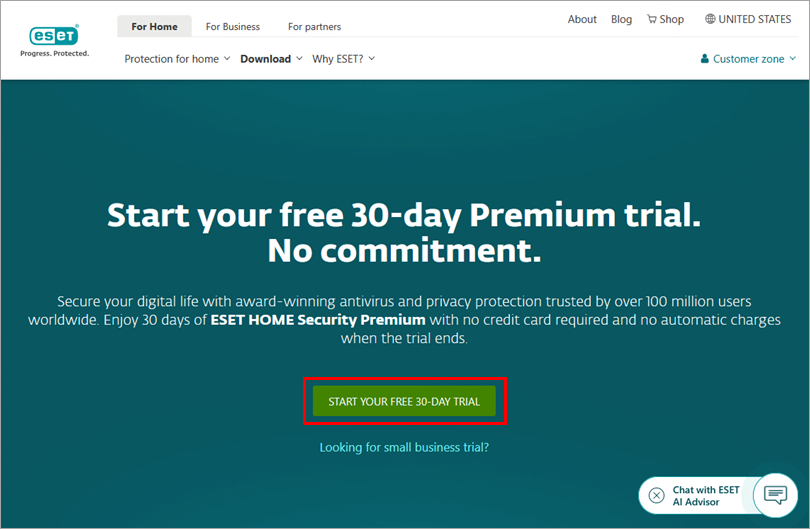
Go to the free trial web page and click Start your free 30-day trial. To download an ESET small office application, click Looking for small business trial > Start your free 30-day trial.
-
When the download is complete, run the downloaded file to begin the installation.
-
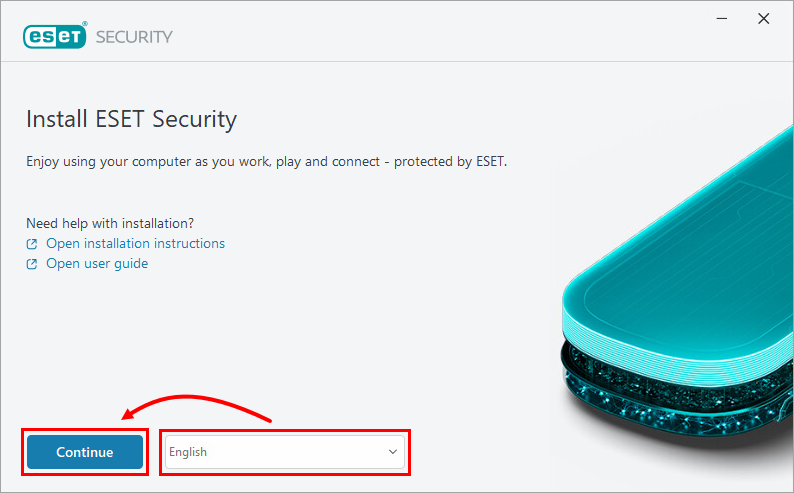
Select your preferred language from the drop-down menu and click Continue.
-
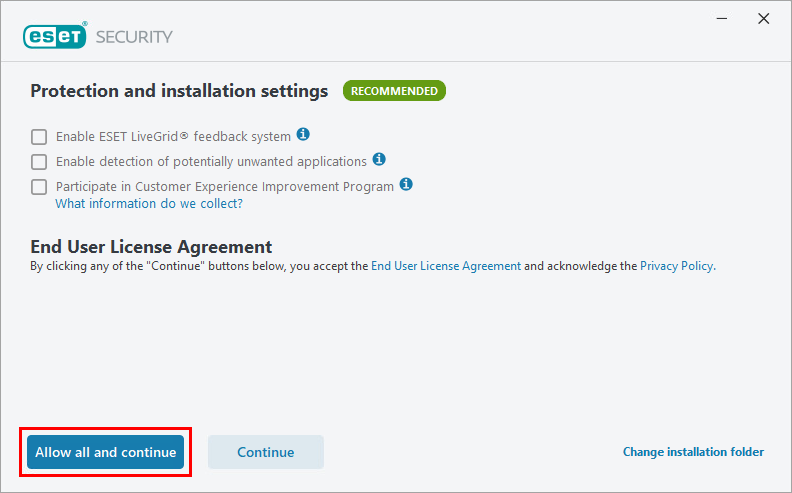
Click Allow all and continue.
-
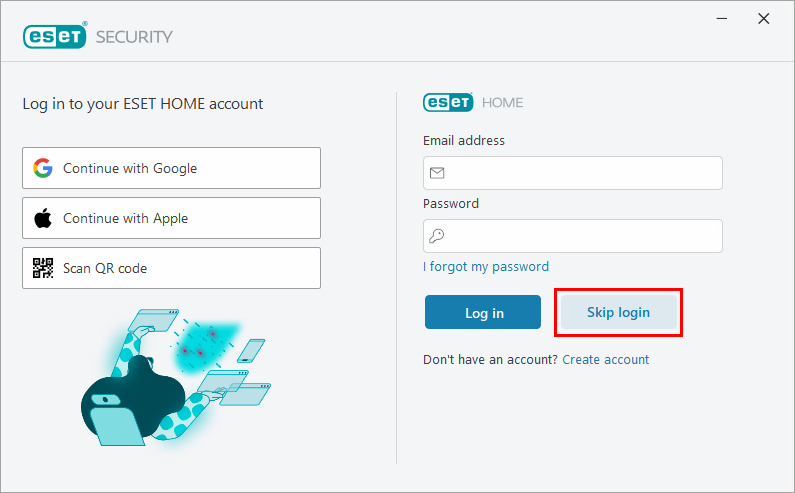
Click Skip login. If you want to try ESET HOME, you can click Create account and create an ESET HOME account.
-
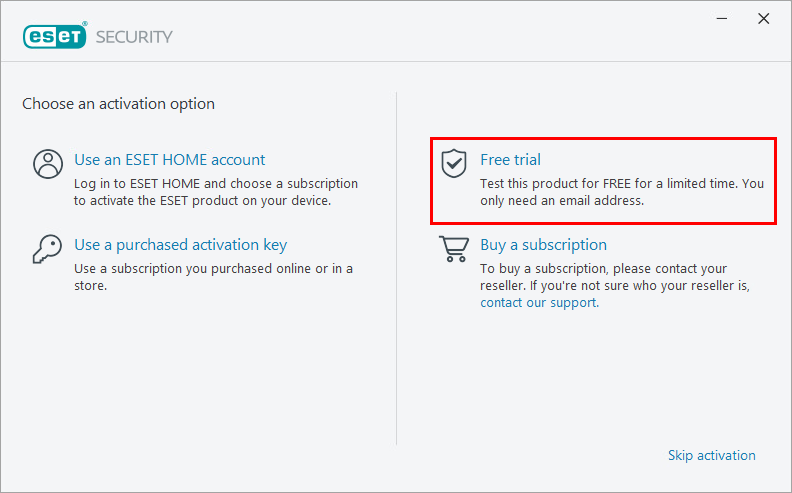
Click Free trial.
-
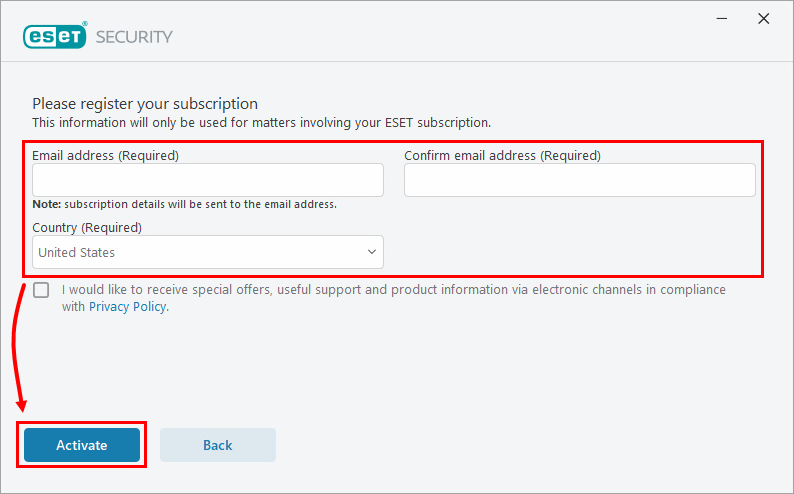
Type your email address in the required fields and select the appropriate country. Click Activate.
-
After you complete the activation process, you receive an email with your trial subscription details. You can see how much time you have remaining on your trial in your subscription details email or in the main program window of your ESET application. At any time during your trial, you can upgrade to a full ESET subscription.


