Issue
- You received a link to a SharePoint folder from ESET Technical Support or ESET Customer Support to upload files
- ESET Technical Support or ESET Customer Support asked you to upload additional files or logs to resolve your request
- You want to upload files for ESET Technical Support or ESET Customer Support to help solve your request
Solution
-
Open the email you received and click the SharePoint folder link:
https://esetcom.sharepoint.com/:f:/s/technical-support-repository-hq/xxxxxxxxxxxxxxxxxxxxxxxx. -
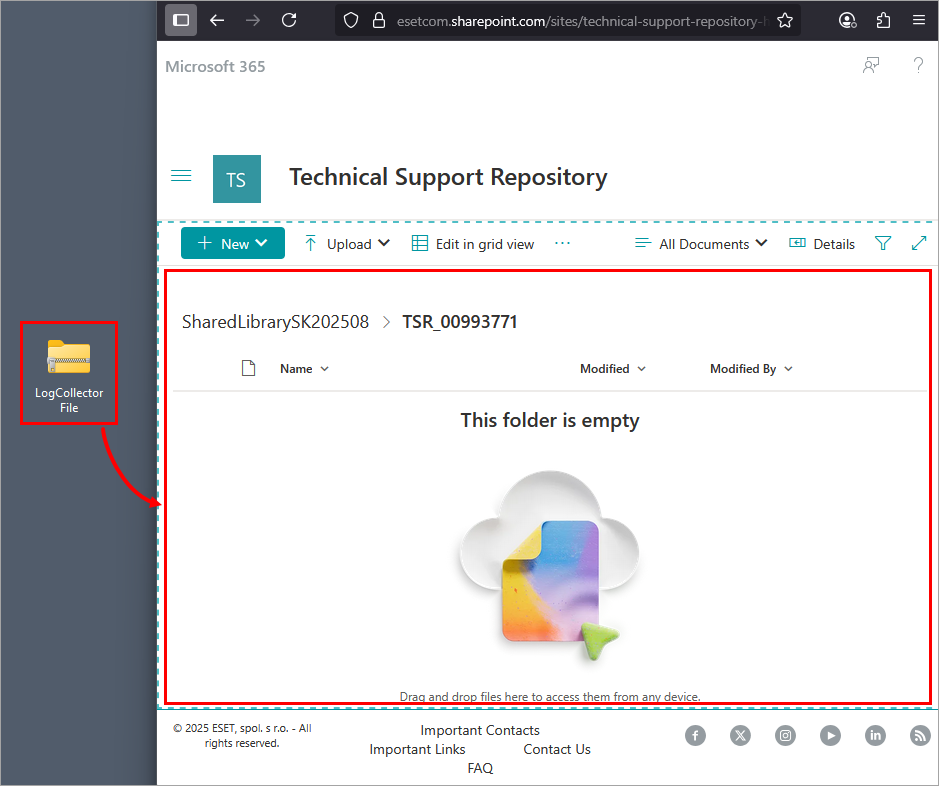
Click and drag the file you want to upload to the highlighted area in your browser.
-
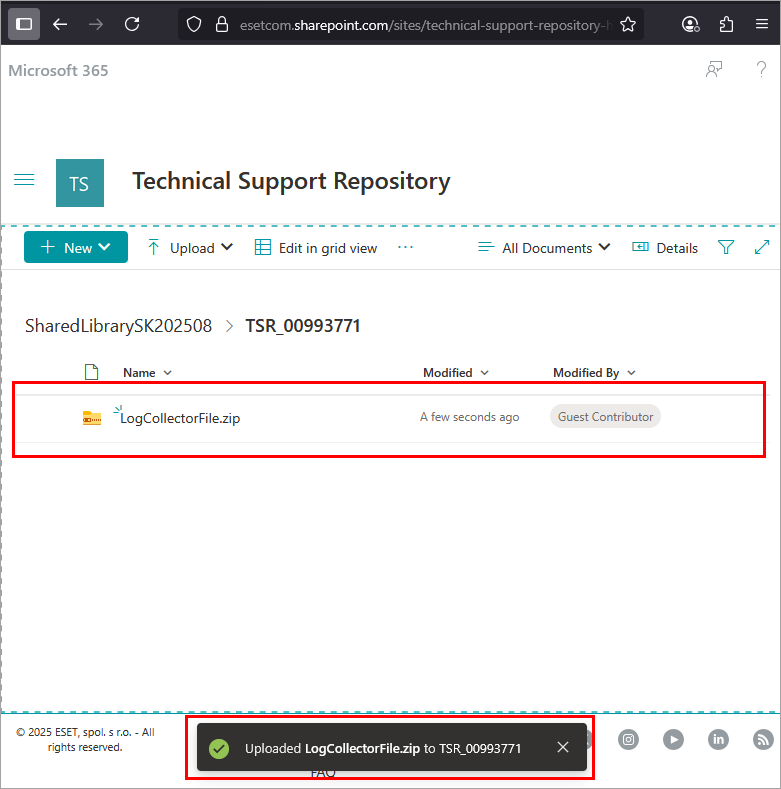
Verify that the file has been uploaded successfully.
-
Reply to the email you received from ESET Technical Support or ESET Customer Support to continue with your support request.


