Issue
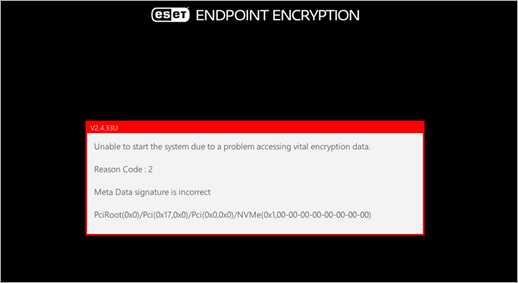
- You receive the error message "Unable to start the system due to a problem accessing vital encryption data" in ESET Endpoint Encryption or ESET Full Disk Encryption
Solution
The error "Unable to start the system due to a problem accessing vital encryption data. Reason Code: 2 Meta Data signature is incorrect" occurs when the encryption meta data cannot be found on the disk due to a fault or corruption.
ESET Full Disk Encryption users
-
If the ESET Recovery Media Creator cannot decrypt the computer, search for meta data using the recovery utility. Contact ESET support for additional assistance and to provide recovery log files.
ESET Endpoint Encryption users
The recovery process for ESET Endpoint Encryption users is more complex and requires additional assistance from ESET support. Submit a request for ESET technical support and follow the instructions received in the support request.


