Issue
-
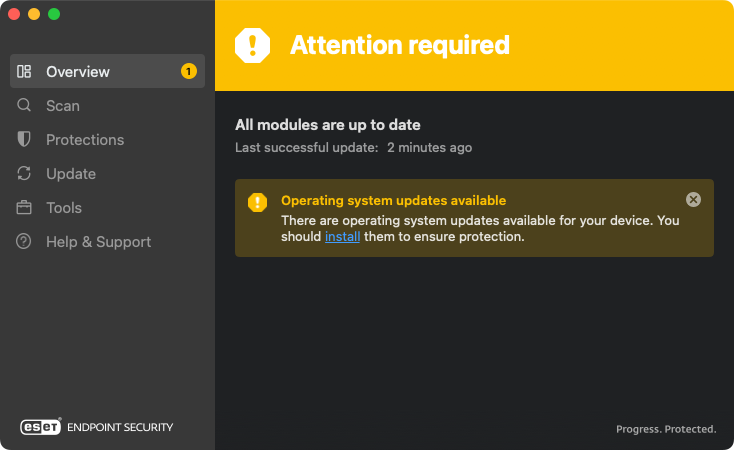
ESET Cyber Security and ESET Endpoint Security for macOS display a yellow "Attention required" status and show the "Operating system updates available" notification
Solution
Windows users | ESET PROTECT or ESET PROTECT On-Prem users
-
Open the main program window: ESET Cyber Security or ESET Endpoint Security for macOS
-
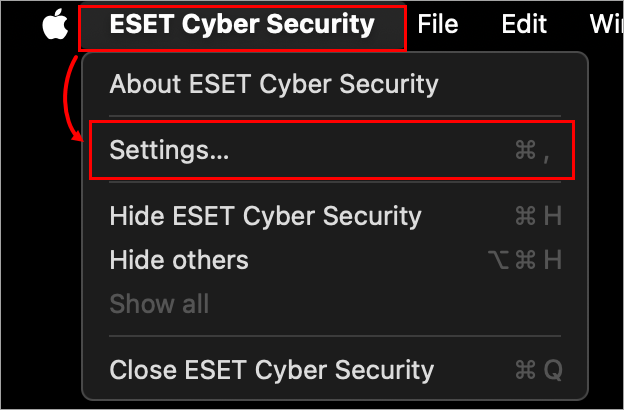
Click the name of the product in the macOS menu bar (at the top of the screen) and click Settings.
-
In the User Interface section, click Application Statuses.

-
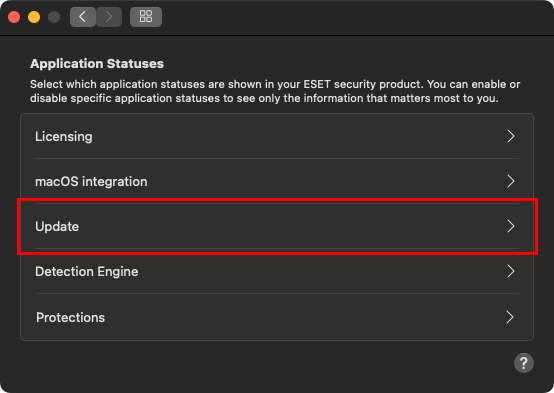
In the Application statuses window, click Update.
-
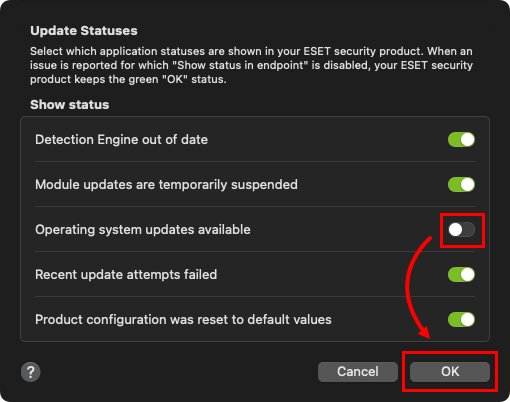
Click the toggle next to Operating system updates available to turn it off, and click OK.