Issue
- Enable or disable the detection of potentially unwanted, unsafe, or suspicious applications
Details
Click to expand
Potentially unwanted applications are programs that may not be intentionally malicious but can negatively affect the performance and reliability of the system or send information to third parties.
Solution
Related solutions: macOS users | Business users
-
Open the main program window of your Windows ESET application.
-
Press F5 to access Advanced setup.
-
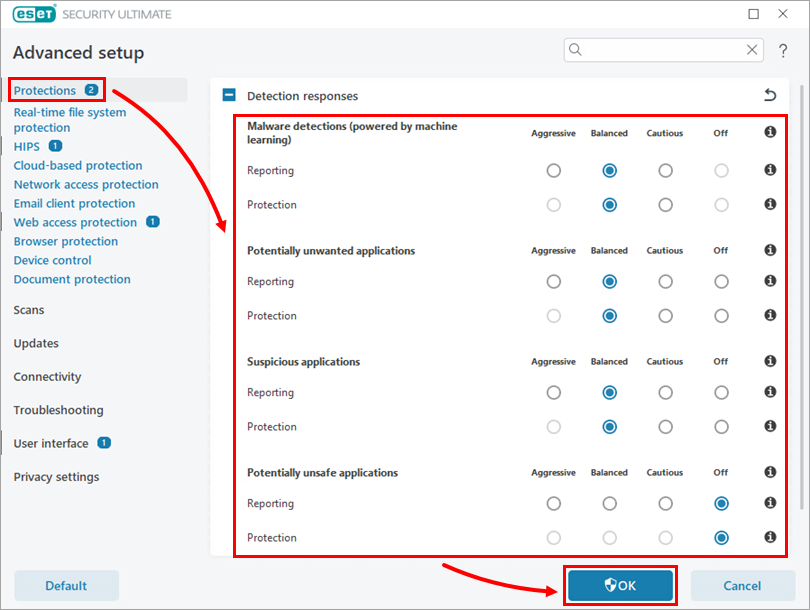
Click Protections. Under Detection responses, configure the reporting and protection settings for Malware detections (powered by machine learning), Potentially unwanted applications, Suspicious applications, and Potentially unsafe applications according to your preferences. Click OK to save your changes.