Issue
- You want to activate and configure the ESET Identity Protection feature in ESET HOME
Details
Click to expand
ESET Identity Protection is currently available only to ESET HOME Security Ultimate subscriptions.
To activate ESET Identity Protection, you must have created your ESET HOME account password and set up Two-Factor Authentication (2FA).
If any of these requirements are not met, you will be requested to create your ESET HOME password and/or set up 2FA during the activation process.
Solution

-
Log in to your ESET HOME account.
-
In the navigation panel, click the Members icon and select the member for whom you want to activate and configure ESET Identity Protection.
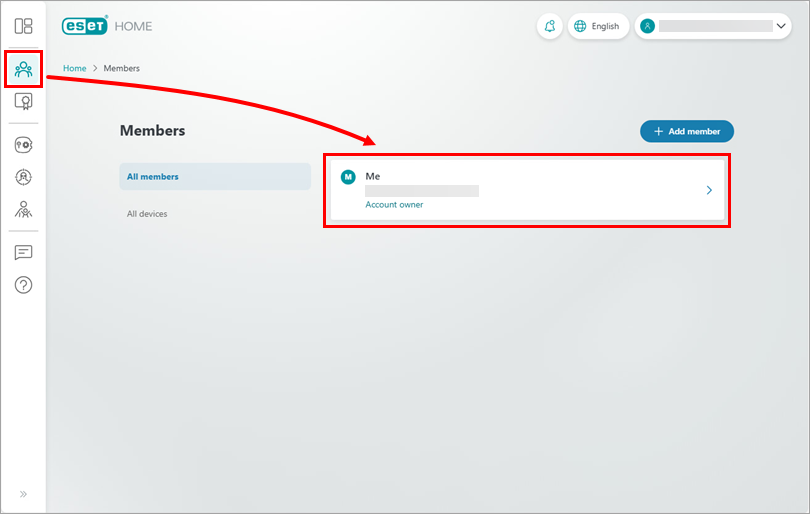
Figure 1-1 -
Click Identity Protection → Add protection.
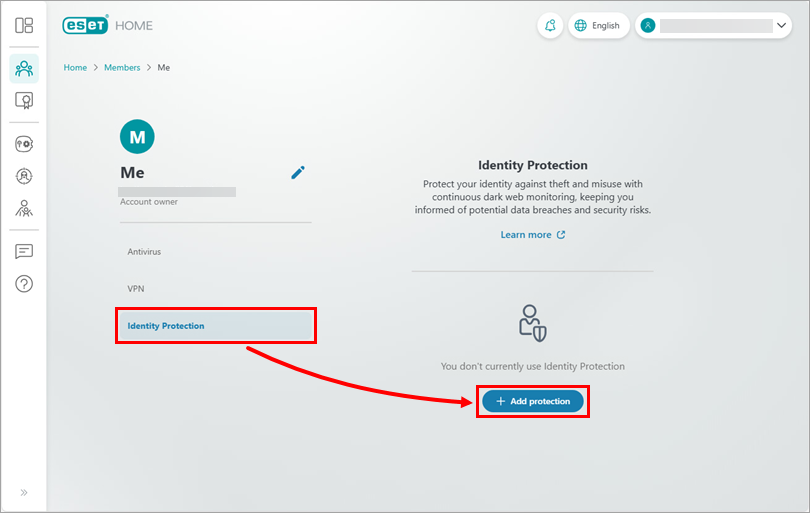
Figure 1-2 -
Select your subscription and click Continue.
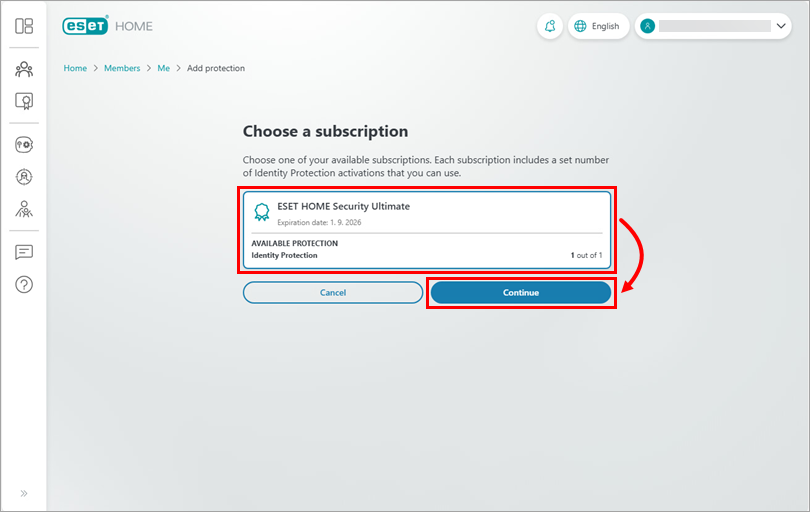
Figure 1-3 -
Click Continue.
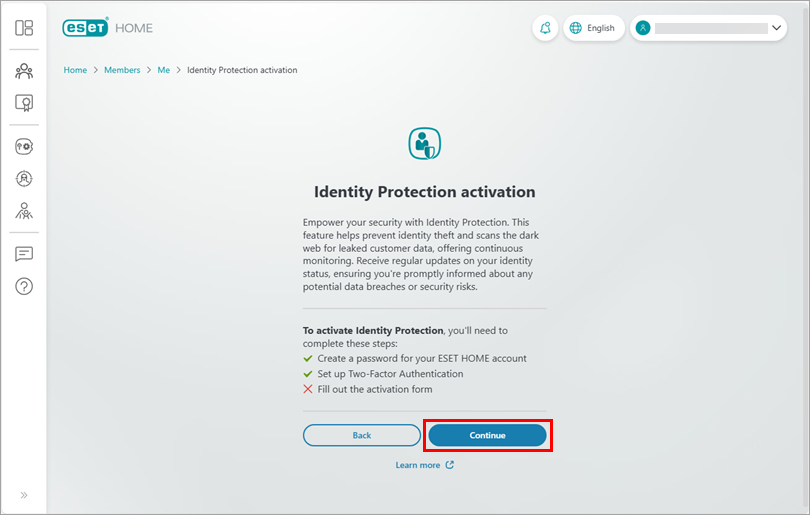
Figure 1-4 -
Click Continue.
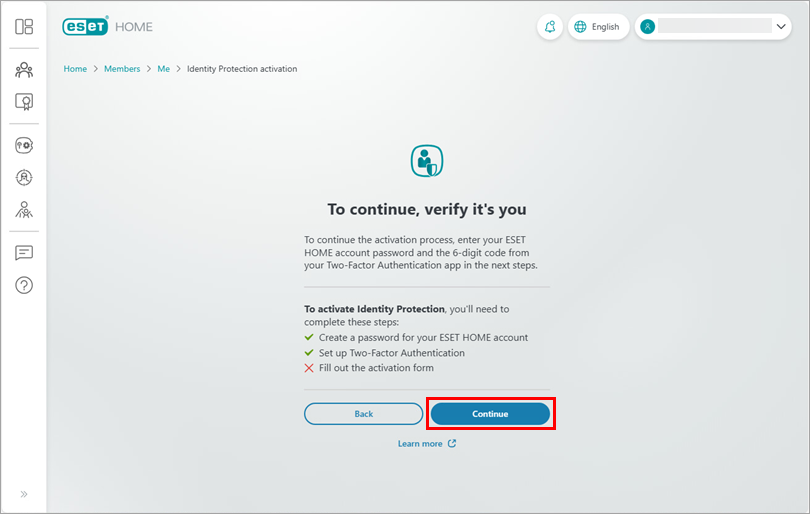
Figure 1-5 -
Type your ESET HOME password and click Continue.
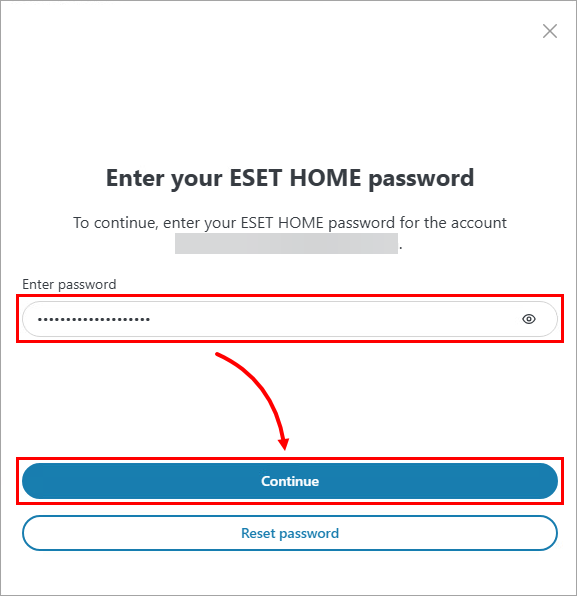
Figure 1-6 -
Type the 6-digit code from your authentication app and click Continue.
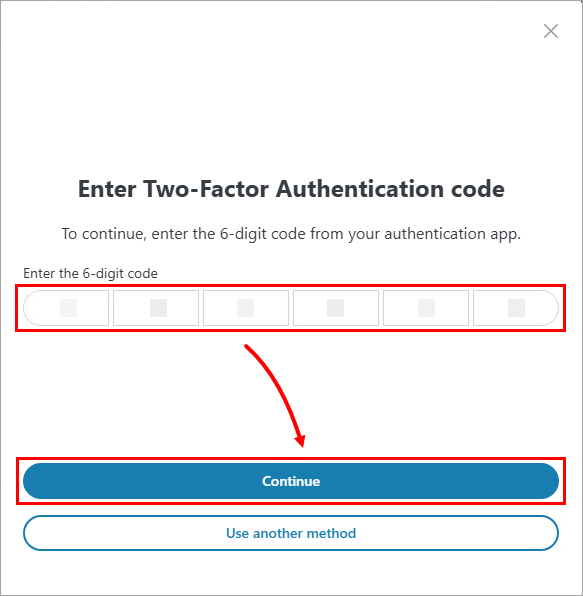
Figure 1-7 -
Fill in your personal information, select your country from the Country drop-down menu and click Activate.
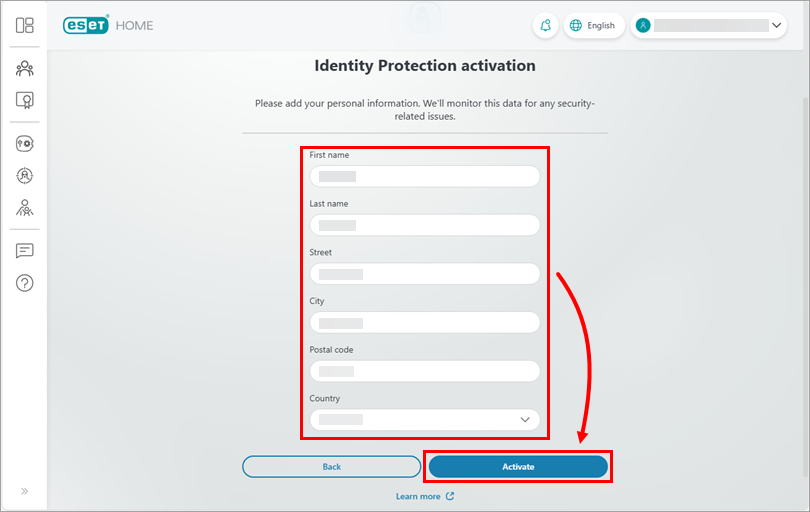
Figure 1-8 -
ESET Identity Protection is now successfully activated. Click Got it and start using ESET Identity Protection.
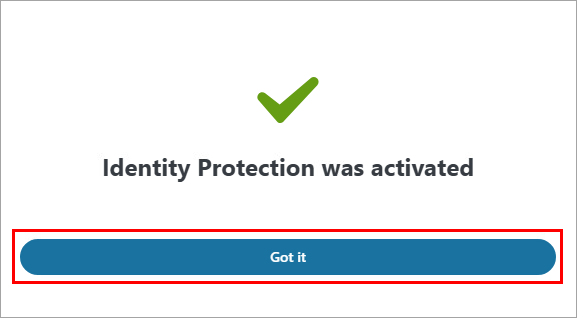
Figure 1-9


