Issue
- Create a scheduled scan in ESET Endpoint Security or ESET Endpoint Antivirus
Solution
 ESET PROTECT On-Prem users: Create a scheduled scan on client workstations using ESET PROTECT On-Prem.
Create a scheduled scan on an individual client workstation
-
Open the main program window of your ESET Windows endpoint product.
-
Click Tools → Scheduler.
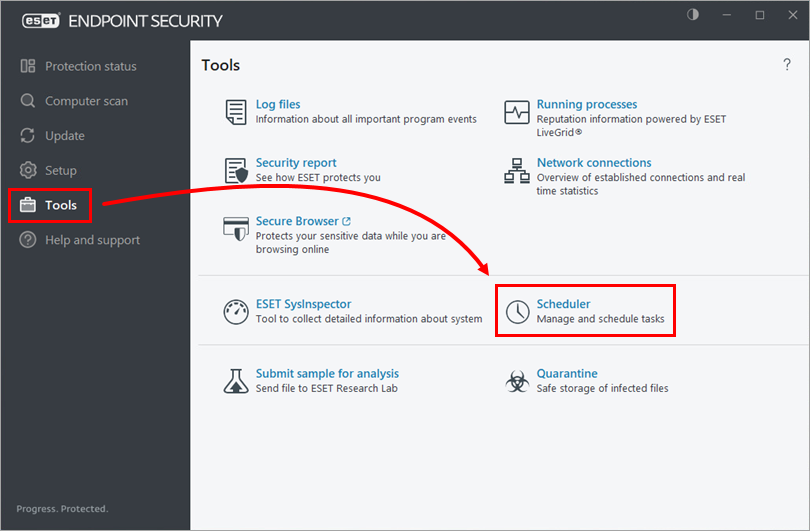
Figure 1-1 -
Click Add task and type a name for your task in the Task name field. Select On-demand computer scan from the Task type drop-down menu and click Next.
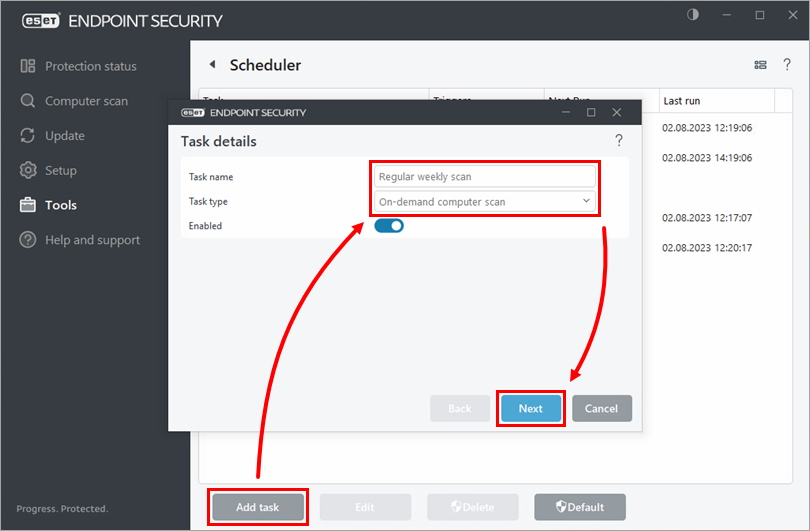
Figure 1-2 -
Select the frequency for the new task and click Next.
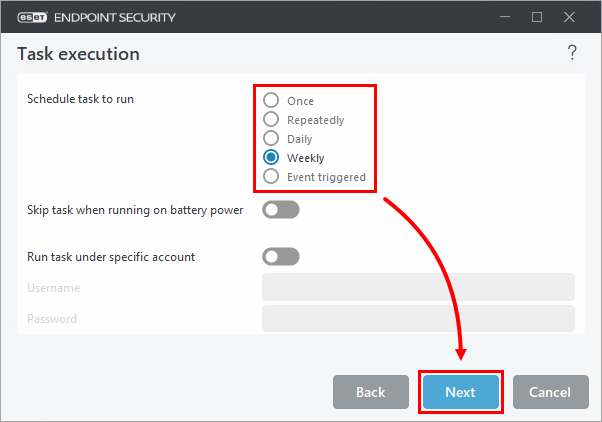
Figure 1-3 -
Set the time in the Time of task execution (we recommend setting a time when the computer is powered on during non-business hours) and select the days for the task to run. Click Next.
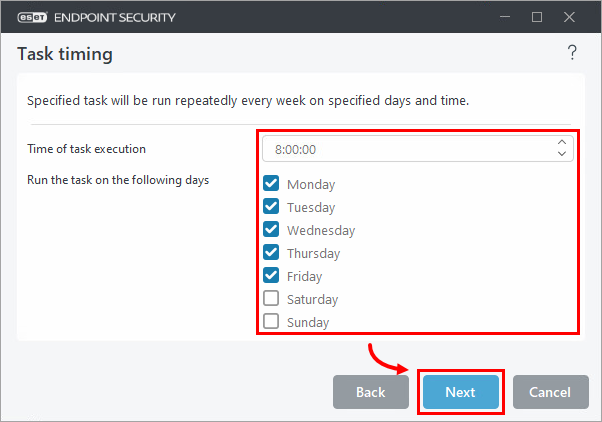
Figure 1-4 -
Select Immediately, if time since last scheduled run exceeds (hours). Set the value to 24 and click Next.
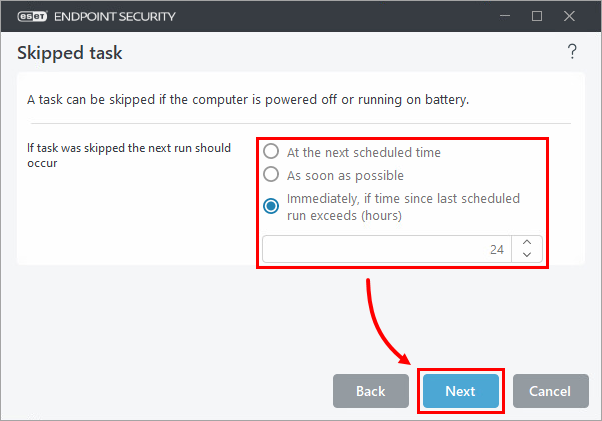
Figure 1-5 -
Select or type the path to scan the computer and click OK.
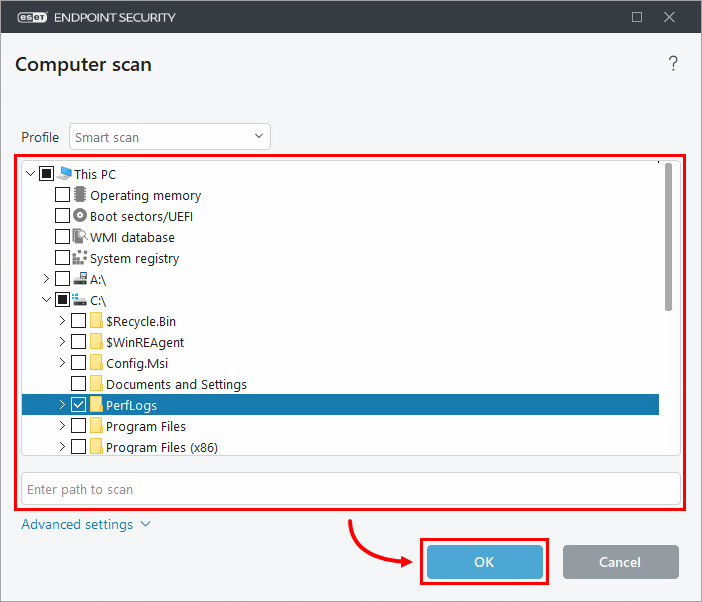
Figure 1-6 -
Click Finish.
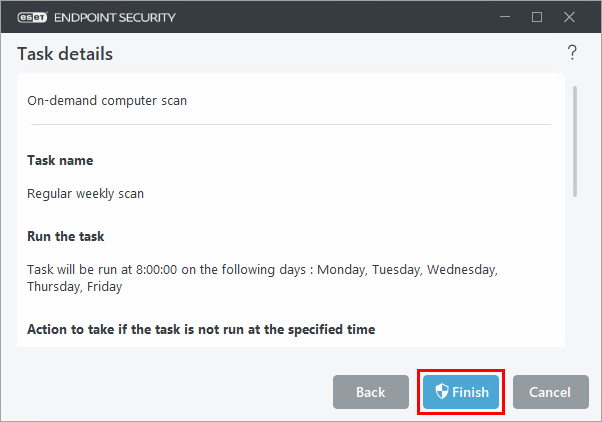
Figure 1-7


