[KB8049] Upgrade an ESET Endpoint Encryption trial license to a full license

Issue

ESET Endpoint Encryption Client and ESET Endpoint Encryption Server are separate applications from ESET Full Disk Encryption

The article below applies only to the ESET Endpoint Encryption Client or ESET Endpoint Encryption Server and not ESET Full Disk Encryption.

Visit ESET Full Disk Encryption support to view ESET Full Disk Encryption content.

  • Upgrade your trial license of ESET Endpoint Encryption (EEE) to a full license

Solution

Log in to the ESET Endpoint Encryption

Ensure that you are logged in to EEE, so the license details are updated in the software after your trial license has been converted to a full license.  

  1. In your Windows notification area, right-click the EEE icon, click or hover the mouse cursor over Licence and click Licence Wizard.
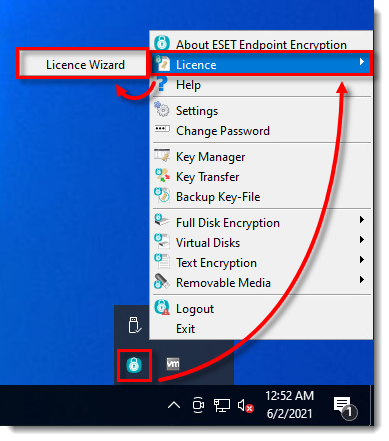
Figure 1-1
Click the image to view larger in new window
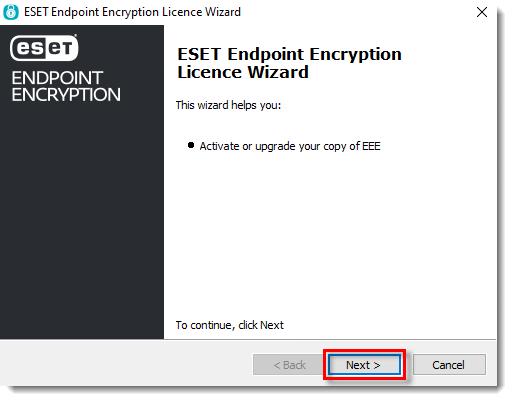
  1. Click Next.

Figure 1-2
Click the image to view larger in new window
  1. Type your full license Product ID and Product Key in the respective fields and click Next.
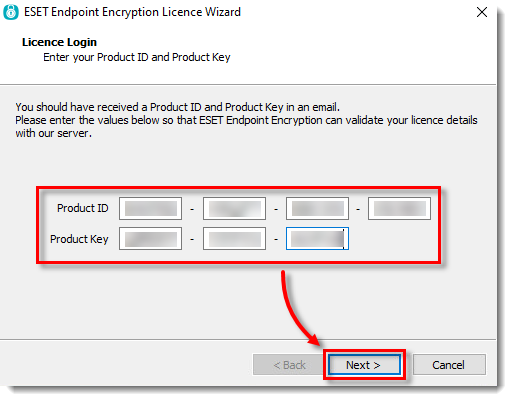
Figure 1-3
Click the image to view larger in new window
  1. Ensure that the update has been applied successfully and click Finish.
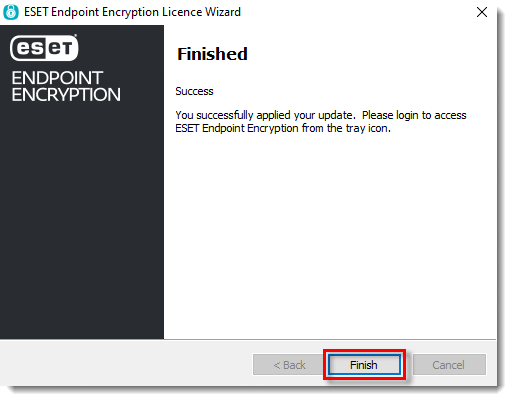
Figure 1-4
Click the image to view larger in new window