Issue
- Synchronize ESET PROTECT On-Prem with Active Directory
- Filter the static group of computers for unprotected computers
- Use Rogue Detection Sensor to search for devices that are not in Active Directory
Solution
Synchronize ESET PROTECT On-Prem with Active Directory
This process ensures that any recently added computers show up in ESET PROTECT On-Prem.
-
Create a task to synchronize ESET PROTECT On-Prem with Active Directory.
-
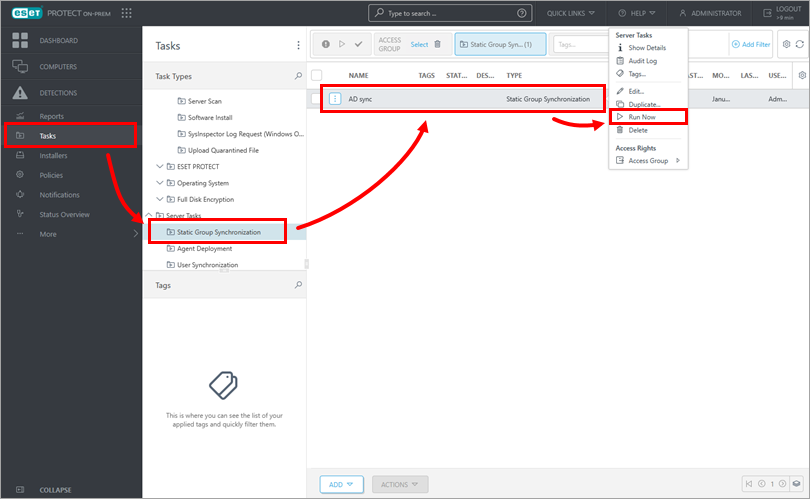
Click Tasks → Static Group Synchronization. Click the task you have created and click Run now.
-
ESET PROTECT On-Prem automatically adds unprotected computers from your Active Directory to the All group.
Filter the static group of computers for unprotected computers
This process will only display computers that are joined to the Domain on your network. To display computers on your network that are not joined to the Domain, use Rogue Detection Sensor.
-
Click Computers and click the All group.

-
Ensure every filter option is enabled as shown below, and click Advanced filters.

-
In the Security application name column, click Not installed.

-
All unprotected computers on the network will be displayed.
Use Rogue Detection Sensor to search for devices that are not in Active Directory
Rogue Detection Sensor monitors the network in which it is deployed and when a new device without an Agent connects to the network, it reports this information to the ESET PROTECT On-Prem. Follow the instructions below to find new computers on your network using Rogue Detection Sensor in ESET PROTECT Web Console:
-
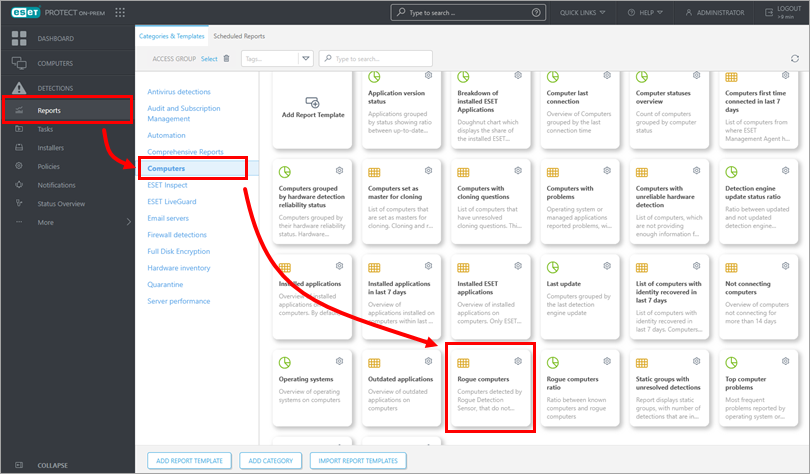
Click Reports → Computers. Click Rogue computers to generate a report.
-
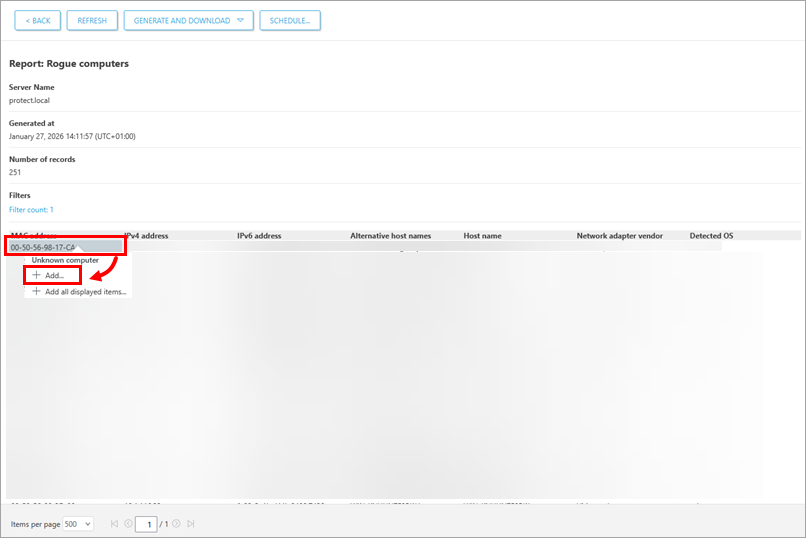
The report lists unmanaged computers, as well as all devices connected to the network (including routers, printers, cameras, etc.). The list may include non-Windows devices that do not need to have an ESET application installed.
Click the computer you want to add and click Add to add it to ESET PROTECT On-Prem.
Alternatively, you can click anywhere in the list and then click Add all displayed items.
-
Review the list of computers to be added and click Add.

-
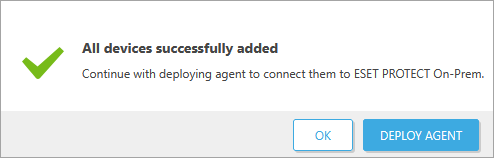
Click OK to add the computers. To send the ESET Management Agent to these unmanaged computers, click Deploy Agent.