Issue
- You need to utilize the OpenCTI TAXII2 ingester to ingest the ESET Threat Intelligence feed data
Solution
-
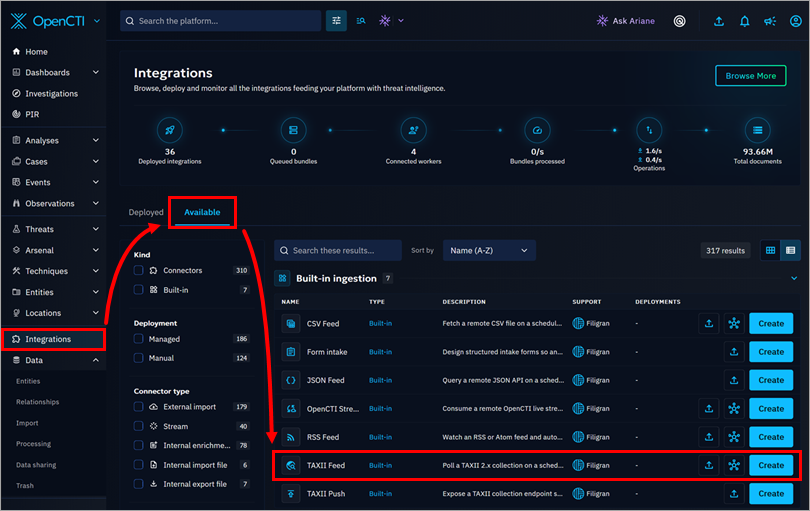
In the OpenCTI dashboard main menu, click Integrations, click the Available tab (which contains the catalog of connectors and built-in feeds you can deploy), find the TAXII Feed option from the list and click its corresponding Create button.
-
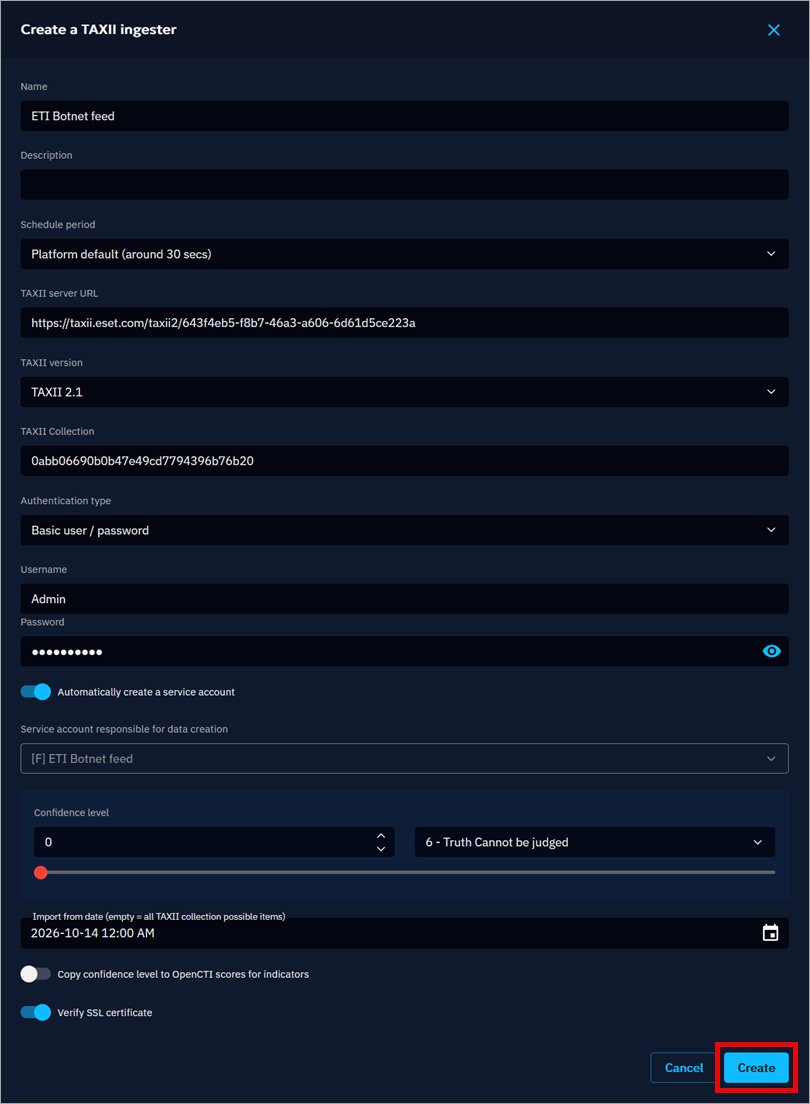
In the Create a TAXII ingester window, fill in the TAXII feed details described below and then click Create to create a new feed.
- Name: Name of the feed (for example, ETI Botnet feed)
- Description: Fill in a description of the feed (optional)
- Schedule period: Select your preferred option
- TAXII server URL: Copy your URL of ESET Threat Intelligence TAXII 2.x API root (for example,
https://taxii.eset.com/taxii2/643f4eb5-f8b7-46a3-a606-6d61d5ce223a) - TAXII version: TAXII 2.1
- TAXII Collection: Copy your TAXII Collection ID (for example,
0abb06690b0b47e49cd7794396b76b20) - Authentication type: Select Basic user/password from the drop-down menu
- Username and Password: to get your credentials, activate a TAXII feed
- User responsible for data creation: You can leave this field empty
- Confidence level: Set up according to your estimation
- Import from date: Select a date no earlier than the previous day
-
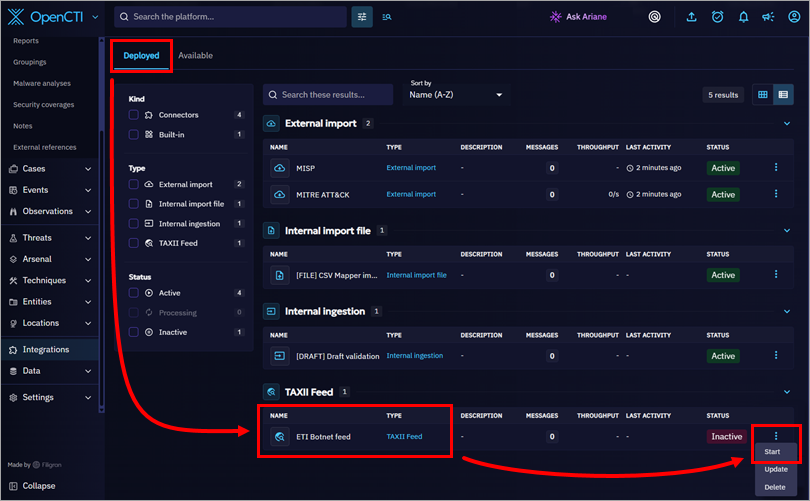
Click the Deployed tab, find the TAXII feed you created, click the three dots on the right, and click Start to start the ingestion.