Løsning
Eksportér data fra version 3.x
-
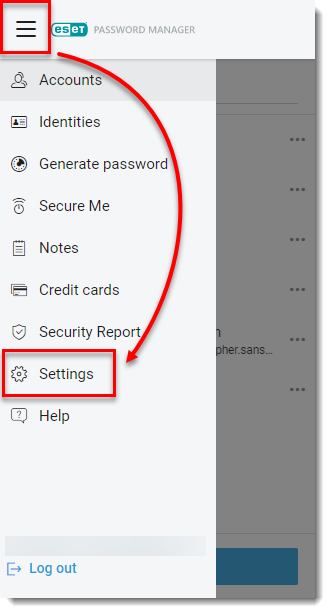
Åbn browserudvidelsen ESET Password Manager, klik på menuikonet, og klik på Indstillinger.
Figur 1-1 -
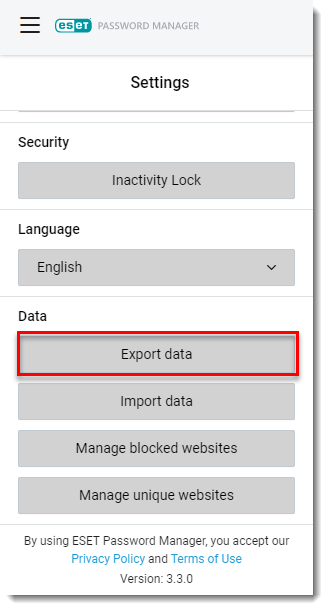
Rul ned til afsnittet Data, og klik på Eksporter data.
Figur 1-2 -
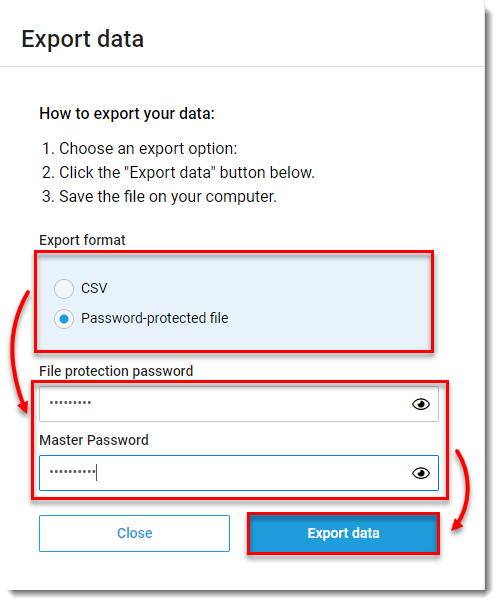
Se beskrivelsen nedenfor, og vælg et eksportformat. Hvis du vælger Adgangskodebeskyttet fil, skal du indtaste en adgangskode til filbeskyttelse. Indtast din hovedadgangskode, og klik på Eksporter data.
- Vælg Password-beskyttet fil for at oprette krypterede sikkerhedskopier af din password manager-database i .json-format.
- Vælg CSV for at oprette ukrypterede filer i .csv-format. Da CSV-formatet ikke er krypteret, anbefaler vi ikke at bruge det til adgangskoder eller personlige data.
Figur 1-3 -
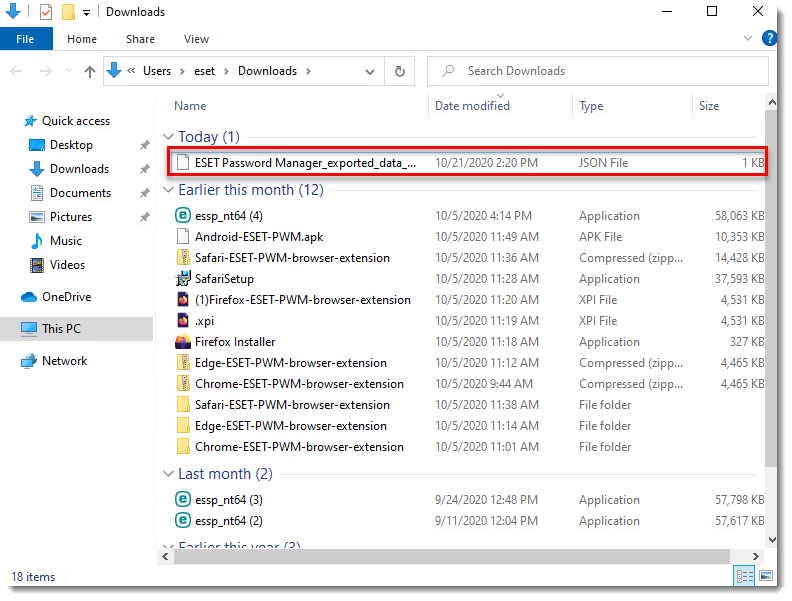
Filen bliver downloadet til din Windows File Explorer.
Figur 1-4 -
Importer dine data til den nyeste version af ESET Password Manager.


