Issue
- Create a permission set to allow users to view, use and edit objects, tasks and licenses in ESET PROTECT or ESET PROTECT On-Prem
Details
Click to expand
A permission set is a collection of rules that determines the level of interaction a user is allowed to have with objects (for example, computers or tasks) in a static group. Each permission set must have at least one static group assigned. For more information about static groups, see ESET PROTECT Online Help or ESET PROTECT On-Prem Online Help.
One permission set can be assigned to multiple users. Permission sets can be created for multiple static groups. A permission set will automatically be applied to the objects in the subgroups of the static groups you select. Be sure to select a static group at the level of access you want your user to have.
Solution
-
Create a new permission set:
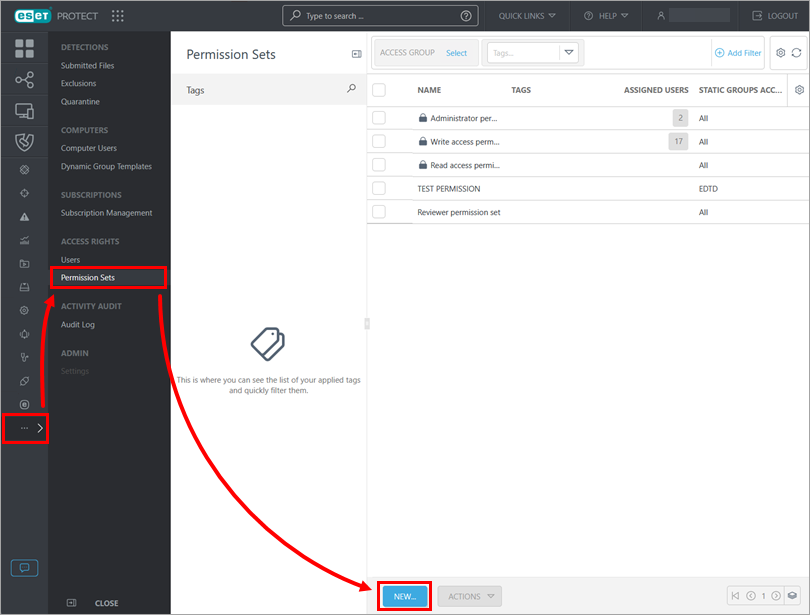
ESET PROTECT
Click More → Permission Sets → New.
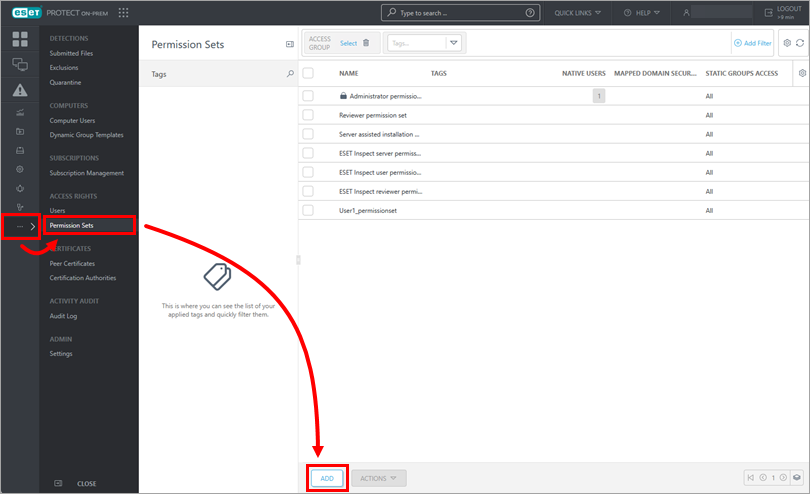
ESET PROTECT On-Prem
Click More → Permission Sets → Add.
-
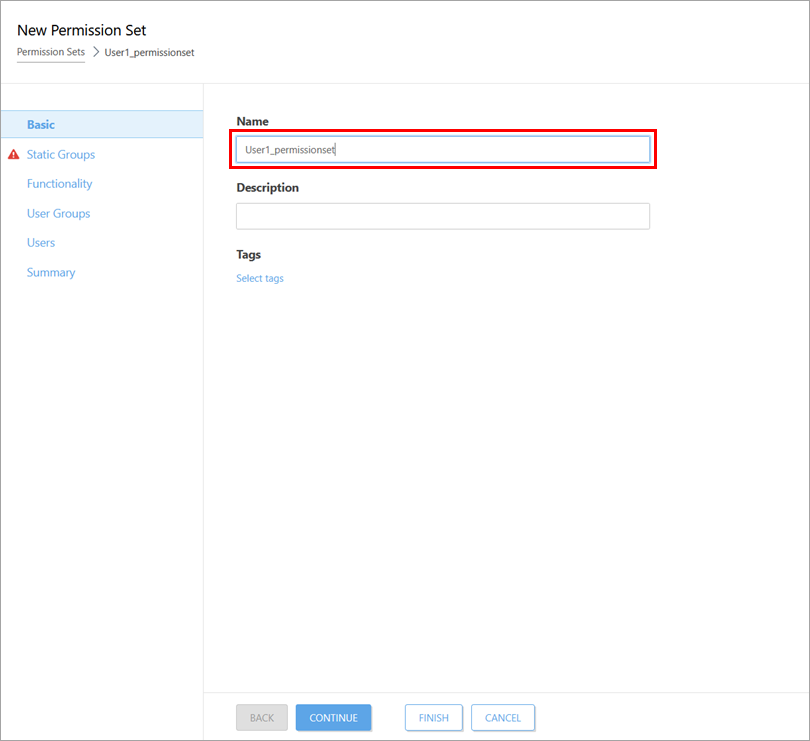
Type a name for the new permission set in the Name field.
-
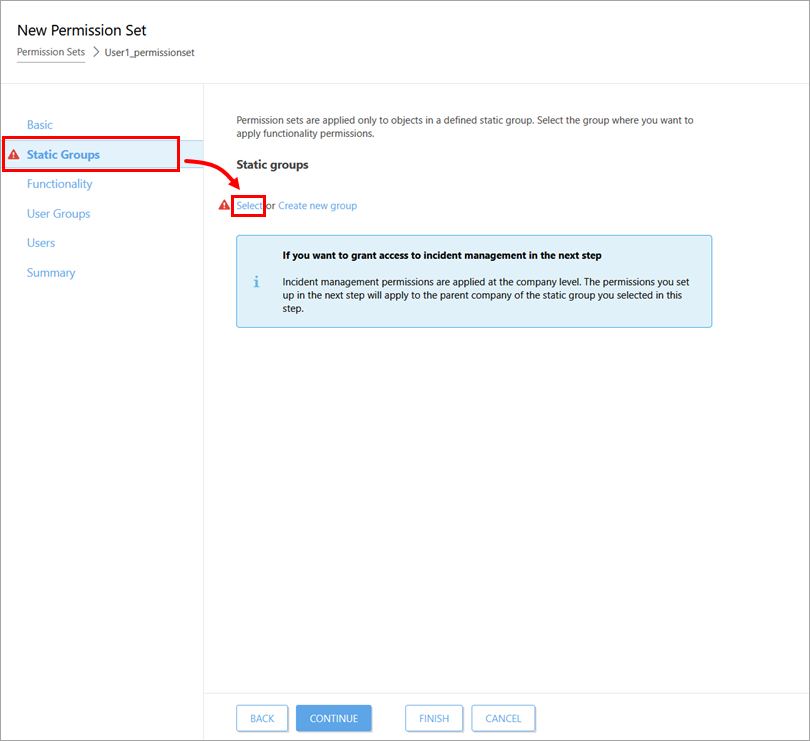
Click Static Groups → Select.
-
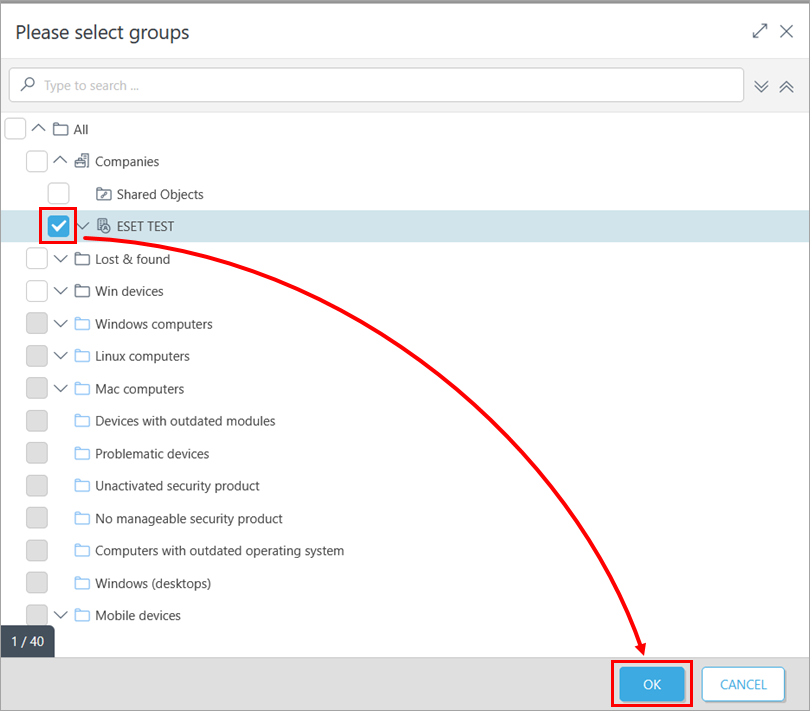
Select the check box next to the static group (or groups) you want to assign this permission set to and click OK.
-
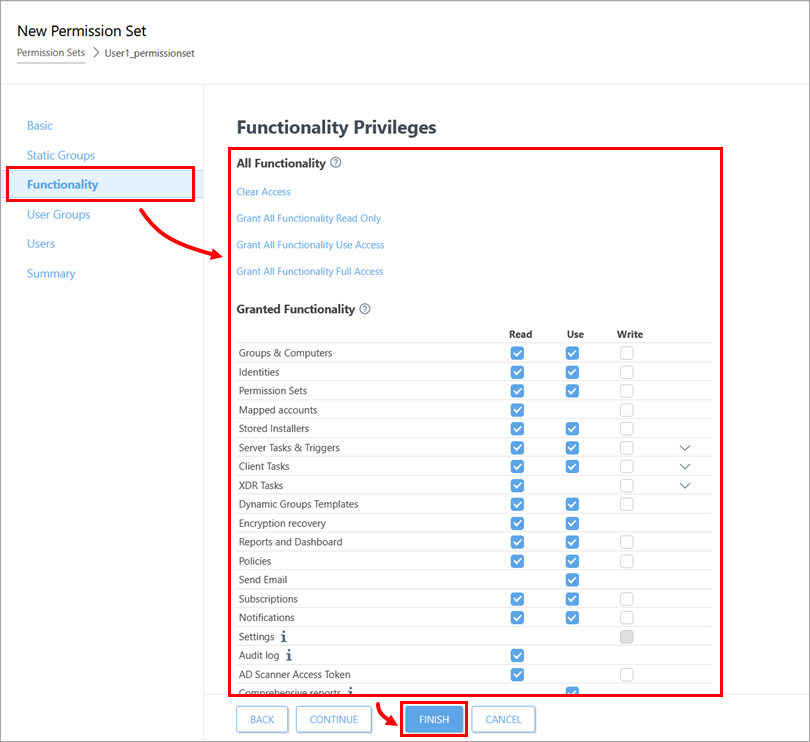
Click Functionality, configure the permissions and click Finish. You can select one of the pre-defined permission models or manually select the permission type for each functionality. There are three different permission types: Read, Use and Write. For more information about functionalities and permission types, see ESET PROTECT Online Help or ESET PROTECT On-Prem Online Help.